
AI Automation
AI Workflow Automation: How to Build Smarter Business Processes
AI workflow automation is becoming one of the most practical ways for growing businesses to reduce manual work, improve response times, and keep daily operations consistent. Instead of asking employees to copy information between tools, chase approvals, sort incoming requests, or build the same report every week, AI can help connect those steps into one reliable workflow. The result is not a business that runs without people. Instead, the result is a business where people spend more time on judgment, relationships, and growth.
For many companies, the first automation projects are simple. A contact form sends an email. A CRM creates a task. An invoice tool sends a reminder. However, those small automations often break down when the workflow needs context, prioritization, document understanding, or smart routing. That is where AI workflow automation becomes valuable. It adds intelligence to the process so the system can classify requests, summarize information, recommend next steps, and move work forward with the right human review.
What AI Workflow Automation Means
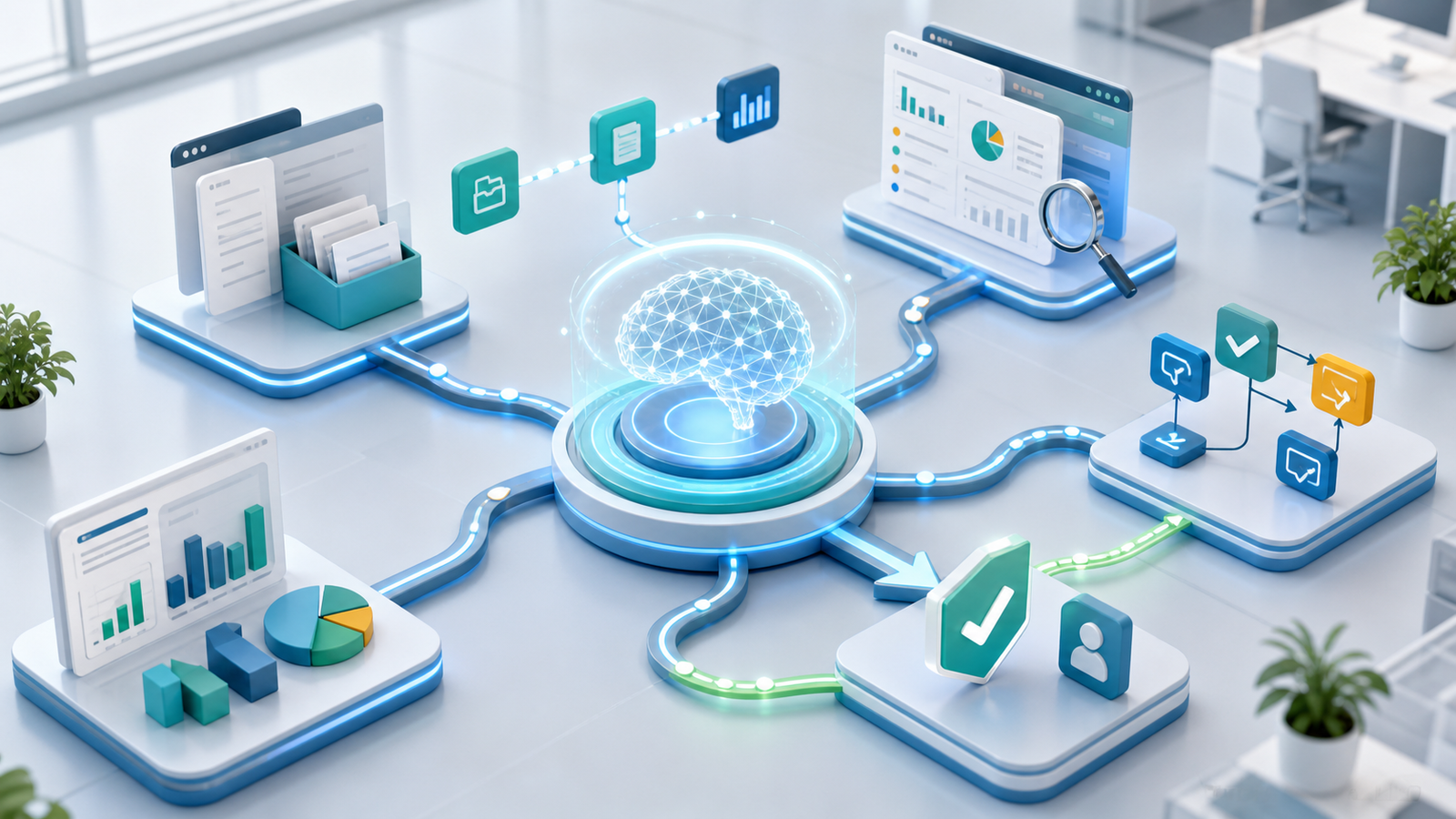
AI workflow automation means using artificial intelligence inside a business process to help tasks move from one step to the next with less manual effort. Traditional automation follows fixed rules. For example, if a form is submitted, then send an email. AI-powered workflows can go further because they can understand language, analyze documents, summarize notes, score intent, detect missing information, and suggest the next action.
In simple terms, a workflow is the path work follows from start to finish. Leads move from website inquiry to qualification. Support tickets move from customer message to resolution. Proposal work moves from request to scope, approval, and delivery. Once AI is added, the workflow can handle more complexity because it can read, interpret, and prioritize information before a team member steps in.
This matters because most business delays do not come from one difficult task. Instead, delays often happen between tasks. Someone waits for a reply. Files sit in inboxes. CRM notes may be missed. Managers approve work late because the context is missing. Therefore, AI workflow automation focuses on connecting the spaces between tools, teams, and decisions.
Why Traditional Workflows Break as Businesses Grow
Small teams can often manage work manually because everyone knows what is happening. As the business grows, however, more customers, more tools, and more handoffs create friction. A process that felt simple at ten customers per week can become messy at one hundred. After that, employees spend more time checking status than actually solving problems.
Traditional workflows usually depend on people remembering every step. A sales representative has to update the CRM. An operations coordinator has to assign the right person. A finance team member has to check whether the document is complete. Meanwhile, leaders have to ask for updates because the data lives in different systems. As a result, the business becomes slower even though the team is working hard.
AI workflow automation helps by making routine decisions more visible and repeatable. It does not remove accountability. Instead, it gives every team a clearer system for intake, routing, review, and measurement. This is especially useful for service businesses, agencies, clinics, local businesses, professional firms, and multi-location companies that handle similar requests again and again.
How AI Workflow Automation Works
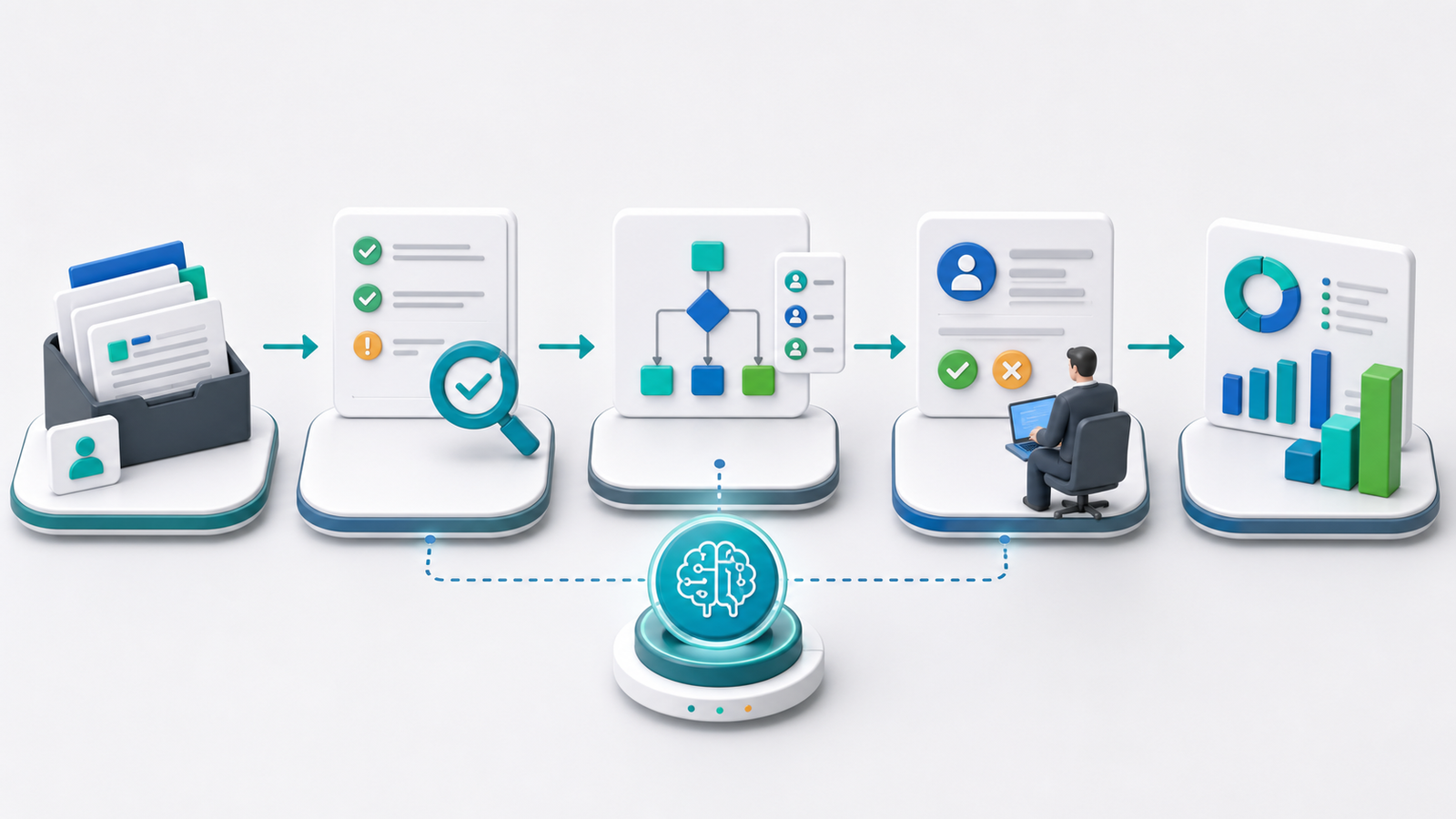
A strong AI workflow starts with a trigger. The trigger might be a website form, email, chat message, uploaded document, CRM update, payment event, calendar booking, or support ticket. Once the trigger starts the workflow, AI reviews the incoming information and decides what needs to happen next based on the rules and context the business defines.
Next, the workflow gathers data from connected systems. It may check the CRM for customer history, pull order details from an ecommerce platform, review a document, or compare the request against service categories. Then AI can summarize the situation, classify the request, score urgency, recommend ownership, or draft a response for review.
Finally, the workflow sends the task to the right place. It may create a CRM deal, notify a team member, update a dashboard, generate a proposal draft, send a follow-up email, or request manager approval. However, the best workflows also include human checkpoints. Sensitive decisions, customer-facing messages, pricing exceptions, compliance issues, and high-value opportunities should still have a person in the loop.
Manual Workflow vs AI Workflow Automation
| Business Area | Manual Workflow | AI Workflow Automation |
|---|---|---|
| Lead intake | Team reads each message and enters details manually. | AI captures, summarizes, scores, and routes leads automatically. |
| Customer support | Agents sort tickets by reading every request first. | AI classifies tickets, suggests replies, and escalates urgent issues. |
| Documents | Employees copy details from PDFs, forms, and emails. | AI extracts key fields and flags missing information for review. |
| Approvals | Managers search for context before making decisions. | The workflow delivers context, recommendation, and approval options. |
| Reporting | Teams build updates from spreadsheets and disconnected tools. | AI prepares summaries and pushes key metrics into dashboards. |
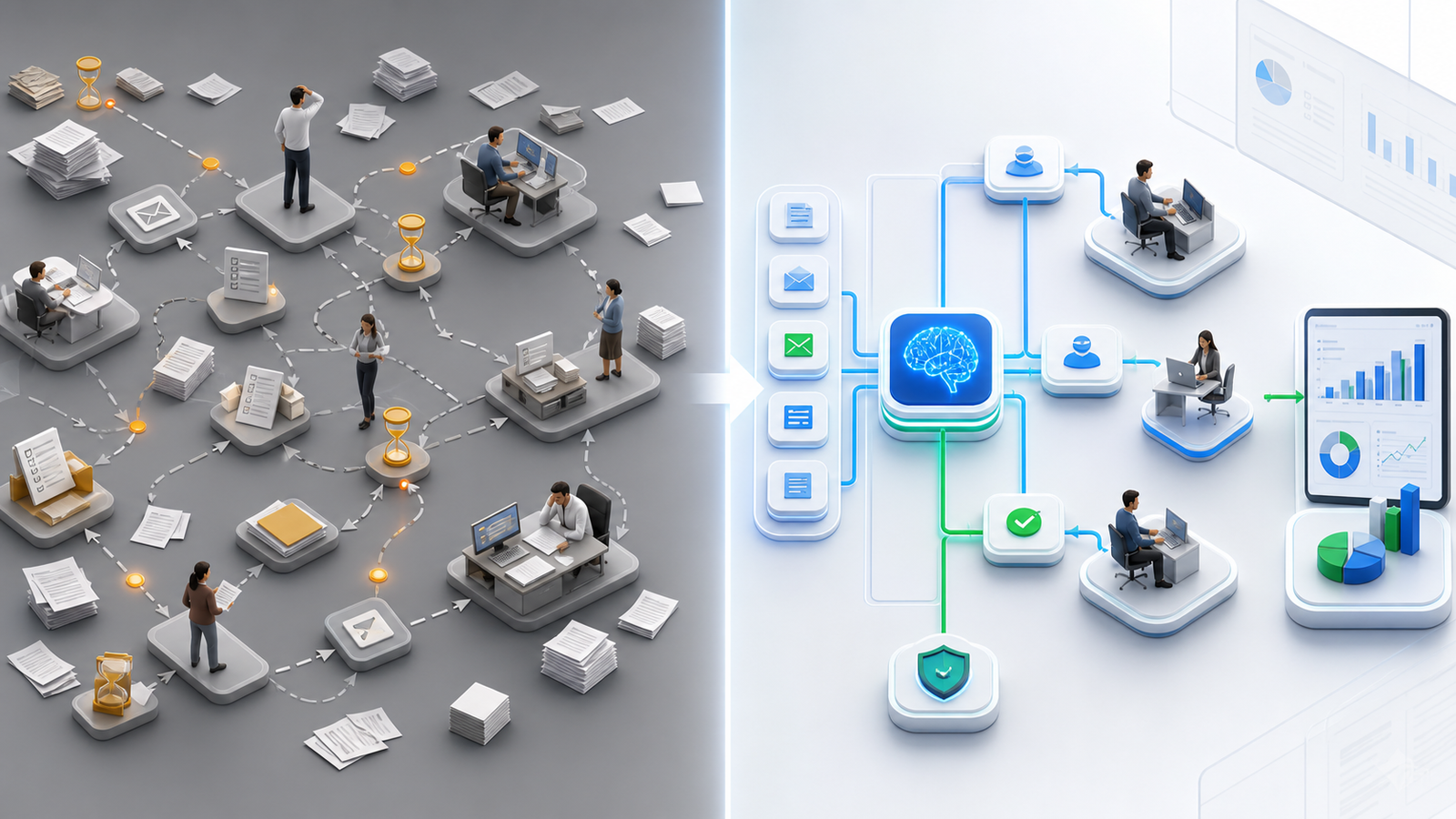
This comparison shows why AI workflow automation is more than a faster version of a manual checklist. The biggest improvement is context. Manual workflows depend on employees noticing details, remembering rules, and moving data between systems. AI workflows can collect context first, then guide the next step. Therefore, the team gets better consistency without turning every process into a rigid script.
Helpful Resources for Planning AI Workflow Automation
Before building, it helps to review both internal business needs and trusted automation guidance. IQBIRDS supports companies with AI automation services, AI integration services, AI CRM development, and AI marketing automation. These services help businesses connect tools, improve workflows, and create practical automation systems.
For external planning, Microsoft explains how teams can approach Power Automate planning. IBM also provides a useful overview of business process automation. In addition, Salesforce discusses workflow automation for customer and sales processes, while NIST offers the AI Risk Management Framework for teams thinking about responsible AI use.
Step-by-Step Guide to Building an AI Workflow
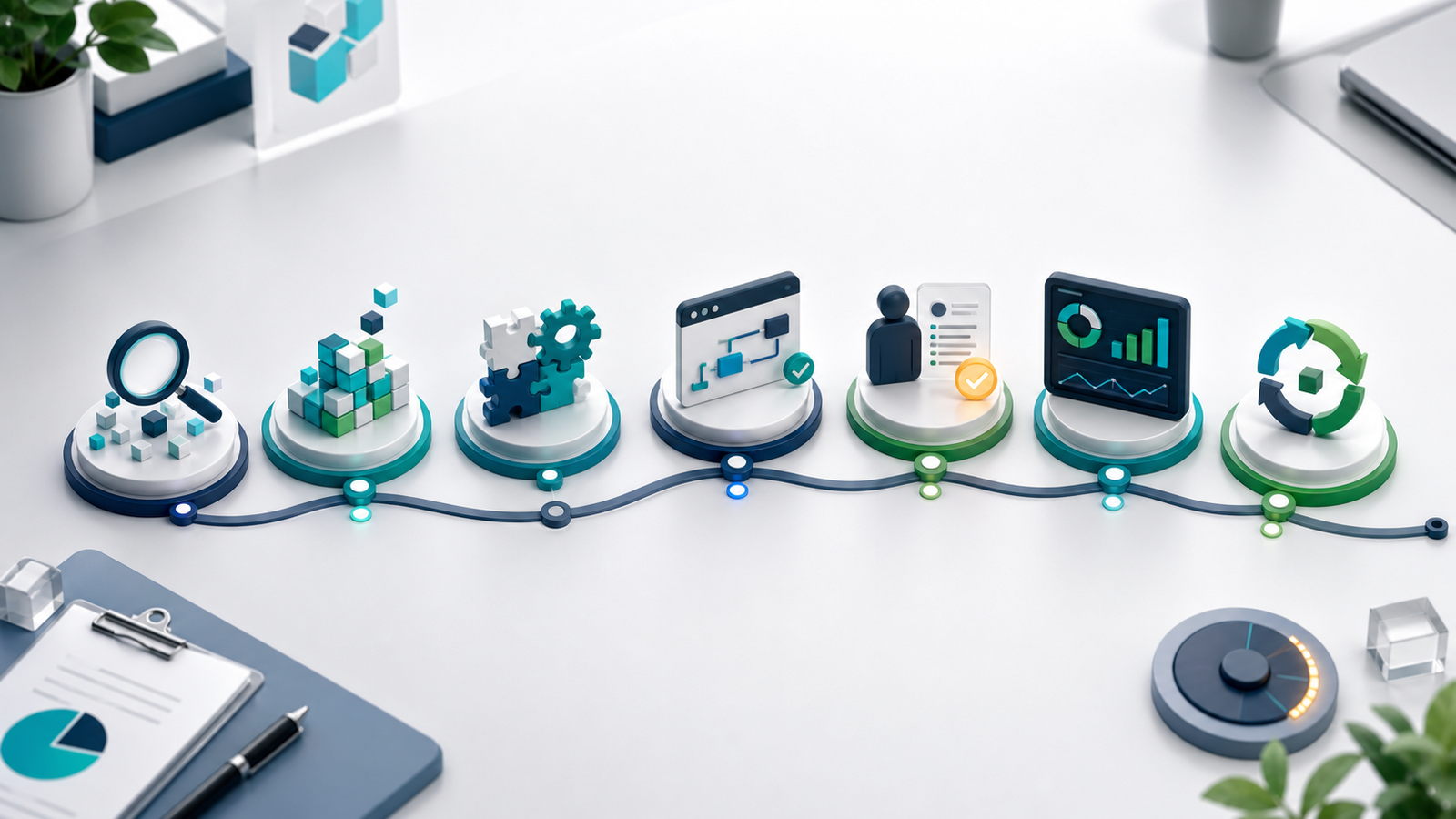
1. Map the Workflow Before Choosing Tools
Start by writing down the current process from the first trigger to the final outcome. Include every handoff, approval, tool, document, message, and delay. This map helps the business see where work slows down. It also prevents a common mistake: buying software before the real workflow problem is understood.
2. Identify Repetitive Decisions
Next, look for decisions that happen often and follow a pattern. Examples include lead qualification, ticket routing, document completeness checks, renewal reminders, quote preparation, appointment follow-up, and customer sentiment review. These tasks are good candidates because AI can support them without replacing strategic human judgment.
3. Clean the Data Sources
AI workflow automation depends on useful data. If customer records are duplicated, service categories are unclear, or forms collect weak information, the workflow will struggle. Therefore, clean the CRM fields, standardize naming, remove duplicate records, and define required inputs before building the automation.
4. Connect the Systems That Matter
After the workflow is mapped, connect the tools that actually drive the process. This may include CRM software, email, calendars, forms, project management tools, billing platforms, document storage, support desks, and analytics dashboards. However, every connection should have a purpose. More integrations are not always better if they add confusion.
5. Add AI Where Context Is Needed
Place AI inside the workflow only where intelligence improves the outcome. For example, AI can summarize a long customer email, classify a request, extract details from a proposal, match a lead to a service line, or draft a response. In contrast, simple status updates may only need rule-based automation.
6. Add Human Review Points
Growing businesses should decide where human review is required. Pricing changes, contract language, compliance issues, complaints, high-value sales opportunities, and sensitive customer messages deserve review. As a result, the workflow stays efficient while employees remain responsible for important decisions.
7. Pilot One Workflow and Measure Results
Finally, test one workflow before expanding. Choose a process with clear volume, clear ownership, and measurable outcomes. Then compare time saved, response speed, error reduction, customer satisfaction, and employee adoption. Once the pilot proves value, the business can expand automation with more confidence.
Key Benefits of AI Workflow Automation
The first benefit is speed. When a workflow can summarize requests, route tasks, and create updates automatically, teams respond faster. Customers do not wait as long, and employees do not lose time moving information from one place to another.
Another benefit is consistency. AI workflow automation helps the business follow the same process every time. For example, every lead can be scored against the same criteria, every support ticket can be categorized with the same rules, and every document can be checked for the same required details.
Better visibility is also important. Leaders often struggle because work happens inside inboxes, private notes, and disconnected spreadsheets. Once workflows are connected, managers can see where requests are stuck, which teams need support, and which process changes create the best return.
Employee focus improves as well. Instead of asking skilled team members to repeat low-value administrative work, the business can let automation handle routine preparation. Then employees can focus on judgment, customer communication, negotiation, problem-solving, and quality control.
Common AI Workflow Automation Mistakes
One common mistake is automating a broken process. If the current workflow is confusing, AI will usually make the confusion faster. Therefore, fix the process logic before adding automation.
Another mistake is removing people too quickly. AI can support decisions, but many business workflows still need human accountability. When review points are missing, small errors can become customer-facing problems.
A third mistake is ignoring integrations. A workflow that looks impressive in one tool may fail if it cannot update the CRM, send notifications, or record outcomes. In addition, teams should avoid creating separate automation islands that do not share data.
Some companies also forget to train employees. Staff members need to understand what the system does, when to trust it, and when to override it. Otherwise, adoption stays low even if the technology works.
How IQBIRDS Helps Your Business
IQBIRDS helps businesses design AI workflow automation around real operations, not generic software demos. The process starts by reviewing the current workflow, identifying repeated tasks, and deciding where AI can create measurable value. After that, IQBIRDS connects the right tools, builds the automation logic, and adds human review where decisions need accountability.
The goal is to create workflows that are practical, secure, and easy for employees to use. For example, IQBIRDS can help automate lead routing, CRM updates, document extraction, proposal preparation, support ticket triage, appointment follow-ups, reporting, and customer retention workflows. In addition, the team can help measure results so leaders know whether automation is improving speed, quality, and revenue outcomes.
What to Measure After Launch
After launching AI workflow automation, businesses should measure both efficiency and quality. Time saved is useful, but it is not the only metric. Track response time, error rates, completion time, conversion rate, customer satisfaction, employee adoption, missed follow-ups, and the number of tasks completed without manual copying.
It is also helpful to measure exception rates. If many tasks still need manual correction, the workflow may need better data, clearer rules, or stronger review steps. Meanwhile, if employees are overriding the system often, leaders should ask whether the automation fits the real workflow. Continuous improvement matters because business processes change over time.
Final Thoughts
AI workflow automation gives growing businesses a better way to handle repeated work without losing human judgment. It connects tools, reads context, recommends actions, and keeps work moving from intake to outcome. However, the best results come from careful planning. Start with one high-value workflow, clean the data, connect the right systems, add review points, and measure the business impact.
For companies that want faster operations, better customer experiences, and clearer visibility, AI workflow automation is no longer a future idea. It is a practical operating advantage that can be built step by step.
FAQs
What is AI workflow automation?
AI workflow automation uses artificial intelligence inside business processes to help classify information, summarize context, route tasks, draft responses, and update connected systems. It helps teams move work forward with less manual effort.
How is AI workflow automation different from regular automation?
Regular automation follows fixed rules. AI workflow automation can understand language, analyze documents, identify patterns, and recommend actions. Therefore, it works better for processes that need context rather than simple yes-or-no rules.
Which business workflows should be automated first?
Start with workflows that happen often, use clear inputs, and create measurable delays. Lead routing, support triage, CRM updates, document review, appointment follow-up, and reporting are common starting points.
Does AI workflow automation replace employees?
No, the best approach supports employees instead of replacing them. AI handles repetitive preparation, while people remain responsible for judgment, customer relationships, exceptions, and final decisions.
How long does it take to launch an AI workflow?
A focused pilot can often launch faster than a full transformation project. The timeline depends on workflow complexity, data quality, integrations, review requirements, and testing needs.
What tools are needed for AI workflow automation?
Most projects use a mix of CRM software, forms, email, document tools, automation platforms, databases, dashboards, and AI models. The right toolset depends on the process and the systems already used by the business.
How can IQBIRDS help my business?
IQBIRDS can review your current workflows, identify automation opportunities, connect your business tools, build AI-powered workflow logic, add human review steps, and measure results after launch.