
AI Automation
Automated Customer Follow-Up Software: How to Eliminate Lead Leakage
The single largest leak in modern business growth is not inadequate marketing traffic or flawed advertising copy—it is inconsistent, delayed follow-up. Industry sales statistics consistently demonstrate that over 48% of sales representatives never attempt a second follow-up after an initial inquiry goes unanswered, and 80% of sales require at least five follow-up touchpoints to close. When sales teams rely on manual memory, sticky notes, or ad-hoc spreadsheet tracking, high-intent prospects quietly slip through the cracks. In 2026, high-performing revenue organizations solve this crisis by deploying automated customer follow up software.
Rather than expecting busy human sales representatives to manually track dozens of prospect deadlines, modern follow-up platforms orchestrate persistent, context-aware communication across SMS, email, and voice channels automatically. In this comprehensive guide, we unpack how automated follow-up software eliminates lead leakage, accelerates speed-to-lead, and systematically recovers up to 35% in lost sales pipeline.

The Anatomy of Lead Leakage: Where Deals Are Lost
Lead leakage occurs when an interested prospect enters your sales funnel but fails to convert due to friction, delay, or communication silence on the company’s end. The three most common points of leakage include:
- The Speed-to-Lead Drop-Off: Studies show that contacting a prospect within five minutes makes you 21 times more likely to enter the sales cycle compared to waiting 30 minutes. In an un-automated setup, after-hours leads often sit untouched for 12 to 24 hours—by which time the prospect has booked a call with a competitor.
- The Post-Quote Limbo: Following a discovery call or formal proposal presentation, prospects often need time to review numbers. Without automated cadences, sales reps follow up once, hear silence, assume disinterest, and abandon the opportunity.
- Appointment No-Shows: Between 25% and 35% of booked consultations fail to occur because prospects forget the time or get overwhelmed. Without automated multi-touch SMS reminders, those lost calendar slots translate directly into wasted ad spend.
By connecting specialized AI CRM development solutions with automated follow-up software, businesses build an airtight safety net that guides every prospect through the complete decision journey.
The 4 Core Pillars of Automated Customer Follow-Up Software
Effective follow-up software does not blast repetitive spam. It relies on four foundational operational pillars that combine timing precision with conversational intelligence:
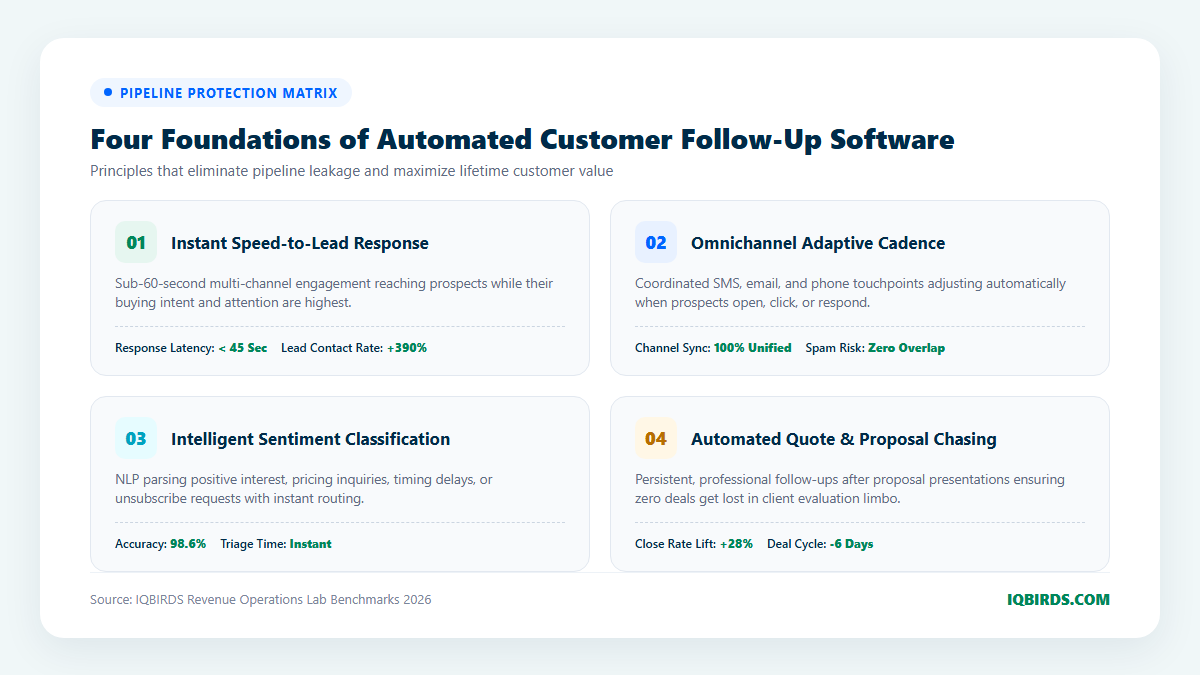
1. Sub-60-Second Speed-to-Lead Response
The instant an inbound lead submits a web form, requests pricing, or downloads a whitepaper, the follow-up software initiates contact in under 45 seconds. By greeting the prospect via text message while they are still actively engaged on their phone or desktop, the software captures peak buyer attention.
The initial message acknowledges the specific service of interest and provides an immediate, frictionless scheduling link. If the prospect replies with questions regarding pricing or availability, the software’s conversational AI interprets the intent and responds conversationally in real time.
2. Adaptive Multi-Channel Cadence
Different prospects prefer different communication channels. High-performing software orchestrates an adaptive cadence across SMS, email, and WhatsApp without overwhelming the contact:
- Day 1 (Instant): Immediate SMS confirmation + Welcome email with case study documentation.
- Day 2: Value-focused email highlighting a relevant client transformation and video benchmark.
- Day 4: Gentle SMS check-in asking if the prospect had any questions regarding the case study.
- Day 7: Short break-up email offering a final opportunity to access consultation resources before archiving the ticket.
Crucially, if the prospect replies on any channel, the automation engine instantly pauses all scheduled touches across all other channels, preventing embarrassing duplicate messages.
3. Intelligent Natural Language Sentiment Classification
Modern follow-up platforms incorporate NLP models that read prospect responses and classify sentiment into actionable categories:
- High Intent / Ready to Buy: Automatically sends direct calendar booking links and triggers a high-priority push notification to the assigned account executive.
- Objection / Pricing Query: Retrieves verified pricing ranges from your knowledge base and drafts a personalized reply.
- Timing Delay (“Follow up next quarter”): Automatically pauses the cadence and sets a reminder task in the CRM for the requested future date.
- Unsubscribe / Not Interested: Instantly honors the request, tags the contact as opted-out, and ensures complete compliance.
4. Automated Quote & Proposal Recovery
Following a formal sales presentation, the software tracks proposal engagement via document tracking webhooks (such as PandaDoc, DocuSign, or Proposify). If the prospect views the proposal PDF but does not sign within 48 hours, an automated follow-up sequence triggers, asking if the decision-maker needs clarification on implementation milestones or pricing terms.
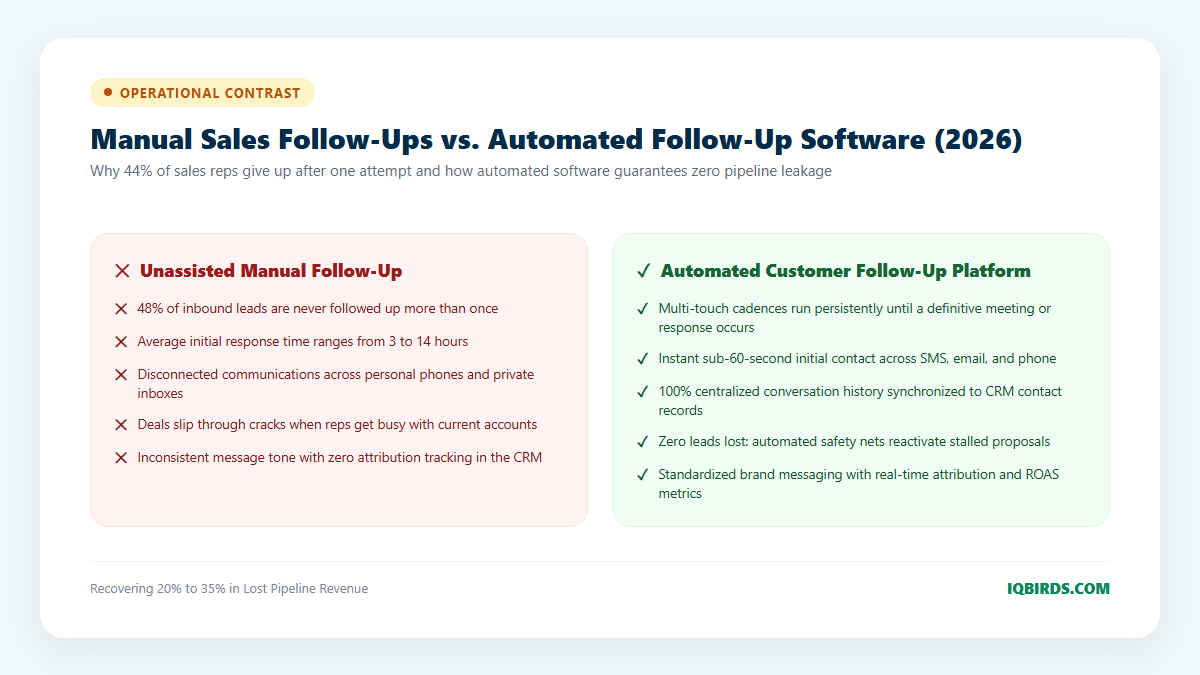
Manual Sales Follow-Up vs. Automated Software Platforms
Compare the commercial realities of managing customer follow-ups manually versus deploying an intelligent automated platform:
7-Step Roadmap: Deploying Automated Follow-Up Software
Implementing an automated follow-up engine requires structured integration across lead generation channels, telephony APIs, and sales CRMs. Follow this 7-step deployment blueprint:
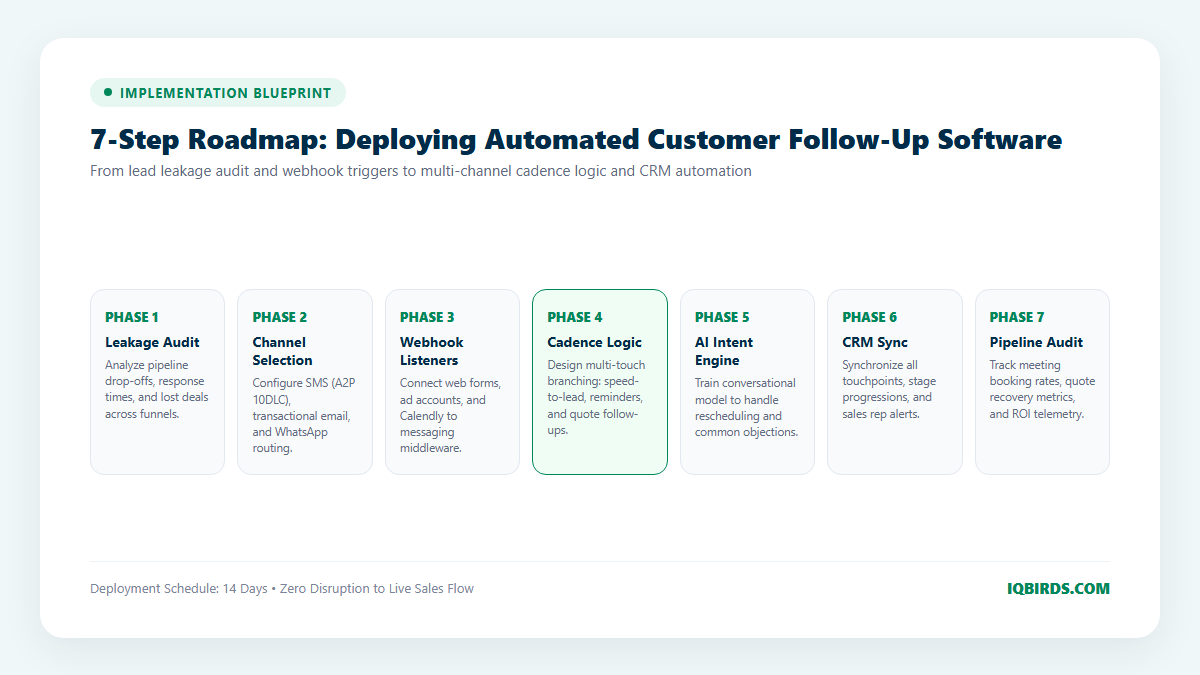
Step 1: Pipeline Leakage & Drop-Off Diagnostic
Audit historical CRM deal stages to identify where leads drop out of your pipeline. Analyze average response times, proposal win rates, and dormant lead volume to establish baseline KPIs.
Step 2: Carrier Compliance & A2P 10DLC Registration
If utilizing SMS follow-ups, complete legal brand registration with The Campaign Registry (TCR) to prevent carrier spam filtering. Add clear TCPA opt-in disclosures to all website forms.
Step 3: Webhook Listeners & Lead Intake Architecture
Configure webhook connectors linking your lead capture mechanisms (WordPress Elementor forms, Facebook Lead Ads, Calendly, or typeforms) directly to your messaging engine via system integration services.
Step 4: Multi-Channel Cadence Design & Timing Rules
Design branching sequence logic tailored to prospect actions. Set strict quiet hours (no automated texts before 8:00 AM or after 8:30 PM local recipient time) and implement automatic cross-channel pausing whenever a reply is detected.
Step 5: AI Sentiment Triage & FAQ Training
Equip the conversational engine with your company’s service offerings, common sales objections, and calendar availability. Ensure the bot gracefully hands off complex negotiations to human account reps.
Step 6: Bidirectional CRM Deal Synchronization
Connect messaging activity back into your central CRM (HubSpot, Salesforce, or Zoho). Ensure prospect stage progressions, call notes, and task assignments update in real time.
Step 7: Ongoing Optimization & Pipeline Telemetry
Monitor key telemetry monthly: speed-to-lead response times, appointment attendance rates, and proposal recovery revenue. Continuously refine messaging copy and timing intervals based on conversion data.
Connecting Follow-Up Software to Enterprise Marketing Automation
An automated follow-up engine operates in perfect synergy with top-of-funnel campaigns. When combined with comprehensive AI marketing automation services and custom automation workflows, your entire customer acquisition pipeline—from initial ad click to final invoice payment—operates as a cohesive, high-margin revenue machine.
Frequently Asked Questions
What platforms does automated follow-up software integrate with?
Modern follow-up software integrates seamlessly with all major CRM systems (HubSpot, Salesforce, Zoho, Pipedrive), messaging gateways (Twilio, MessageBird), calendar systems (Calendly, Google Calendar), and form tools via REST APIs and webhooks.
Will automated follow-up messages sound robotic to our prospects?
No. Modern systems utilize dynamic language models that tailor introductory hooks and answers to each prospect’s specific inquiry. Messages read naturally and conversationally, mirroring the authentic voice of a professional sales representative.
What happens if a prospect replies asking to be removed?
The system’s NLP classifier instantly recognizes opt-out intent (e.g., “STOP”, “remove me”, “not interested”), immediately halts all automated messages, updates the contact’s opt-out status in your CRM, and ensures 100% legal compliance with CAN-SPAM and TCPA regulations.
How can IQBIRDS help my company eliminate lead leakage?
At IQBIRDS, we design, deploy, and manage custom automated follow-up software and AI automation pipelines. We build turnkey speed-to-lead systems, two-way SMS booking bots, and closed-loop CRM architectures that guarantee zero leads get lost. Schedule a technical consultation with IQBIRDS today to audit your sales pipeline and recover lost deal revenue.