
Blog
Custom Mobile App Development: From Wireframe to App Store Launch (2026)
Investing in custom mobile app development is no longer just about establishing a digital presence—it is about creating a high-performance software asset that drives customer lifetime value, automates business operations, and generates scalable digital revenue. In 2026, mobile users expect instant responsiveness, tactile micro-interactions, and flawless offline performance. Building a custom application that truly stands out requires a disciplined engineering roadmap from the initial wireframe sketch to public App Store launch.
Many founders and product leaders embark on mobile initiatives with great ideas, only to watch their budgets multiply and launch timelines slip. These setbacks rarely stem from bad concepts; they occur when teams skip thorough architectural planning, choose the wrong technology frameworks, or fail to account for stringent Apple and Google compliance standards. In this comprehensive guide, we unpack the exact stage-by-stage process modern engineering squads use to take custom mobile apps from concept to market leadership.
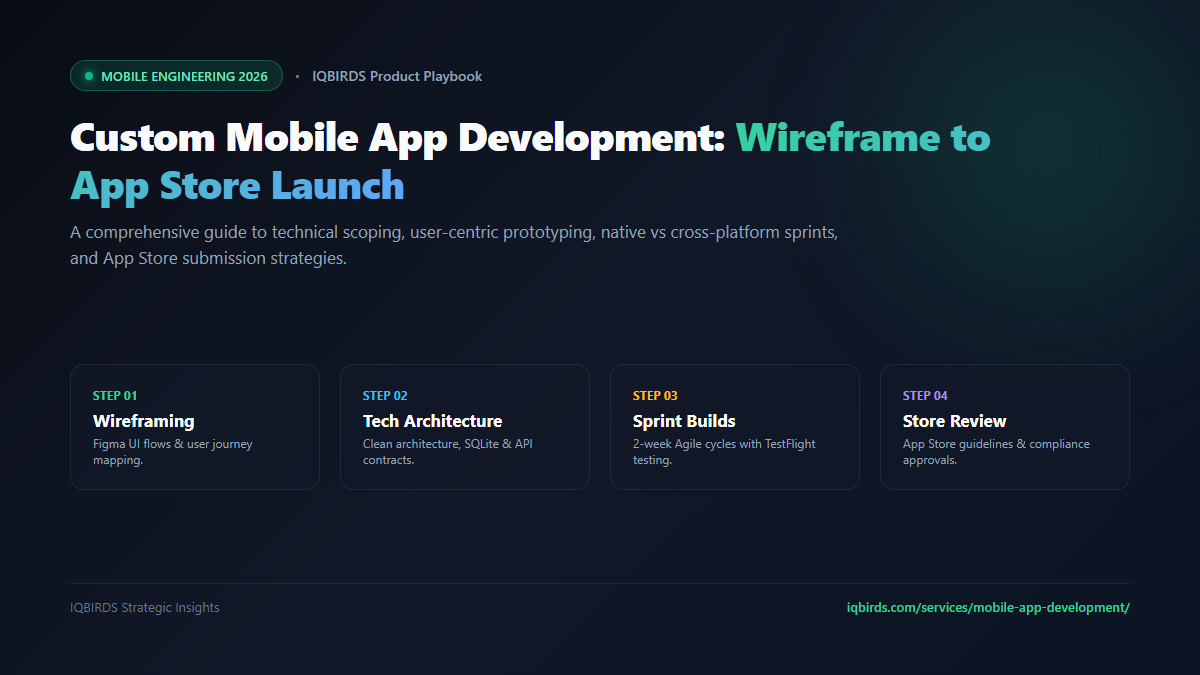
Stage 1: From Concept to Clickable Wireframes
Every successful custom mobile application starts on the design board, not in the code editor. Rushing directly into coding without rigorous UX prototyping is the fastest way to accumulate expensive technical debt.
The Discovery & User Story Mapping Phase
Before designing UI elements, product managers and system architects must map the user journey. What is the single core action a user takes within the first 30 seconds of opening the app? Documenting clear user stories (“As a user, I want to authenticate via FaceID so that I can instantly access my dashboard”) establishes the scope boundaries and eliminates feature creep.
Ergonomic Thumb-Zone Wireframing
Modern mobile screen sizes frequently exceed 6.7 inches. Designing purely for desktop previews leads to interfaces where primary action buttons are unreachable with one hand. Professional wireframing focuses on the natural ergonomic “thumb zone,” keeping primary navigation, checkout triggers, and action sheets in the lower third of the screen.
Once low-fidelity wireframes are validated, designers build comprehensive design systems in Figma, establishing atomic components, typography tokens, and high-contrast color palettes aligned with modern UI/UX design standards.
Stage 2: Technical Architecture & Code Modularity
A custom mobile application is only as resilient as its underlying architecture. Treating mobile code as a single monolithic script creates fragile apps that crash during traffic spikes or break whenever an OS patch is released.
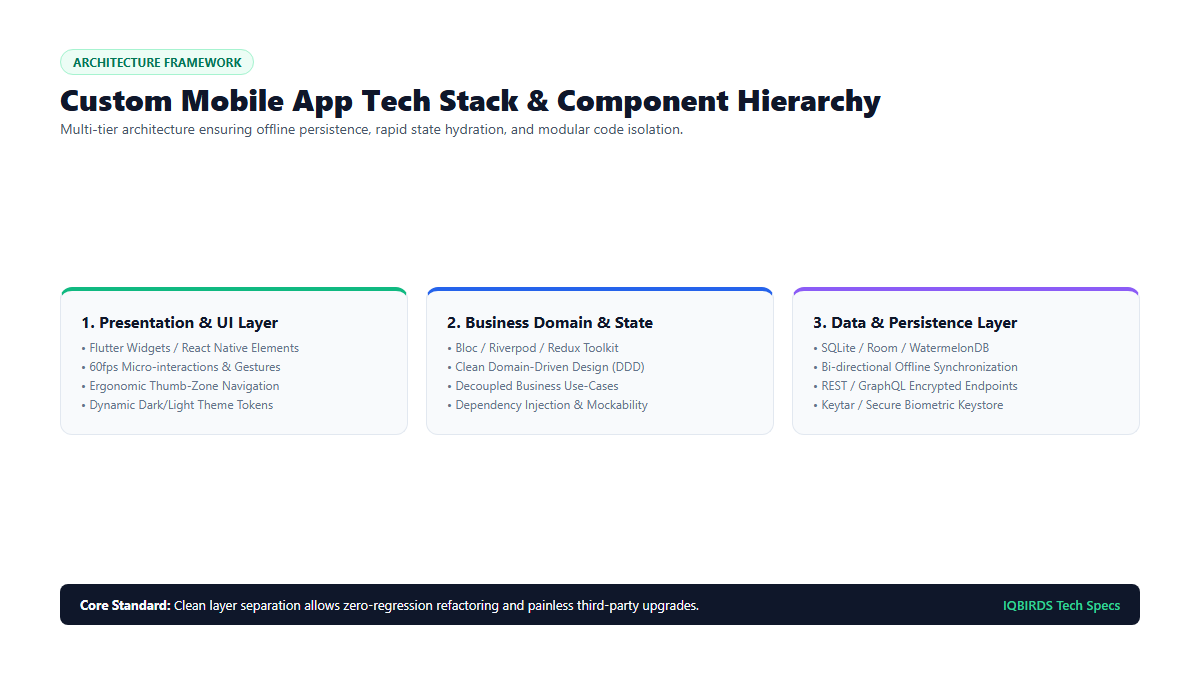
Implementing Clean Architecture & State Isolation
At IQBIRDS Mobile Engineering, we structure mobile codebases according to Clean Architecture principles, dividing the application into three decoupled tiers:
- Presentation Layer: Contains UI widgets, screen templates, and animations. This layer observes state and passes user gestures to the business layer without executing business calculations directly.
- Domain Layer: The purely business-focused core of the application. It contains business entities, validation rules, and use-case handlers. It has zero dependencies on UI frameworks or external databases.
- Data Layer: Manages external communication, including REST API clients, GraphQL queries, WebSocket streams, and local SQLite/Room/WatermelonDB storage engines.
Offline-First Syncing & Local Persistence
Nothing destroys user trust faster than an app freezing because a subway tunnel interrupted mobile data. A true custom app is built offline-first: data writes are committed instantly to an encrypted local database, while an asynchronous background queue syncs changes with the cloud once network connectivity is restored.
Stage 3: Technology Selection — Native vs Cross-Platform
One of the most consequential architectural decisions is choosing between native development (Swift for iOS and Kotlin for Android) and cross-platform frameworks (Flutter or React Native).
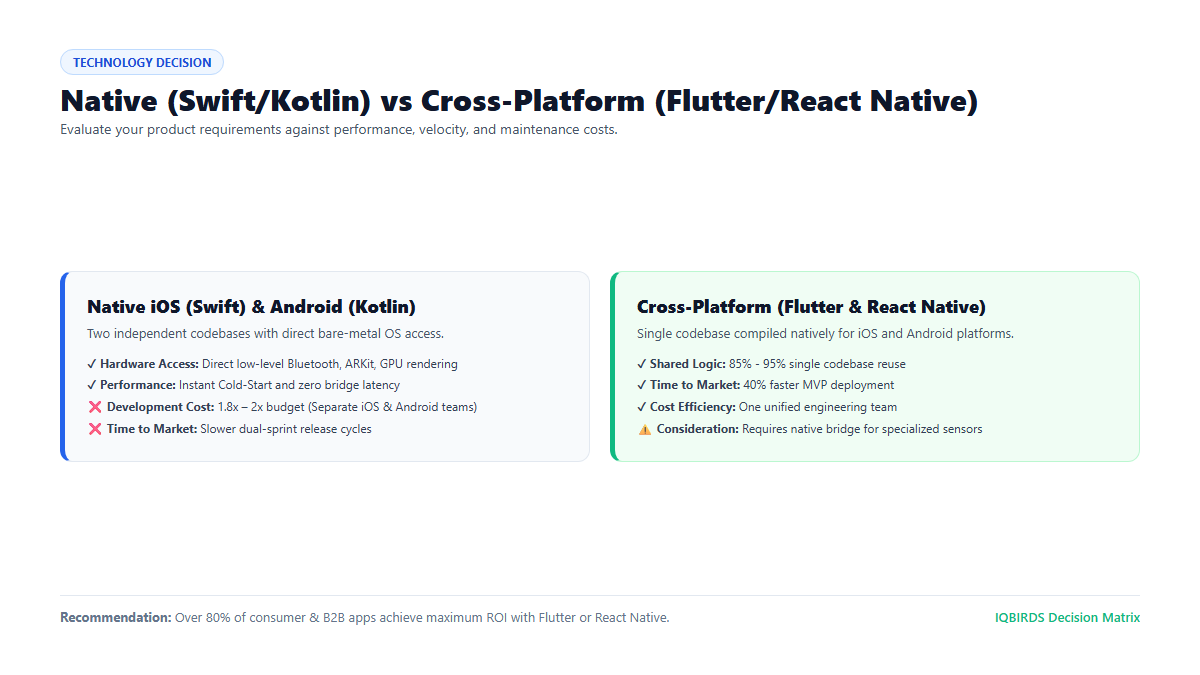
For over 85% of commercial, B2B, SaaS, and consumer applications, modern cross-platform engines like Flutter provide identical 60fps rendering performance while allowing up to 90% of business logic to be shared across iOS and Android. This dramatically slashes development costs and accelerates time-to-market.
However, if your application relies heavily on real-time low-latency Bluetooth peripheral control, custom audio signal processing, or advanced ARKit/CoreML computer vision, dedicated native development remains the recommended path.
Stage 4: Sprint Execution, CI/CD & Multi-Device QA
Modern mobile development operates on strict, transparent 2-week Agile sprints. Automated Continuous Integration (CI/CD) pipelines compile and run automated unit and widget test suites on every pull request, deploying fresh staging builds directly to stakeholders via Apple TestFlight and Google Play Internal Testing.
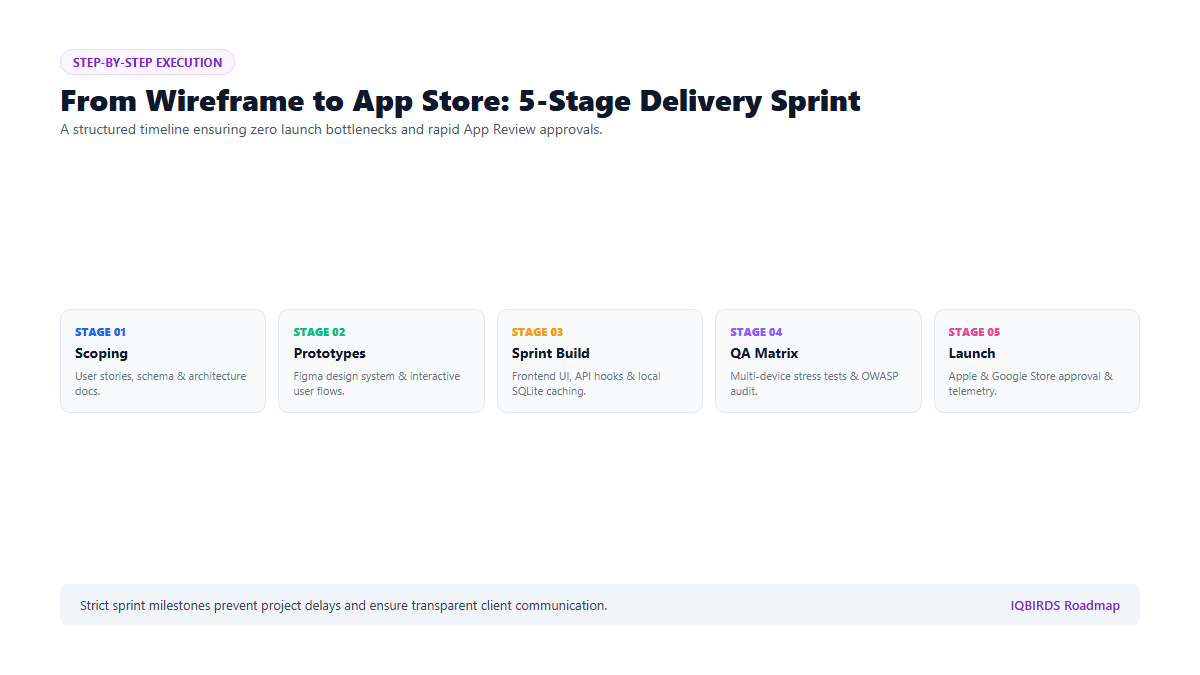
Before any build is considered release-ready, quality assurance engineers execute comprehensive stress tests across an exhaustive matrix of physical devices, verifying memory consumption, battery drain, network latency recovery, and OWASP mobile security compliance.
Stage 5: App Store Deployment & Post-Launch Growth
Publishing an application to the Apple App Store and Google Play Store requires strict adherence to privacy guidelines, credential handling, and metadata standards:
- Privacy Nutrition Labels: Clearly documenting data collection practices (analytics, crash tracking, user identifiers).
- In-App Purchase (IAP) & Account Deletion: Adhering to Apple Guideline 5.1.1 requiring seamless self-serve account deletion and compliant digital goods billing.
- Post-Launch Telemetry: Integrating telemetry tools like PostHog, Sentry, and Firebase Crashlytics to monitor real-time user retention, funnel drop-offs, and crash-free session metrics above 99.8%.
Frequently Asked Questions (FAQ)
What is the typical timeline for custom mobile app development?
A well-scoped Minimum Viable Product (MVP) typically takes 10 to 14 weeks from initial scoping to public store deployment. Complex platforms featuring real-time AI agents, custom backend APIs, and multi-tier third-party integrations generally require 16 to 22 weeks.
How much does custom mobile app development cost in 2026?
Costs depend on architectural complexity, third-party integrations, and platform choices. A professional custom MVP built by an experienced agency typically ranges from $35,000 to $75,000, while complex enterprise platforms scale between $80,000 and $180,000+.
Do I retain 100% ownership of the mobile source code?
Yes. Under standard professional engineering contracts, clients retain complete 100% intellectual property ownership of all source code, Figma design files, database schemas, and store credentials from Day 1.