
AI Automation
How to Use AI to Reduce Manual Admin Work in Your Business
reduce manual work with AI is not about replacing your team with complicated software. It is about removing repeated manual steps, improving response speed, and helping your business handle work with more consistency. However, the best results come when the workflow is practical and connected to a real business goal.
In this guide, you will learn what reduce manual work with AI means, why it matters, how the workflow works, which tools are involved, and how to start without creating a confusing system. You will also see examples, a comparison table, common mistakes, and FAQs you can use before planning your first automation project.
Quick Summary
- Manual admin work grows when teams copy, check, and move information by hand.
- AI can summarize requests, draft replies, update records, and route tasks.
- Start with one repeated task before automating a full department.
- Human approval should remain for customer-facing or sensitive work.
How to Reduce Manual Work with AI
To reduce manual work with AI, you first need to identify the repeated tasks that slow the team down. These tasks often include email replies, form handling, CRM updates, report creation, and task assignment.
AI helps because it can read, summarize, classify, and draft information. Automation helps because it moves that information into the right tool. Together, they reduce the admin work that keeps people away from higher-value tasks.
For a small or mid-sized business, the goal is usually simple: respond faster, keep records cleaner, and reduce the tasks that slow the team down. Therefore, your first automation should connect directly to leads, customers, reporting, sales, or daily operations.
Why Manual Work Becomes a Problem
Manual work is not always bad. In the beginning, it can feel flexible and easy. However, the same manual steps become risky when inquiries increase, more people join the team, or customers expect faster replies.
For example, a form submission may sit in an inbox while someone is busy. A sales note may stay in a spreadsheet instead of the CRM. A follow-up may depend on memory. As a result, the business loses speed and visibility.
- Leads wait too long for a reply.
- Customer details live in too many tools.
- Reports take extra time to prepare.
- Team members repeat the same admin steps.
- Owners cannot clearly see what happened during the week.
How the AI Workflow Works
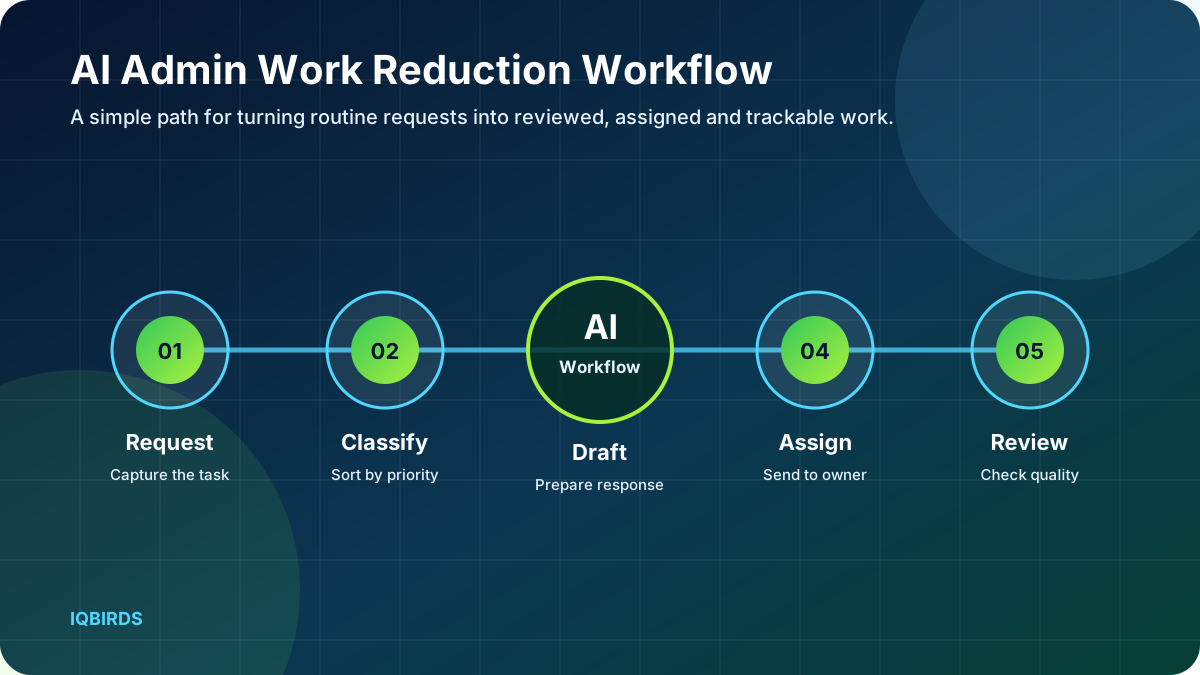
A strong AI workflow has a clear trigger, a clear action, and a clear result. First, something starts the process. Then AI reads or summarizes the information. Next, automation moves the output into the right tool. Finally, your team reviews the result when human judgment is needed.
- A form, email, or internal request starts the workflow.
- AI summarizes the message and identifies the category.
- The workflow drafts a response or next-step note.
- The task moves to the right person or system.
- Your team reviews, approves, and improves the process.
This approach keeps the workflow controlled. It also makes testing easier because every step has a purpose. Instead of building a large system at once, you can improve one workflow, measure it, and then expand.
Benefits When You Reduce Manual Work with AI
The biggest benefit is not only speed. Better automation also improves consistency. When every inquiry follows the same process, fewer details are missed and the team knows what should happen next.
- Fewer repeated admin tasks.
- Faster internal handoffs.
- Cleaner notes and records.
- Better task ownership.
- Less time spent searching through emails.
- More time for customer work.
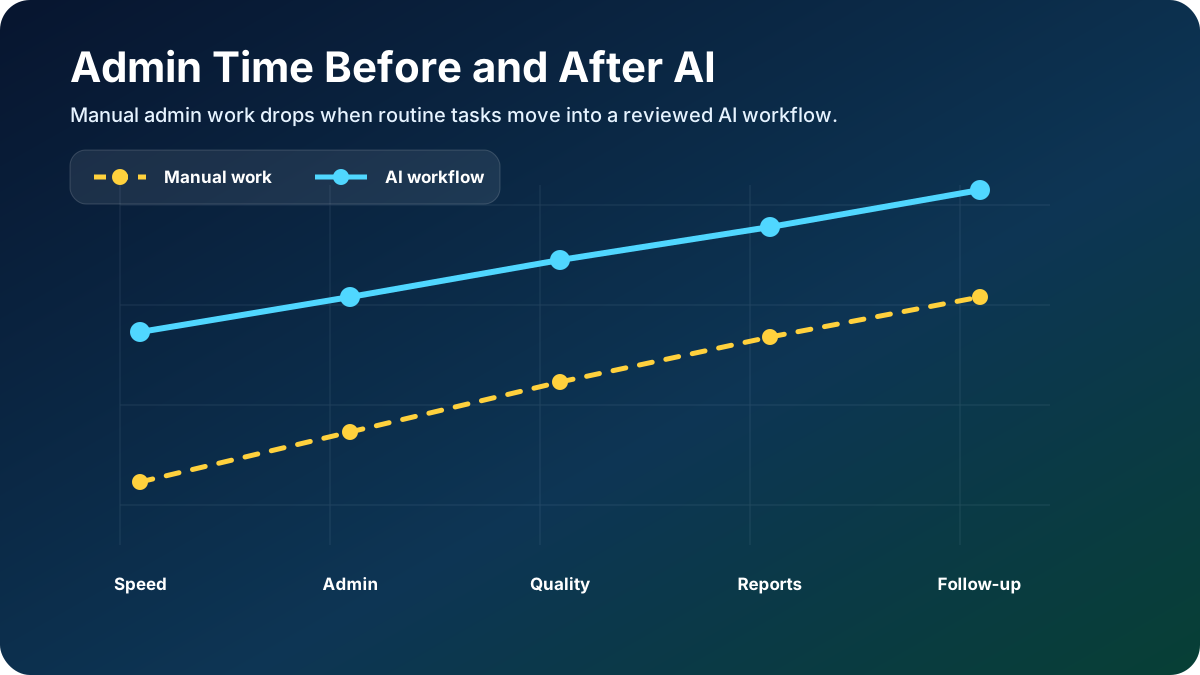
In addition, automation can make reporting easier. When the workflow updates your CRM, spreadsheet, or dashboard correctly, weekly reporting becomes less painful. This helps owners make better decisions without chasing every detail manually.
Manual Admin Work vs AI-Supported Admin Work
| Admin Area | Manual Process | AI-Supported Process |
|---|---|---|
| Email replies | Team writes every reply from scratch. | AI drafts replies for review. |
| CRM notes | People type summaries manually. | AI creates short summaries. |
| Task routing | Managers assign work by hand. | The workflow routes tasks by category. |
| Reports | Data is collected manually. | The workflow prepares recurring summaries. |
| Forms | Submissions require copy-paste. | Details move into tools automatically. |
Tools and Platforms You Can Connect
The best tool stack depends on how your business already works. Some companies use WordPress forms, Google Sheets, Gmail, HubSpot, Salesforce, Airtable, Notion, or custom dashboards. Others need API connections between a website, CRM, ad platform, and reporting system.
IQBIRDS can help connect these tools through AI Integration Services. In addition, we can support CRM workflows through AI CRM Development, customer conversations through AI Chatbot Development, internal assistants through AI Agent Development, and lead-focused automation through AI Automation Services.
What to Automate First to Reduce Manual Work
Start with the task that happens often and affects revenue or customer experience. For many businesses, that task is lead response. For others, it may be reporting, email follow-up, CRM cleanup, support routing, or campaign tracking.
A good first workflow should be small enough to test but important enough to matter. Therefore, avoid starting with a huge end-to-end system. Instead, choose one workflow that your team already understands.
- List the repeated tasks your team handles every week.
- Choose the task that affects revenue, response speed, or customer experience.
- Write the current manual steps in order.
- Mark the steps where AI can summarize, classify, draft, or route information.
- Add a human approval step where quality or safety matters.
- Test the workflow with real examples before full rollout.
Common Mistakes to Avoid
AI automation fails when the process is unclear. It also fails when a business connects too many tools before defining the outcome. As a result, the workflow may look advanced but still create confusion.
- Automating a broken process before fixing the steps.
- Skipping human review for important decisions.
- Using too many tools in the first version.
- Ignoring data privacy and access permissions.
- Building workflows that do not save time or improve revenue.
- Failing to measure the result after launch.
How to Measure Manual Work Reduced by AI
Measurement keeps automation practical. Before you build, decide what success should look like. For example, you may want faster response time, fewer missed leads, cleaner CRM records, fewer admin hours, or better weekly reports.
- Admin hours saved each week.
- Average time to process a request.
- Number of tasks routed correctly.
- Email drafts approved without major edits.
- Reduction in missed internal follow-ups.
Review these numbers every week during the first month. Then adjust the workflow based on real results. This simple habit prevents random automation work and keeps the project tied to business value.
How IQBIRDS Helps
IQBIRDS builds practical AI systems for businesses that want automation without unnecessary complexity. We start by mapping your current process, tools, delays, and business goals. Then we design a controlled workflow that your team can test.
Depending on your needs, the project may include AI Automation Services, AI CRM Development, AI Chatbot Development, AI Agent Development, AI Marketing Automation, or AI Integration Services. The goal is always the same: build useful systems that save time, improve response speed, and create measurable growth.
Implementation Checklist
- Choose one business goal for the workflow.
- Confirm the tools involved and who owns each step.
- Write the workflow trigger and final output.
- Create clear approval rules for sensitive actions.
- Test with real examples before going live.
- Track performance for at least four weeks.
- Improve the workflow only after the first version works.
Detailed Implementation Plan
A strong reduce manual work with AI plan should start with a clear business problem. Before any tool is connected, write down what is happening now, who is responsible for each step, and where the delay or mistake usually happens. This creates a simple map that your team can understand before automation begins.
Next, define the trigger. The trigger may be a form submission, a new row in Google Sheets, an incoming email, a CRM stage change, a chatbot conversation, or a support request. When the trigger is clear, the workflow becomes easier to test because everyone knows exactly when the automation should start.
After that, define the output. For example, the output may be a CRM note, a follow-up task, a drafted email, a dashboard update, or a message to your team. In addition, decide which steps require human approval. This is important because AI should support judgment, not remove control from your business.
Example Business Scenario
Imagine a local service business that receives leads from a website form, phone calls, Google Ads, and social media. At first, the team can manage everything manually. However, as lead volume grows, small delays become expensive. One person forgets to update the CRM. Another person sends a late reply. A third person cannot see which leads are still open.
With a practical AI workflow, the business can create a better handoff. The system captures the inquiry, summarizes the customer need, creates or updates the CRM record, assigns the task, and prepares a follow-up message. Then the team reviews the important details and responds with more confidence.
As a result, the business does not need to chase every small detail manually. The owner can see what happened during the week, the team can focus on conversations, and customers receive faster replies. This is the kind of practical improvement that makes automation valuable.
Data, Privacy, and Human Approval
Every automation project should include basic data rules. First, only collect the information that the workflow truly needs. Then decide where that information should be stored. Finally, limit access so only the right people and tools can use the data.
Human approval is also important. For example, your team may want AI to draft replies, but a person should approve pricing, promises, refunds, sensitive customer details, or anything that affects a business decision. This keeps the workflow useful while reducing risk.
In addition, your automation should have a fallback path. If AI cannot understand a request or if required information is missing, the workflow should ask for more details or send the task to a human. This prevents the system from forcing a bad decision.
Recommended Workflow Roles
- Business owner: Defines the goal and approves the workflow logic.
- Team lead: Explains the current process and reviews test results.
- Automation builder: Connects tools, creates prompts, and tests edge cases.
- Sales or support team: Uses the workflow and reports what feels unclear.
- Reviewer: Checks customer-facing outputs before full automation.
How This Supports Long-Term Growth
The first workflow should solve one problem. However, the long-term value comes from connecting several useful workflows together. Once lead capture works, you can add CRM reporting. Once reporting works, you can add email follow-up. Once follow-up works, you can improve customer support or marketing automation.
For this reason, IQBIRDS helps businesses reduce admin work step by step. The goal is not to create a complex system. The goal is to make daily work easier for the people who already serve your customers.
Overall, the most successful businesses treat automation as a system they improve over time. They do not launch one workflow and forget it. Instead, they review results, listen to the team, improve prompts, clean data fields, and remove steps that no longer add value.
Buyer Readiness Checklist
Before you invest in automation, check whether your business has enough process clarity. A workflow works better when your team already knows the desired result, the required fields, the approval rules, and the person responsible for each step. If those details are unclear, start by documenting the process first.
- You know which task wastes the most time.
- You know which tool should store the final record.
- You know who should approve customer-facing output.
- You have real examples for testing.
- You can measure response time, task completion, or admin hours saved.
Final Takeaway
Overall, the best way to reduce manual work with AI is to start small. Choose one repeated admin task, build a controlled workflow, measure the result, and expand only when the first version works well.
FAQs
What manual work should AI handle first?
Start with repeated tasks that involve reading, summarizing, copying, or routing information.
Can AI send emails automatically?
It can, but most businesses should start with AI-drafted emails that a person reviews before sending.
How do I avoid mistakes?
Use clear rules, test with real examples, and keep approval steps for important actions.
Will AI work with my existing tools?
Often, yes. Many workflows can connect forms, email, spreadsheets, CRMs, and dashboards.
How do I know if automation is working?
Track time saved, response speed, error reduction, and whether your team feels less overloaded.
For additional context, Google Cloud explains workflow automation as a way to reduce manual tasks by connecting systems and processes. This is the same foundation businesses use when they reduce manual work with AI.
Need AI Automation?
Discover how IQBirds helps businesses automate workflows and build custom digital products.