
AI Automation
Building AI Systems That Employees Actually Trust
AI adoption does not fail only because the technology is weak. It often fails because employees do not trust how the system works, how decisions are made, or how the results will affect their daily roles. When people feel that AI is being pushed onto them without clarity, they avoid it, question it, or use it only when managers are watching.
Trust changes that pattern. Employees are more willing to use AI when the system helps them do better work, explains its limits, protects customer and company data, and leaves important decisions in human hands. Therefore, building trustworthy AI is not just a technical project. It is an operational, cultural, and leadership project as well.

Why Employee Trust Matters in AI Adoption
Employees decide whether AI becomes part of real work. A company can buy advanced tools, connect systems, and announce a new workflow. However, if the people using the workflow do not believe the output is reliable, adoption stays shallow.
Trust matters because employees carry the consequences of AI mistakes. A sales rep may worry that an AI-generated follow-up sounds careless. Support agents may fear that automation will send the wrong answer to a frustrated customer. Managers may wonder whether an AI score is fair enough to guide staffing, performance, or customer priority decisions.
As a result, trustworthy AI systems need more than speed. They need visible reasoning, good controls, clear ownership, useful training, and a practical feedback loop. When those pieces are missing, employees see AI as a risk. When those pieces are present, employees can see AI as a helpful assistant.
What Makes Employees Distrust AI Systems
Employee resistance is not always fear of technology. In many cases, it is a rational response to unclear design. People distrust AI when they cannot see where the data came from, why a recommendation appeared, or who is accountable when the output is wrong.
Another trust problem appears when AI is introduced as a replacement story. If leaders only talk about cost cutting, employees may assume every workflow is designed to reduce headcount. That message creates defensiveness before the tool has a chance to prove value.
Employees also lose confidence when AI creates extra work. For example, a tool that produces long drafts, messy records, or inaccurate summaries may feel like another task to clean up. Instead of saving time, it becomes a source of quality control pressure.
Finally, trust drops when rollout decisions happen without employee input. The people closest to the workflow usually know where AI can help and where it can cause trouble. If their knowledge is ignored, adoption becomes a top-down command rather than a shared improvement.
Trustworthy AI Starts with the Right Use Case
Not every process should be the first AI project. For employee trust, the safest starting point is a workflow that is useful, measurable, and low enough risk to pilot carefully. Good examples include meeting summaries, CRM note cleanup, document routing, support ticket categorization, internal knowledge search, and draft recommendations.
These use cases work because employees can quickly see value. They also allow human review before AI output affects a customer, contract, invoice, or final decision. Therefore, early AI adoption should focus on reducing friction rather than forcing major behavioral change overnight.
A strong first use case should pass three tests. First, the workflow should solve a real employee pain point. Second, the output should be easy to review. Third, the business should be able to measure whether the tool improves speed, accuracy, consistency, or customer response quality.
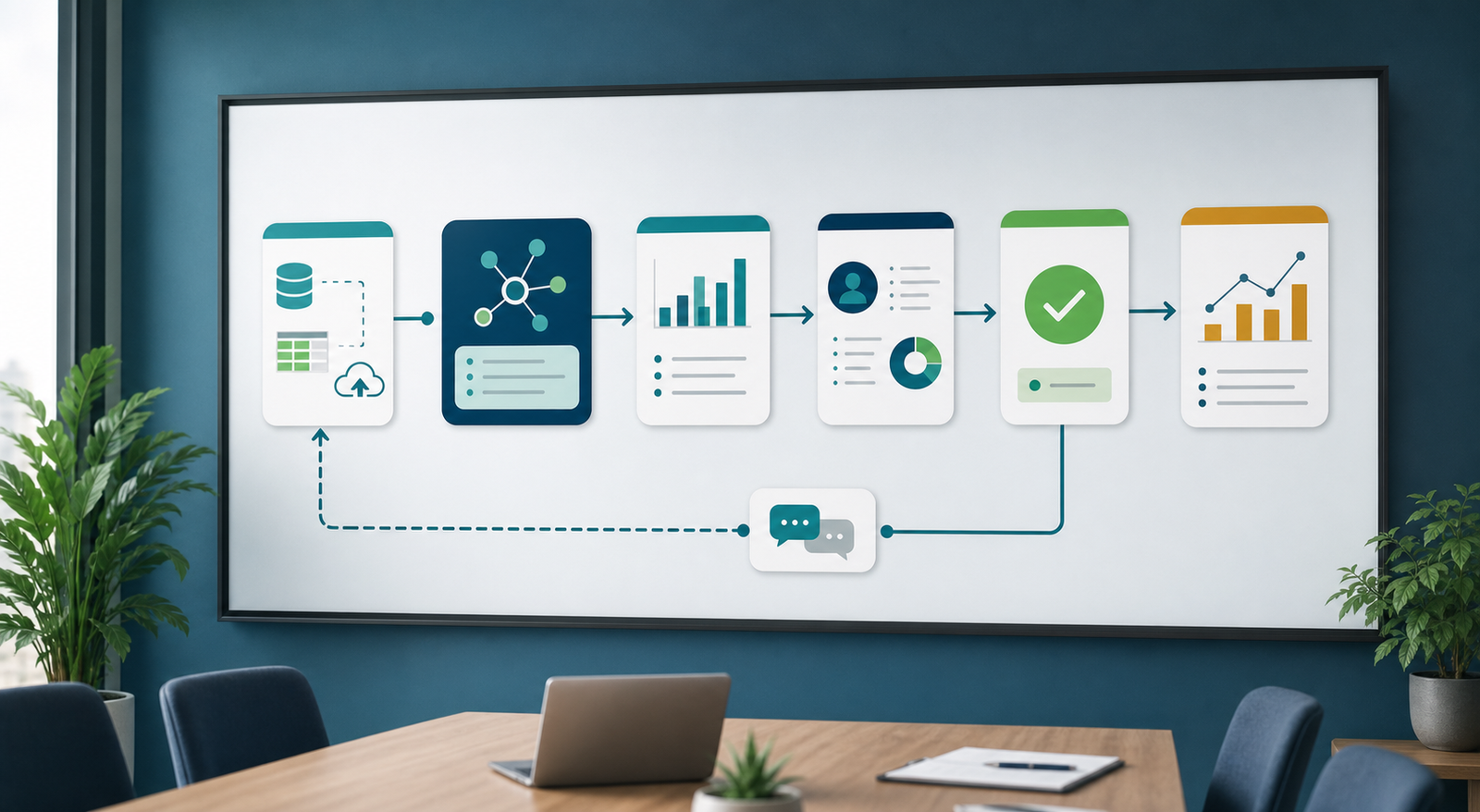
Manual Rollouts vs Trusted AI Adoption
Traditional software rollouts often focus on access, training, and compliance. AI adoption needs those basics, but it also needs confidence in outputs and clarity around responsibility. The comparison below shows why trusted adoption requires a different approach.
| Adoption Area | Basic AI Rollout | Trusted AI Adoption |
|---|---|---|
| Use case selection | Leaders choose tools based on features or urgency. | Teams choose use cases based on employee pain, risk level, and measurable value. |
| Employee involvement | Employees receive the tool after decisions are made. | Employees help test workflows, identify edge cases, and improve prompts or rules. |
| AI explanations | Outputs appear without enough context. | Recommendations include source context, confidence cues, and clear limits. |
| Human control | Automation may act before review is complete. | Important actions require approval, escalation, or role-based permissions. |
| Measurement | Success is measured by logins or tool availability. | Success is measured by quality, time saved, adoption depth, error reduction, and employee feedback. |
The difference is simple. Basic rollout asks employees to accept a system. Trusted AI adoption gives employees reasons to believe the system can help them work with more confidence.
The Core Pillars of Employee Trust
Trustworthy AI systems usually have several pillars. The first pillar is usefulness. Employees will not trust AI if it solves a problem nobody cares about. A good system removes repetitive work, improves access to information, or helps people make better decisions.
The second pillar is transparency. Employees need to know what the AI can do, what it cannot do, and when they should verify the result. Transparency does not require every technical detail. However, it does require enough context for a person to make an informed judgment.
The third pillar is data protection. Workers want assurance that customer data, internal documents, and private business information are handled properly. This includes access controls, retention rules, and clear policies around what can be entered into AI tools.
The fourth pillar is human oversight. AI should recommend, summarize, classify, and assist where appropriate. Still, sensitive decisions should stay under human control. This balance makes adoption easier because employees can use AI without feeling that accountability has become unclear.
The fifth pillar is feedback. Employees need a way to report bad outputs, suggest improvements, and see that their feedback matters. Without that loop, errors repeat and trust declines.

Helpful Internal and External Resources
If your business is planning AI adoption, the foundation should include systems, governance, and workflow design. IQBIRDS helps companies connect these pieces through AI automation services, AI integration services, and AI CRM development. In addition, employee-facing workflows can connect with AI consulting services when leaders need a practical rollout plan.
For outside guidance, Microsoft discusses workplace AI usage and adoption challenges in its Work Trend Index. IBM explains key responsible AI ideas in its overview of AI ethics. The NIST AI Risk Management Framework is also useful for thinking about risk, governance, and trustworthy AI practices.
Step-by-Step Guide to Build AI Systems Employees Trust
Step 1: Listen Before You Automate
Start by asking employees where work feels slow, repetitive, confusing, or risky. These conversations reveal use cases that matter. They also show employees that AI adoption is being built with them, not done to them.
Step 2: Pick a Low-Risk Pilot
Choose a workflow where AI can assist without making final decisions alone. Internal summaries, routing, research support, draft responses, and CRM updates are practical starting points. Because the risk is controlled, teams can learn faster.
Step 3: Define What AI Is Allowed to Do
Clear boundaries reduce anxiety. Decide whether the AI can draft, recommend, classify, update records, send messages, or only prepare work for review. Then, document which actions require human approval.
Step 4: Explain the System in Plain Language
Employees do not need a machine learning lecture. However, they do need a practical explanation of data sources, workflow triggers, review steps, and limitations. Plain language training builds confidence more effectively than technical hype.
Step 5: Train People on Real Scenarios
Training should use examples from the actual workflow. Show good outputs, weak outputs, and situations where employees should override the AI. This makes the system feel manageable instead of mysterious.
Step 6: Create a Feedback Loop
Add an easy way to flag wrong answers, missing context, confusing recommendations, or risky behavior. After that, review feedback regularly and make improvements visible. Trust grows when employees see that their input changes the system.
Step 7: Measure Adoption Quality
Do not measure only whether people logged in. Measure whether the system saves time, improves quality, reduces manual steps, decreases errors, and earns positive employee feedback. Those metrics show whether adoption is real.

Benefits of Building Trust First
When trust comes first, employees engage earlier. They ask better questions, test workflows honestly, and point out issues before those issues affect customers. As a result, the business learns faster and avoids expensive rollout mistakes.
Trust also improves data quality. Employees are more likely to update records, tag exceptions, and correct outputs when they believe the system supports their work. Better data then improves the AI system itself.
Another benefit is stronger compliance. Clear rules, review steps, and access controls make it easier to use AI responsibly. This matters for customer data, regulated industries, financial information, and internal decision-making.
Most importantly, trusted AI adoption protects morale. Employees are more open to automation when leaders explain how AI helps the team, where human judgment remains essential, and how success will be measured.
Common Mistakes That Damage AI Adoption
One mistake is launching AI with vague promises. Statements like “AI will transform everything” sound exciting, but they do not help employees understand what will change on Monday morning. Specific workflows create more confidence than broad announcements.
Another mistake is hiding limitations. Every AI system has weak spots. If leaders pretend otherwise, employees discover errors on their own and trust falls quickly. Instead, explain where verification is required.
A third mistake is removing human review too early. Automation should earn more responsibility over time. Until accuracy, risk controls, and employee confidence are proven, sensitive actions should remain review-based.
Companies also harm adoption when they ignore managers. Frontline managers translate strategy into daily habits. If they are not trained, they cannot answer employee questions or reinforce proper use.
Finally, do not treat feedback as a complaint box. Feedback is a design tool. When employees report problems, the business gets a chance to improve the workflow before distrust spreads.
How IQBIRDS Helps Your Business
IQBIRDS helps businesses build AI systems that employees can understand, use, and trust. The process usually starts with reviewing current workflows, identifying automation opportunities, and choosing the right pilot use cases.
After that, IQBIRDS can connect business systems, design AI-assisted workflows, create approval steps, build dashboards, set up CRM automation, and support training plans. The goal is to make AI useful in daily work while keeping people in control of important decisions.
This approach is helpful for service businesses, agencies, operations teams, sales teams, customer support departments, and growing companies that want AI adoption without confusion. Instead of forcing a tool into the business, IQBIRDS helps shape the workflow around real employee needs.
What to Measure After Launch
After launch, measure adoption from several angles. Track active usage, time saved, task completion speed, error rates, review corrections, employee satisfaction, customer response quality, and manager feedback. Together, these numbers show whether the AI system is trusted and useful.
Also, review where employees still avoid the tool. Low adoption may reveal unclear training, weak output quality, missing integrations, poor timing, or a trust issue that leadership has not addressed. Each signal should guide the next improvement.
Final Thoughts
AI adoption works best when employees trust the system enough to use it in real work. That trust is built through useful use cases, clear explanations, human oversight, secure data handling, practical training, and visible feedback loops.
For growing businesses, the right path is simple: start small, solve a real problem, keep people involved, and scale only after the workflow proves value. When employees understand the system and feel respected by the rollout, AI becomes easier to adopt and easier to improve.
Frequently Asked Questions
What does AI adoption mean?
AI adoption means employees and teams actively use AI tools or workflows as part of normal business operations, not just during tests or announcements.
Why do employees resist AI systems?
Employees may resist AI when they do not understand how it works, worry about job impact, see poor output quality, or feel excluded from rollout decisions.
How can businesses build employee trust in AI?
Businesses can build trust by choosing useful use cases, explaining limits clearly, protecting data, keeping human review, training teams, and acting on employee feedback.
Should AI make decisions without human approval?
For sensitive workflows, AI should usually recommend rather than decide. Human approval is important when outcomes affect customers, employees, finances, legal obligations, or brand reputation.
What is a good first AI adoption project?
A good first project solves a real employee pain point with controlled risk. Examples include meeting summaries, document routing, CRM updates, support ticket classification, or internal knowledge search.
How do you measure AI adoption success?
Measure active usage, time saved, quality improvements, error reduction, workflow completion, employee satisfaction, and manager feedback. These metrics show whether adoption is meaningful.
How can IQBIRDS help my business?
IQBIRDS can plan AI adoption, design trusted workflows, integrate business systems, create human approval steps, support training, and build automation that employees can confidently use.