
AI Automation
n8n vs Make: Which Automation Platform Fits Better?
n8n vs Make is one of the most common questions businesses ask when they are ready to automate repetitive work. Both platforms can connect apps, move data, trigger actions, and reduce manual tasks. However, they feel different once your team starts building real workflows. One platform may fit a technical team that wants deeper control, while the other may fit a business team that wants visual speed and easier day-to-day building.

The best choice is not only about features. In practice, the right automation platform depends on your team’s skills, budget, security needs, app stack, workflow complexity, and how much control you want over hosting. Therefore, a simple winner-takes-all answer is usually not helpful. A better question is this: which platform fits your business workflows better right now, and which one can still support you as those workflows grow?
What n8n vs Make Really Means for Businesses
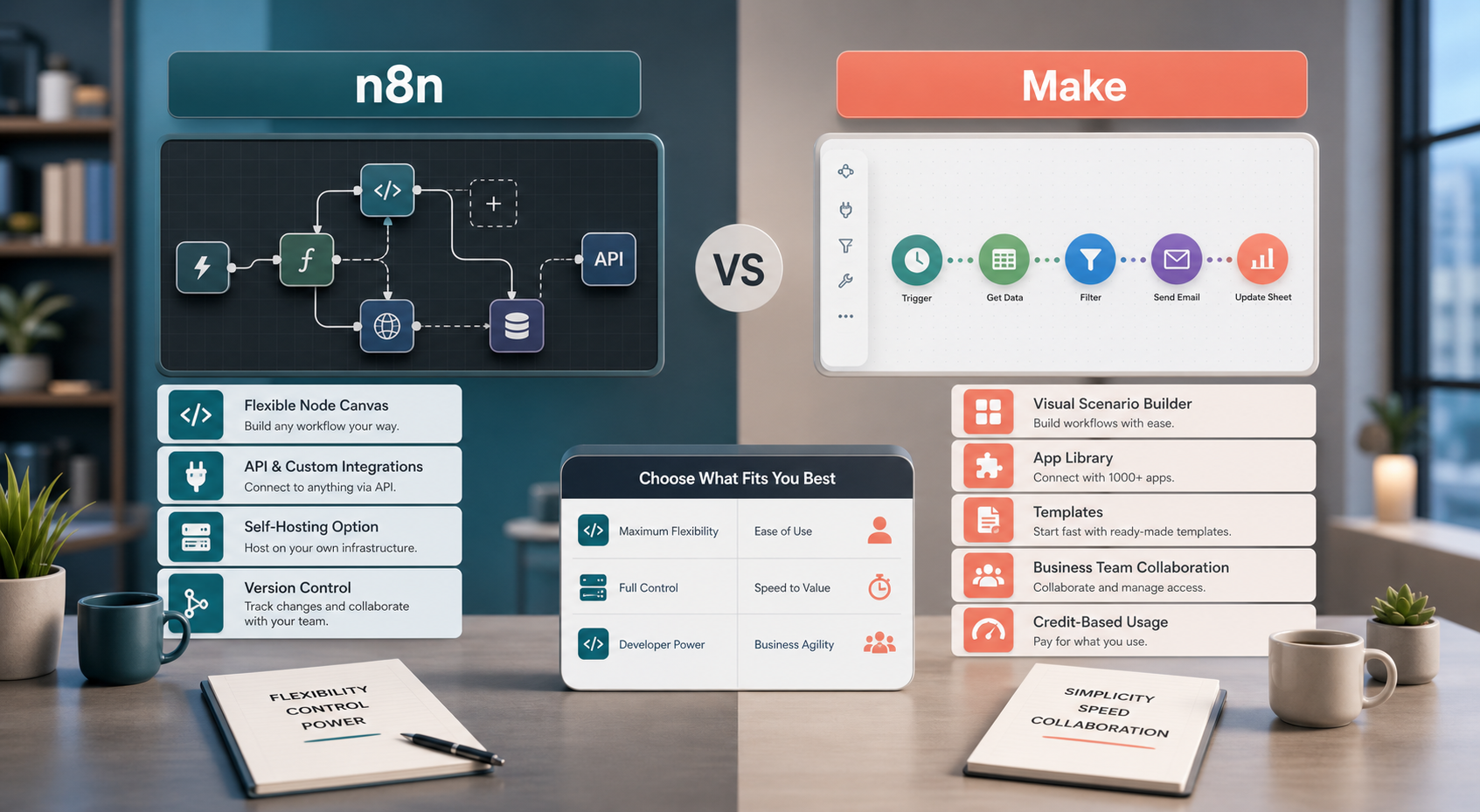
n8n is a workflow automation platform built around a node-based canvas. It is popular with technical teams because it gives builders flexibility, custom logic, code options, API connections, and self-hosting choices. Also, n8n’s current positioning strongly emphasizes AI workflows, visible agent logic, and the ability to deploy on your infrastructure or use hosted cloud.
Make is a visual automation platform built around scenarios. It is popular with business users, operations teams, marketers, and SMBs because it offers a visual-first interface, templates, app connections, and a fast path from idea to working automation. In addition, Make’s current platform messaging highlights AI agents, 3,000+ integrations, visual workflow building, and enterprise security foundations.
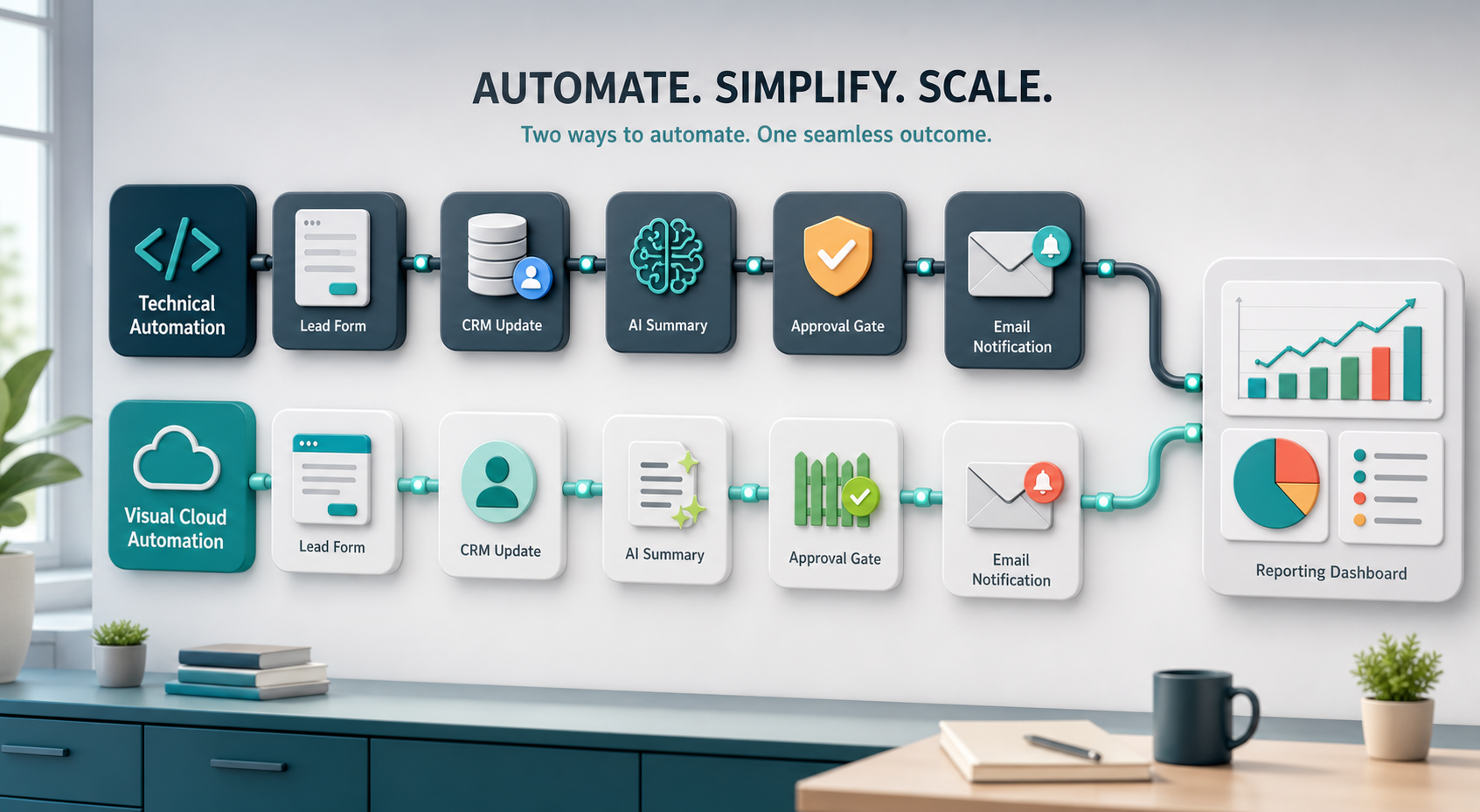
Because both tools can automate many of the same tasks, the comparison should focus on fit. For example, a technical operations team may prefer n8n when they need custom API flows, code, self-hosting, and advanced control. Meanwhile, a marketing or sales operations team may prefer Make when they need to build automations quickly across common business apps without heavy engineering support.
Why Platform Fit Matters More Than Popularity
Automation tools can become either a growth engine or a messy collection of fragile workflows. The difference often comes down to how well the platform matches your team. If a tool is too technical for the people using it, automations may never get built. However, if a tool is too limited for your process, your team may outgrow it quickly and rebuild everything later.
For this reason, businesses should compare n8n vs Make through real examples. Start with workflows your staff already repeats every week. These may include lead routing, CRM updates, invoice reminders, customer onboarding, support ticket alerts, content operations, reporting, AI summaries, or internal approvals. After that, test how each platform handles the same workflow from beginning to end.
Where n8n Usually Fits Better
n8n often fits better when a business needs more technical flexibility. For example, a company may need to connect custom internal systems, work with unusual APIs, add JavaScript or Python logic, build advanced branching, or keep infrastructure under tighter control. In these cases, n8n can feel less boxed in because builders can combine visual workflow design with custom code and deeper configuration.
Self-hosting is another important reason teams look at n8n. Some businesses want their automation layer closer to their own infrastructure, especially when workflows handle sensitive data, internal tools, or high-control environments. Also, technical teams may appreciate workflow history, environment management, source control options, and detailed execution visibility when automations become part of production operations.
However, n8n is not always the easiest starting point for every team. A non-technical user can still learn it, but the platform’s real strength appears when someone understands APIs, data structure, logic, error handling, and workflow maintenance. Therefore, n8n is often strongest for technical operators, developers, IT teams, AI automation builders, and businesses that want long-term control.
Where Make Usually Fits Better
Make often fits better when a business wants a fast, visual, no-code-friendly way to automate across common apps. For example, a marketing team can connect forms, sheets, CRM tools, email platforms, project management tools, and notifications without waiting for a developer. In addition, Make’s scenario builder makes it easier for many users to see the path of an automation and understand what happens next.
Make can also be attractive for teams that want templates, app discovery, collaboration, and a platform that feels approachable from day one. Its pricing model is based around credits, and each module action in a scenario can count as credit usage. Because of that, Make can be easy to start with, but businesses should still estimate usage carefully when workflows run often or include many steps.
Still, Make may not be the perfect fit for every advanced workflow. If your team needs deep infrastructure control, heavy custom code, complex self-hosted architecture, or highly specialized API behavior, n8n may be worth a closer look. On the other hand, if adoption speed matters most, Make may help more people in the business build useful automations quickly.
n8n vs Make Comparison Table
| Business Need | n8n | Make |
|---|---|---|
| Ease of use | Flexible, but usually easier for technical builders or users comfortable with logic and APIs. | Very visual and approachable for business users, especially with templates and common app flows. |
| Customization | Strong for custom code, custom APIs, advanced branching, and technical workflow control. | Strong for no-code and low-code scenarios, with custom functions and code options on higher plans. |
| Hosting options | Offers cloud and self-hosted options, which can appeal to teams that want infrastructure control. | Mainly cloud-based, with enterprise-grade security and governance options for larger organizations. |
| App integrations | Offers many integrations and custom API connections, with a technical builder mindset. | Highlights 3,000+ apps and a large library for quick business automation setup. |
| AI workflows | Strong for visible AI workflow logic, agents, RAG patterns, model flexibility, and human-in-the-loop control. | Strong for visual AI automation, AI agents, AI apps, AI content extraction, and AI-assisted scenarios. |
| Cost planning | Pricing is often based on workflow executions, and self-hosting changes the cost model. | Pricing is credit-based, so frequent multi-step scenarios need usage planning. |
| Best fit | Technical teams, IT, developers, advanced automations, self-hosting, and deeper control. | Business teams, SMBs, marketers, operations teams, and quick app-to-app automation. |
This table shows why the better choice depends on your operating style. If your team values control, custom logic, infrastructure choices, and technical flexibility, n8n may be the stronger fit. However, if your team values fast setup, visual building, app coverage, and business-user adoption, Make may be easier to roll out. In short, n8n often feels more like a flexible automation engine, while Make often feels more like a visual automation workspace.
How to Compare n8n vs Make With Real Workflows
A fair comparison should use the same workflow in both platforms. For example, test a lead intake process from form submission to CRM update, email response, internal alert, AI summary, and reporting. Then compare how long it takes to build, how easy it is to maintain, how errors are handled, and how comfortable your team feels editing it later.
This is also where outside implementation support can save time. IQBIRDS helps businesses map workflows, connect tools, and build practical automations through AI automation services, AI integration services, and AI CRM development. For teams comparing automation strategy, our guide on AI automation strategies for multi-location businesses can also help frame rollout planning.
For current platform details, review the official pages from n8n and Make. In addition, compare official pricing and governance information from n8n pricing and Make security and compliance. Because pricing, plan limits, AI features, and compliance options change over time, official documentation should guide the final decision.
Step-by-Step Guide to Choosing Between n8n and Make
First, map the workflow you want to automate. Write down the trigger, each action, the tools involved, the data that moves between systems, and where a person must review the output. This keeps the platform decision grounded in real work.
Next, identify the skill level of the people who will build and maintain the automation. If developers or technical operators will own it, n8n may be attractive. However, if marketing, sales, support, or admin users need to build scenarios themselves, Make may be easier to adopt.
After that, check hosting and security needs. Ask whether your business needs self-hosting, SSO, audit logs, role controls, data retention rules, or enterprise compliance. Also, decide what data should never be sent through an automation without approval.
Then, build the same test workflow in both platforms. Use real examples, not perfect demo data. Measure setup time, troubleshooting difficulty, run reliability, error handling, and how easy it is for a second person to understand the workflow.
Finally, estimate cost at real volume. For n8n, review execution-based pricing and self-hosting costs if relevant. For Make, estimate credits based on how many modules run each time. Most importantly, calculate the value of saved labor, faster response times, and fewer manual errors.

Key Benefits of Choosing the Right Platform
- Faster lead response and cleaner CRM updates.
- Less manual data entry across sales, support, marketing, and operations.
- More consistent customer communication and internal handoffs.
- Better reporting because workflow data moves automatically.
- Fewer missed tasks, reminders, approvals, and follow-ups.
- More scalable operations without immediately hiring more admin staff.
- Stronger control over sensitive workflows when governance rules are clear.
In addition, choosing the right platform improves adoption. People are more likely to use automations when they understand them, trust them, and can request changes without friction. As a result, the best platform is the one your team can maintain confidently after the first build is complete.
Common Mistakes to Avoid
Choosing Based Only on Price
A cheaper plan can become expensive if workflows are hard to maintain or usage grows faster than expected. Instead, compare total cost, including setup, staff time, support, hosting, and future changes.
Ignoring the Builder’s Skill Level
A powerful platform is not useful if the assigned team cannot manage it. Therefore, match the platform to the people who will actually build, monitor, and improve the automation.
Automating Before Mapping the Process
If the current workflow is unclear, automation will only make confusion faster. First, define the process, then build the automation around it.
Forgetting Error Handling
Every automation should have a plan for failed API calls, missing data, duplicate records, and approval delays. Also, the right people should receive alerts when something breaks.
Skipping Security and Data Rules
Automation often touches customer records, invoices, emails, and internal documents. For this reason, access control, credential management, data retention, and human approval rules should be decided before rollout.
How IQBIRDS Helps Your Business
IQBIRDS helps businesses choose and implement automation platforms based on real workflows, not random tool opinions. We start by mapping how work currently moves through your business. Then we identify which steps are repeated, where data gets stuck, and which automations can create the fastest return.
After that, IQBIRDS can help compare n8n vs Make against your actual needs. For example, we can review CRM workflows, lead routing, customer onboarding, AI summaries, reporting, internal approvals, and tool integrations. In addition, we can help build automation rules, add human review points, connect APIs, and create dashboards so your team can see what is working.
This approach keeps the decision practical. Instead of choosing a platform because it is popular, your business chooses the platform that fits your team, your systems, and your growth plan.
Frequently Asked Questions
Is n8n better than Make?
n8n may be better for technical teams that need custom logic, self-hosting, code, and deep workflow control. Make may be better for business teams that want a visual, fast, app-friendly automation platform.
Is Make easier to use than n8n?
For many non-technical users, Make can feel easier because it is visual-first and template-friendly. However, n8n can be very efficient for users who understand APIs, data structures, and workflow logic.
Which platform is better for AI automation?
Both platforms support AI automation. n8n is strong for visible AI workflow logic, agents, and flexible technical control. Make is strong for visual AI automations, AI apps, and business-friendly agent workflows.
Can small businesses use n8n or Make?
Yes. Small businesses can use either platform. The best choice depends on whether they need technical flexibility and hosting control or a faster visual tool for common business apps.
Which platform is better for CRM automation?
Both can support CRM automation. Make may be easier for quick app-to-app CRM workflows, while n8n may be better when the CRM process needs custom API work, advanced conditions, or deeper technical control.
Should we use both n8n and Make?
Some companies may use both, but most small teams should avoid tool sprawl at first. Start with one platform for a clear workflow, then add another only if there is a strong business reason.
How can IQBIRDS help my business?
IQBIRDS can help your business compare n8n vs Make, map workflows, choose the right platform, build automations, connect CRM and business tools, add approval rules, and measure results after launch.
Final Thoughts
n8n vs Make is not about choosing the platform with the loudest fan base. It is about choosing the automation system your team can build, trust, maintain, and scale. n8n often fits teams that want flexibility, code, self-hosting, and deeper control. Make often fits teams that want speed, visual building, app coverage, and easier business-user adoption.
If you are unsure which platform fits your business, IQBIRDS can help you compare both tools using your real workflows and then build an automation plan that saves time, reduces manual work, and supports long-term growth.
Need AI Automation?
Discover how IQBirds helps businesses automate workflows and build custom digital products.