
AI
Optimize Operations with Agentic Workflow Solutions
Agentic Workflow solutions help companies move beyond simple automation. Traditional automation follows fixed rules. Agentic workflows use AI agents, business rules, connected tools, memory, approvals and feedback loops to plan and complete work with less manual supervision. The result is not magic. It is a structured operating model where AI handles repeatable thinking and tool work while humans keep control of strategy, exceptions and final accountability.
Many businesses already use automation for notifications, form routing and CRM updates. However, those automations often break when the work requires judgment. For example, a lead may ask a complex question, a customer may send incomplete information, or a report may need interpretation before the next step is clear. Agentic workflow design solves this gap by giving the system a goal, context, tools and review checkpoints.
Table of Contents
- What Is an Agentic Workflow?
- Why Agentic Workflow Solutions Matter
- Core Architecture of Agentic Workflow Systems
- Business Use Cases
- Agentic Workflow vs Traditional Automation
- Implementation Roadmap
- Governance and Risk Controls
- Metrics to Track
- FAQs
What Is an Agentic Workflow?
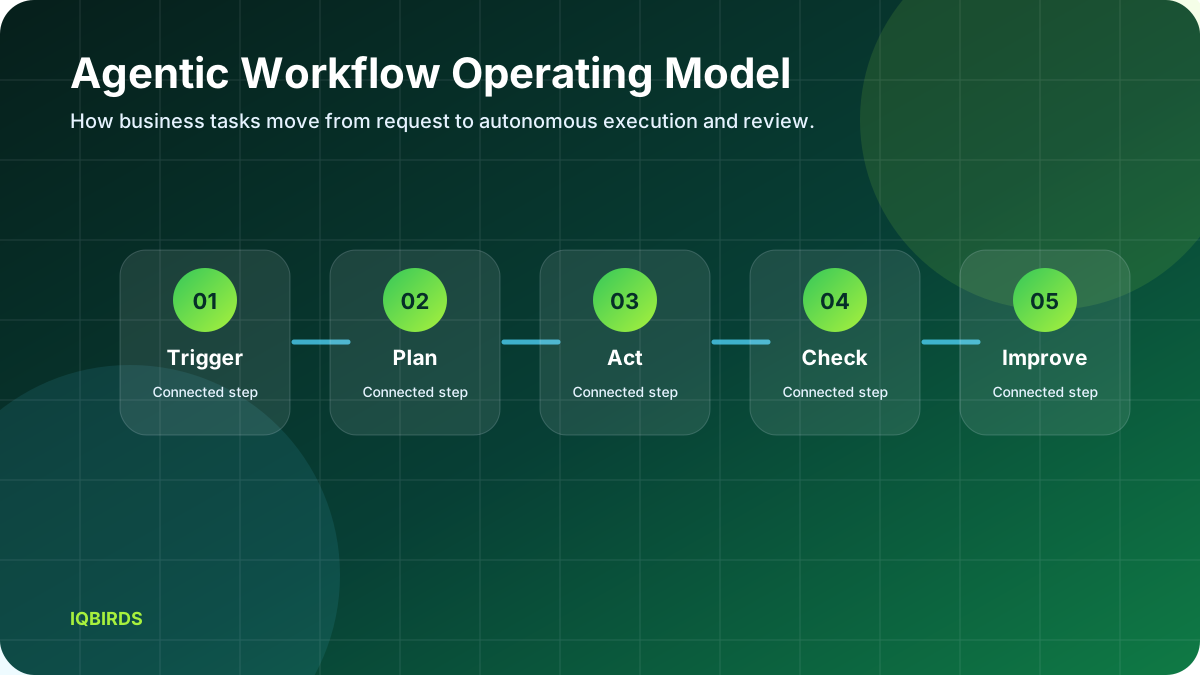
An agentic workflow is a business process where an AI agent can interpret a request, decide what information is needed, use approved tools, complete intermediate tasks and send the result for review or execution. The important difference is that the workflow is goal-driven instead of only rule-driven. A rule-based automation might say, “when a form is submitted, send an email.” An agentic workflow can say, “when a customer asks for a quote, understand the request, collect missing details, check the CRM, prepare a response and alert the right team member.”
The term “agentic” does not mean fully uncontrolled or unsupervised. In a practical business environment, agentic systems need permissions, boundaries, logs, testing and human approval. A good system makes work faster without hiding what happened. Every step should be traceable enough that a manager can understand the decision path and improve it over time.
This is why agentic workflow design matters for small and mid-sized businesses. The value is not only in using a large language model. The value comes from connecting that model to your website, CRM, forms, email inbox, dashboards, documents, calendars and reporting tools. Without integrations, the agent can only talk. With integrations, it can help run the process.
Why Agentic Workflow Solutions Matter
Most teams lose time in handoffs. A salesperson waits for lead details. An operations manager waits for a report. A support assistant copies information from one system to another. A marketer rewrites campaign notes into tasks. These small delays create slow response times, poor follow-up and inconsistent customer experience. Agentic workflow solutions reduce these gaps because the system can watch for triggers and prepare the next action automatically.
The strongest use case is not replacing staff. It is removing the repetitive coordination work that keeps skilled people away from higher-value decisions. For example, the AI can summarize a sales call, update the CRM, draft a follow-up email and create a task for the team. The salesperson still approves the message, but the administrative load is much lower.
Modern agent frameworks also make this more practical. OpenAI’s agent and tool-use documentation, Microsoft Copilot Studio, AWS Bedrock Agents and similar platforms show a broader industry shift toward agents that can use tools, retrieve knowledge and complete workflows. You can review official context from OpenAI Agents documentation, Microsoft Copilot Studio, and Amazon Bedrock Agents.
Core Architecture of Agentic Workflow Systems
1. Trigger layer
The trigger layer starts the workflow. A trigger can be a website form, incoming email, chat message, uploaded document, missed call, CRM status change, invoice event or scheduled report. Clear trigger design prevents the agent from acting at the wrong time. It also helps the business decide which tasks are safe for automation and which require review.
2. Context layer
The context layer gives the agent the information it needs. This may include CRM records, customer notes, pricing rules, service areas, product details, internal policies and previous conversations. Without context, the agent guesses. With context, it can produce useful recommendations and drafts.
3. Planning layer
The planning layer breaks the request into steps. For example, an agent handling a service quote might identify the service type, check location, ask for missing details, prepare a price range and notify a human. This planning step is what separates agentic workflow from simple automation.
4. Tool layer
The tool layer connects the agent to business systems. Tools may include CRMs, Google Sheets, email platforms, calendars, project management boards, payment systems, databases and APIs. Each tool should have limited permissions. A quote assistant may read CRM data and draft emails, but it should not delete records or change pricing without approval.
5. Review layer
The review layer keeps the workflow safe. Some actions can run automatically, such as creating a task or tagging a lead. Other actions should require human review, such as sending a custom proposal, issuing a refund or changing a contract. Good agentic workflows use approval gates instead of trying to automate every decision.
Business Use Cases for Agentic Workflow
Lead handling is one of the best first use cases. The workflow can receive a form submission, classify the lead, check whether the location is serviceable, ask for missing details, create a CRM record, assign the lead and draft a follow-up message. This improves response time and reduces missed opportunities.
Operations reporting is another strong use case. The agent can collect data from spreadsheets, CRM pipelines and project tools, then prepare a weekly summary for managers. Instead of manually copying numbers into a report, the team receives a structured explanation with risks, opportunities and next actions.
Customer support can also benefit. An agentic workflow can read a support request, identify the issue type, search approved knowledge, draft a response and escalate complex cases. The support team remains in control, but the first draft and routing work happen faster.
Marketing teams can use agentic workflows to turn campaign data into action. The system can monitor ad results, identify weak landing pages, create testing ideas and prepare content briefs. This gives the marketer a better starting point and helps the business move from reporting to improvement.
Agentic Workflow vs Traditional Automation
| Area | Traditional automation | Agentic Workflow |
|---|---|---|
| Logic | Fixed if-this-then-that rules | Goal-driven planning with tool use |
| Best for | Simple repetitive actions | Workflows that need context and judgment |
| Flexibility | Low unless rules are updated | Higher because the agent can interpret inputs |
| Human role | Monitor exceptions manually | Review important decisions and improve prompts |
| Risk | Breaks when inputs change | Needs guardrails, logs and approval gates |
Implementation Roadmap
Start with one workflow that is repetitive, measurable and tied to revenue or customer experience. Do not begin with the most complex process in the company. A good first project might be lead qualification, appointment follow-up, weekly reporting or customer support triage. These workflows are easy to observe and improve.
Next, document the current process. Write down every trigger, system, field, decision point, handoff and failure point. This evidence is important because it prevents the agent from being designed around assumptions. The workflow should reflect how the business actually works, not how the team wishes it worked.
After documentation, define the agent’s scope. Decide what it can read, what it can draft, what it can update and what it cannot do. Then create test cases using real examples. Test normal cases, edge cases and bad inputs. The agent should handle uncertainty by asking for more information or escalating to a human.
Governance and Risk Controls
Agentic workflows need governance because they touch real business systems. Start with permission design. Give the agent only the access required for the workflow. Then add logging so every action can be reviewed. Finally, create approval gates for sensitive actions.
Security matters as much as speed. Agents can make mistakes if context is missing or instructions conflict. They can also expose data if access rules are too broad. A practical system includes role-based access, audit history, fallback rules and human escalation.
Metrics to Track
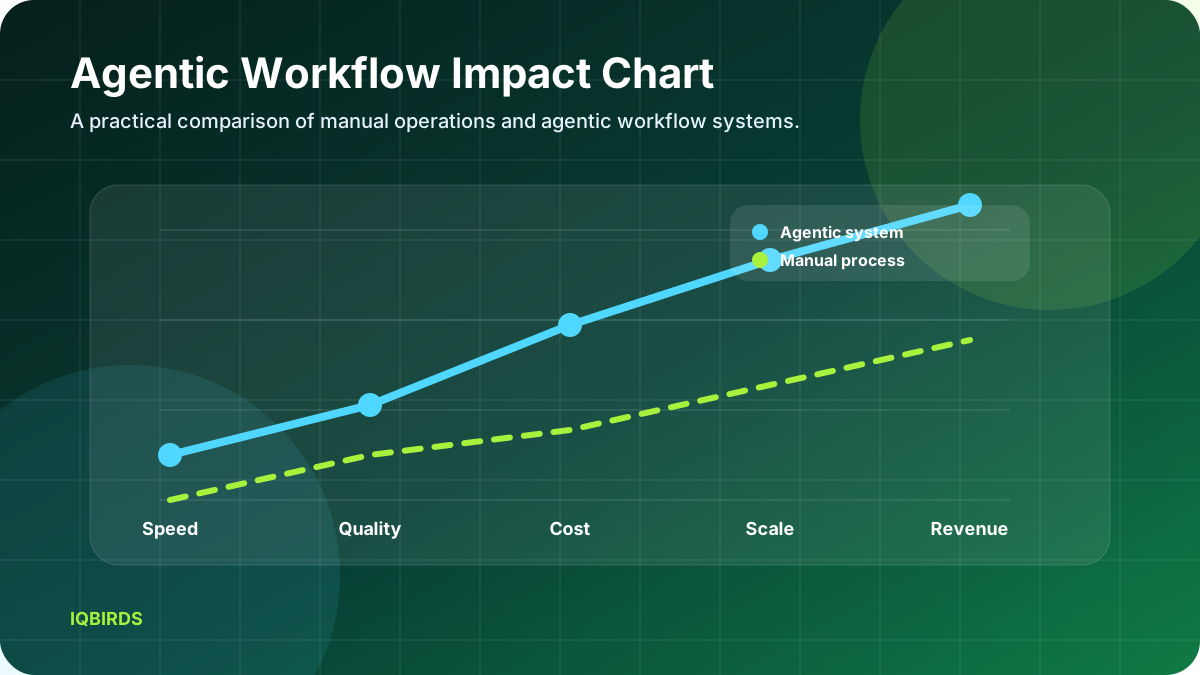
Measure response time, completion time, manual hours saved, error rate, customer satisfaction, lead conversion rate and revenue impact. These metrics keep the project grounded. If an agentic workflow looks impressive but does not reduce time, improve quality or increase revenue, it is not yet successful.
Over time, the workflow should improve. Review failed cases weekly, update instructions, refine tool permissions and add examples. Agentic workflow systems are not one-time projects. They are operational systems that need measurement and maintenance.
If your business wants this type of system built around real operations, IQBIRDS can help through AI automation services, AI agent development, AI integration services, and AI CRM development.
Frequently Asked Questions
What is an Agentic Workflow?
An Agentic Workflow is a business process where an AI agent can understand a goal, plan steps, use tools and route work for review or completion.
Is agentic workflow safe for small businesses?
Yes, if it is built with limited permissions, logs, approval gates and clear human escalation rules.
What workflow should I automate first?
Start with lead response, CRM updates, reporting or support triage because these are measurable and repeatable.
Does an agentic workflow replace employees?
No. The best systems remove repetitive coordination work while humans handle strategy, relationships and exceptions.
How long does implementation take?
A focused first workflow can often be planned, built and tested in a few weeks, depending on systems and data quality.
A practical Agentic Workflow should always stay connected to a business outcome. The team should know which task is being improved, which metric will prove progress, which person owns the review step and which system stores the final result. This discipline keeps the project useful instead of turning it into another AI experiment.
A practical Agentic Workflow should always stay connected to a business outcome. The team should know which task is being improved, which metric will prove progress, which person owns the review step and which system stores the final result. This discipline keeps the project useful instead of turning it into another AI experiment.
A practical Agentic Workflow should always stay connected to a business outcome. The team should know which task is being improved, which metric will prove progress, which person owns the review step and which system stores the final result. This discipline keeps the project useful instead of turning it into another AI experiment.
A practical Agentic Workflow should always stay connected to a business outcome. The team should know which task is being improved, which metric will prove progress, which person owns the review step and which system stores the final result. This discipline keeps the project useful instead of turning it into another AI experiment.
A practical Agentic Workflow should always stay connected to a business outcome. The team should know which task is being improved, which metric will prove progress, which person owns the review step and which system stores the final result. This discipline keeps the project useful instead of turning it into another AI experiment.
A practical Agentic Workflow should always stay connected to a business outcome. The team should know which task is being improved, which metric will prove progress, which person owns the review step and which system stores the final result. This discipline keeps the project useful instead of turning it into another AI experiment.
A practical Agentic Workflow should always stay connected to a business outcome. The team should know which task is being improved, which metric will prove progress, which person owns the review step and which system stores the final result. This discipline keeps the project useful instead of turning it into another AI experiment.
A practical Agentic Workflow should always stay connected to a business outcome. The team should know which task is being improved, which metric will prove progress, which person owns the review step and which system stores the final result. This discipline keeps the project useful instead of turning it into another AI experiment.
A practical Agentic Workflow should always stay connected to a business outcome. The team should know which task is being improved, which metric will prove progress, which person owns the review step and which system stores the final result. This discipline keeps the project useful instead of turning it into another AI experiment.
A practical Agentic Workflow should always stay connected to a business outcome. The team should know which task is being improved, which metric will prove progress, which person owns the review step and which system stores the final result. This discipline keeps the project useful instead of turning it into another AI experiment.
A practical Agentic Workflow should always stay connected to a business outcome. The team should know which task is being improved, which metric will prove progress, which person owns the review step and which system stores the final result. This discipline keeps the project useful instead of turning it into another AI experiment.
Need AI Automation?
Discover how IQBirds helps businesses automate workflows and build custom digital products.