
AI Automation
AI Automation Checklist Before Your First Deployment
Your first AI automation deployment should feel exciting, but it should not feel rushed. Before a workflow goes live, the team needs to know what the automation will do, what data it will use, who can access it, how it will be tested, and what happens when something needs human review. That is exactly why an AI automation checklist is so useful.
A checklist does not slow the project down. In practice, it prevents avoidable delays after launch. It helps the team catch weak data, unclear ownership, broken handoffs, missing permissions, risky customer messages, and reporting gaps before the automation affects real customers or staff.

Why You Need an AI Automation Checklist
AI automation is different from a normal task reminder or simple rule-based workflow. It may classify customer messages, write summaries, suggest replies, update CRM records, route leads, monitor support tickets, or trigger follow-ups. Because the automation can make decisions or recommendations, the launch process needs extra care.
Without a checklist, teams often discover problems too late. For example, the CRM field may be inconsistent, the notification may go to the wrong person, the prompt may fail on unclear customer messages, or the workflow may not log enough detail for reporting. Also, team members may not know when they should approve, edit, or override the AI output.
The goal is not to make deployment complicated. The goal is to launch a useful first version that is controlled, measurable, and easy to improve. Once the first deployment works, the business can scale automation with much more confidence.
AI Automation Checklist: The Six Areas to Review
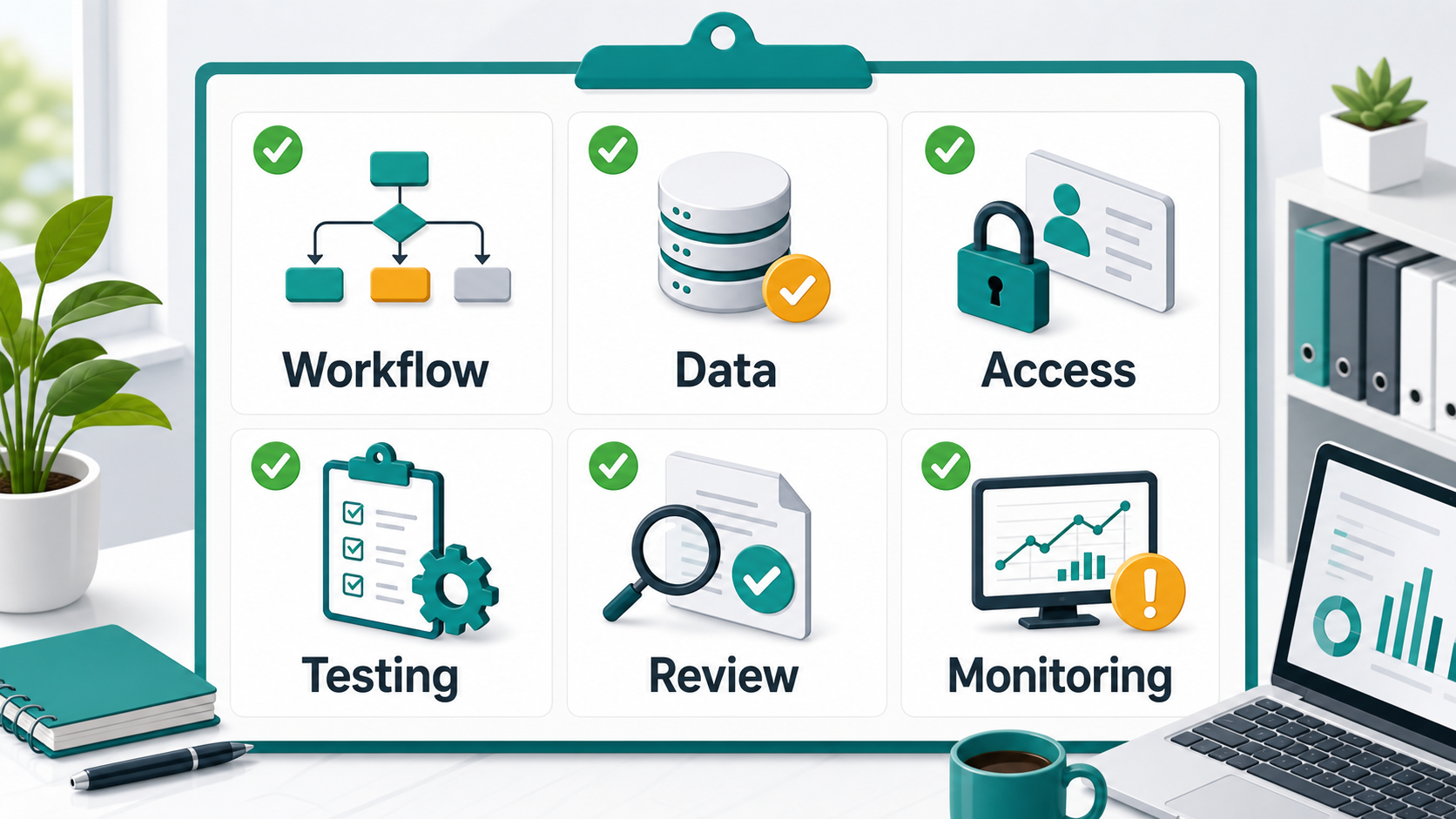
A practical AI automation checklist should cover six core areas: workflow, data, access, testing, review, and monitoring. These areas help the team move from a good idea to a working deployment. They also create a common language between business owners, technical teams, and the people who will use the automation every day.
1. Workflow Readiness
Start by confirming the workflow from beginning to end. What triggers the automation? Which system sends the data? What should AI decide or create? Where does the output go next? Who owns the final result? Also, define what happens when the workflow does not match the normal path.
For example, a lead automation may start when a website form is submitted. Then AI reviews the message, assigns a service category, writes a short summary, updates the CRM, and alerts the sales team. However, if the lead message is unclear, the workflow may need to send the item for human review instead of routing it automatically.
2. Data Readiness
Next, check the data that the automation will read, write, or use for decisions. AI works better when the data is consistent, current, and stored in the right place. If records are duplicated or fields are used differently by each team member, the automation may produce unreliable results.
Before deployment, clean important fields, define required data, remove duplicates, and choose the source of truth. Also, avoid sending unnecessary sensitive data into the workflow. The first deployment should use only the data needed to complete the task safely.
3. Access and Permission Readiness
Access matters because automation can move information between systems. Confirm who can view, edit, approve, and override the workflow. Also, check API permissions, CRM permissions, calendar access, email permissions, help desk roles, and admin rights before launch.
In addition, document the accounts and keys used by the automation. Avoid using a personal employee login when a service account or managed integration account is more appropriate. This keeps the workflow stable when staff roles change.
Not Ready vs Ready to Deploy
| Checklist Area | Not Ready | Ready to Deploy |
|---|---|---|
| Workflow | Steps are described informally and exceptions are unclear | Trigger, action, owner, handoff, and exception paths are mapped |
| Data | CRM fields are messy, duplicated, or missing | Important fields are cleaned and the source of truth is defined |
| Access | Permissions are discovered during launch | Roles, API access, and approval rights are confirmed in advance |
| Testing | Only perfect examples are tested | Real examples, edge cases, and failure states are tested |
| Human review | AI output goes live without approval rules | Review is added for risky or customer-facing actions |
| Monitoring | No one checks logs, errors, or outcomes after launch | Results, exceptions, and performance are reviewed regularly |
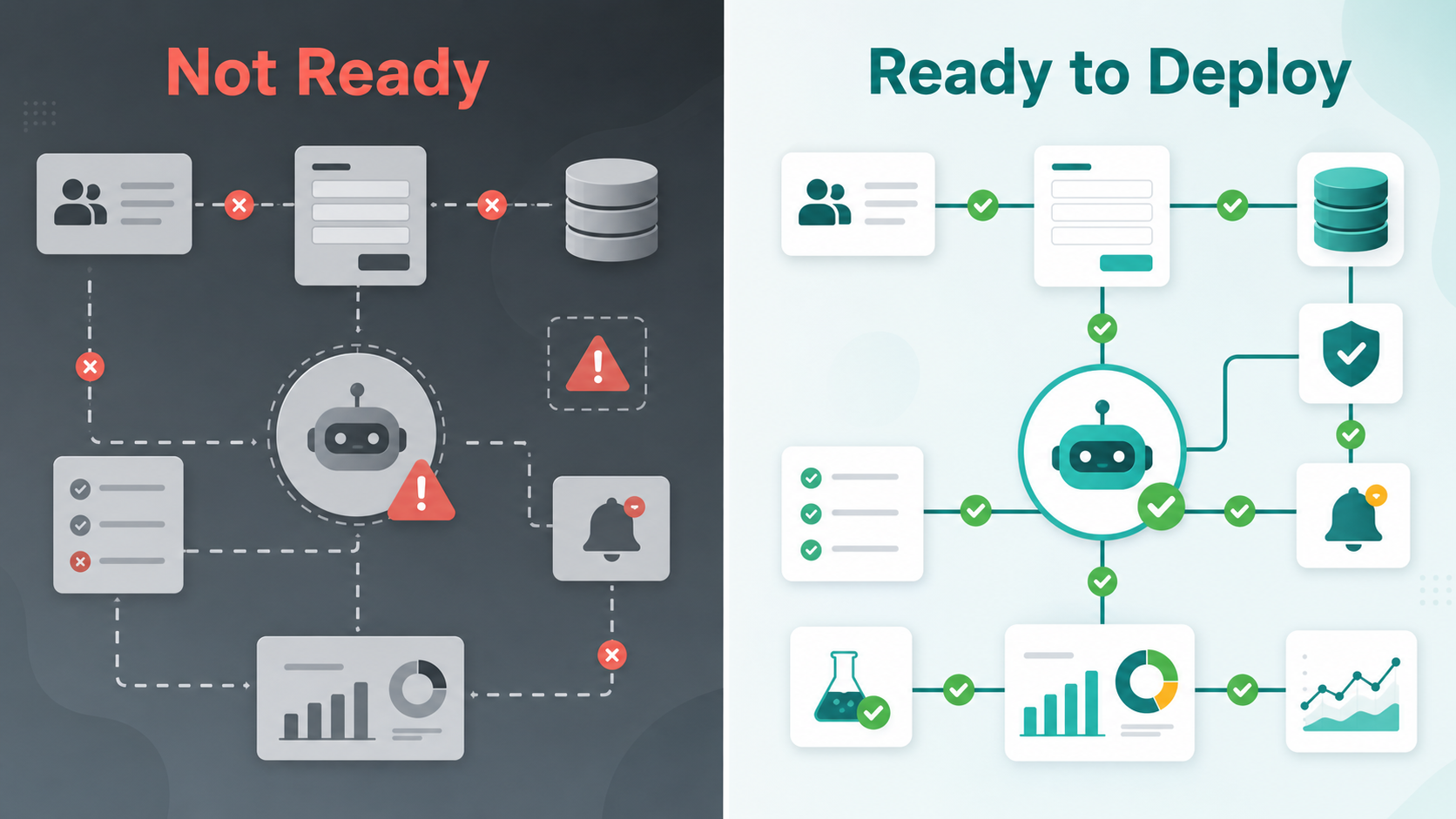
This table shows the difference between launching an automation because it exists and launching it because it is ready. A ready deployment has clear ownership, clean inputs, tested outputs, human safeguards, and measurement. As a result, the business can improve the workflow calmly instead of reacting to surprises.
Use Trusted AI Deployment Principles
Good AI automation planning should include governance, testing, and risk controls. The NIST AI Risk Management Framework is a helpful reference for thinking about AI risks in a structured way. Meanwhile, Microsoft’s responsible AI guidance explains why fairness, reliability, safety, privacy, and accountability matter in AI systems.
For workflow context, IBM describes intelligent automation as a combination of process automation and AI. Also, Google Cloud’s responsible AI practices are useful for teams that want automation to be helpful, secure, and trustworthy.
If your team wants a practical launch plan, IQBIRDS offers AI automation services, AI integration services, and AI CRM development. Related guides like common AI integration mistakes that delay projects and AI workflows that deliver ROI in under 90 days also show how early planning supports better results.
Checklist Area 4: Testing Before Launch
Testing should happen before the automation touches real customers or important records. Start with expected examples. Then test messy examples, missing fields, duplicate records, unclear messages, failed API calls, permission problems, and slow system responses.
Also, test whether the automation explains its output in a useful way. If AI classifies a lead as high priority, the team should know why. If it suggests a reply, the reply should match the business tone and customer context. In addition, keep a test log so the team can track what was checked and what was fixed.
Checklist Area 5: Human Review Rules
Human review is especially important in the first deployment. Use review for customer-facing messages, pricing, sales-stage changes, refunds, legal or financial topics, sensitive records, and situations where the AI is unsure. This keeps automation helpful without giving it too much control too early.
Over time, review rules can become more flexible. For low-risk tasks, the automation may act automatically after enough successful tests. Still, high-risk actions should keep a human approval path. This creates a balanced system: fast where it is safe, careful where it matters.
Checklist Area 6: Monitoring and Measurement
After deployment, someone should monitor the workflow. Check errors, failed handoffs, slow steps, unusual outputs, user feedback, and business outcomes. Also, review whether the automation is saving time, improving response speed, reducing manual work, or helping customers move through the journey more smoothly.
Measurement keeps the first deployment from becoming a forgotten experiment. If the workflow works, you can improve and expand it. If it does not, the data will show where to adjust the prompt, data, permissions, handoff, or review process.
Step-by-Step Guide Before Your First Deployment
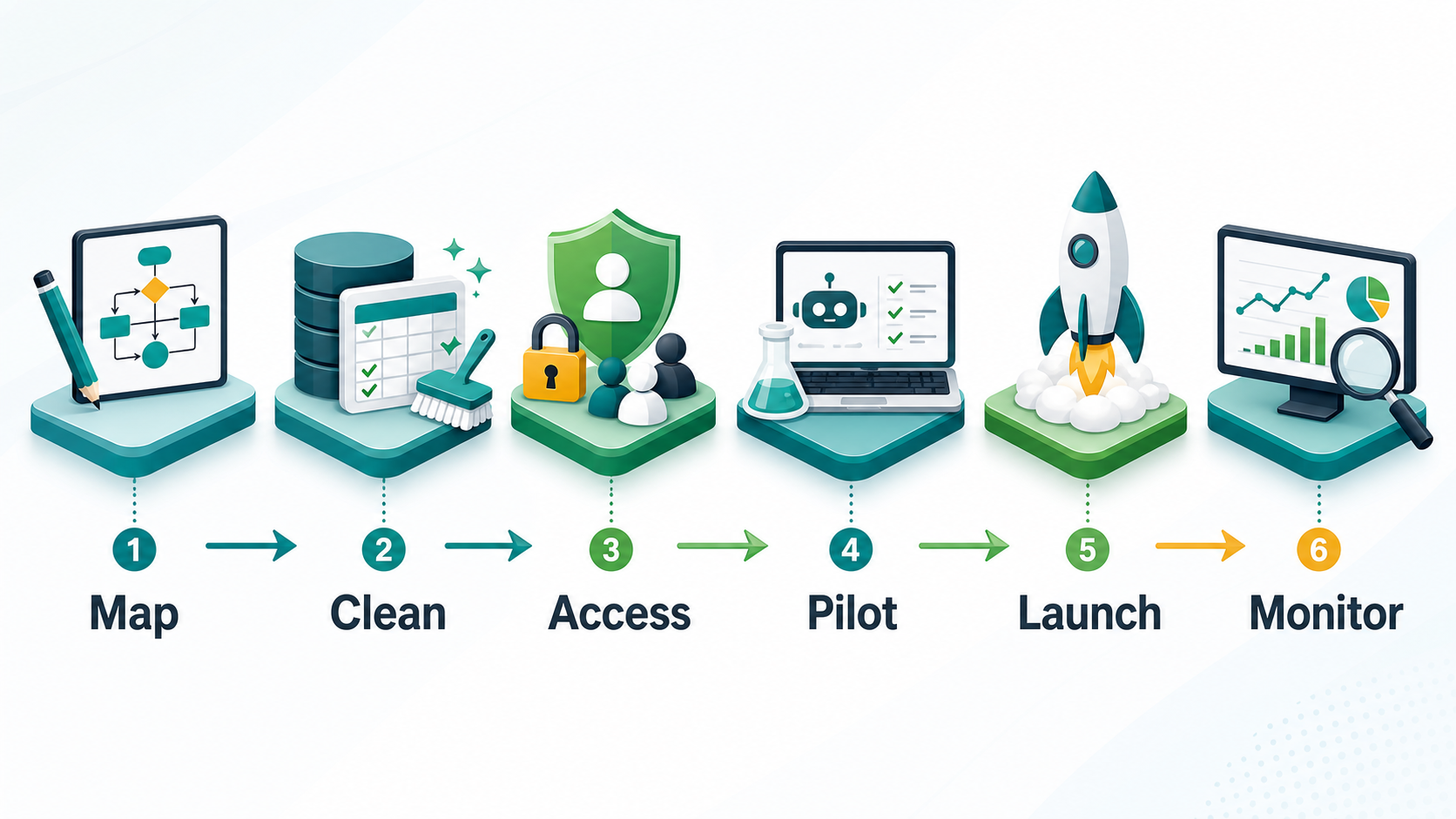
1. Map the Workflow
First, write the full workflow in plain language. Include the trigger, systems, decisions, actions, owners, and exception paths.
2. Clean the Data
Next, clean the fields that the automation will use. Remove duplicate records, fix inconsistent values, and choose the main source of truth.
3. Confirm Access
Then, verify API access, user roles, service accounts, CRM permissions, email permissions, and approval rights before launch.
4. Run a Pilot
After that, test the workflow with a small group, one team, or one process. A pilot keeps the risk low while the team learns.
5. Add Review Steps
Where the action is sensitive, add human approval. Also, define who reviews the output and how quickly they should respond.
6. Launch Safely
Once testing is complete, launch the first version with clear ownership. Tell the team what changed, where to report issues, and how to override the automation.
7. Monitor and Improve
Finally, review logs, exceptions, staff feedback, customer outcomes, and ROI. Use the findings to improve the automation before expanding it.
Key Benefits of Using a Checklist
- Fewer launch surprises and fewer broken handoffs
- Cleaner data before AI makes decisions or suggestions
- Better control over permissions, access, and approvals
- Safer customer communication during the first deployment
- More reliable testing with real examples and edge cases
- Clearer ownership after the automation goes live
- Better reporting on saved time, response speed, and ROI
- More confidence when scaling to the next workflow
Common Mistakes to Avoid
Avoid deploying before the workflow is mapped. Also, do not connect AI to messy CRM data and expect consistent results. Another mistake is skipping access checks until the final launch day, because missing permissions can delay even a simple workflow.
In addition, do not test only perfect examples. Real customers send incomplete, unclear, and unexpected messages. Finally, avoid launching without monitoring. AI automation should be watched, measured, and improved after deployment.
How IQBIRDS Helps Your Business
IQBIRDS helps businesses prepare for their first AI automation deployment with workflow mapping, data review, CRM automation, tool integration, approval design, testing, and reporting. The goal is to build automation that is useful, controlled, and measurable from the beginning.
First, IQBIRDS reviews the business process and identifies the right automation opportunity. Then, the team connects the necessary tools, defines human approval points, tests real examples, and sets up dashboards or reports to measure results. As a result, the first deployment becomes easier to manage and improve.
IQBIRDS can support lead routing, AI CRM updates, customer journey automation, support workflows, reporting dashboards, and internal operations automation. Also, the implementation can start small and expand after the first workflow proves value.
Frequently Asked Questions
What is an AI automation checklist?
An AI automation checklist is a pre-deployment review that helps a team confirm the workflow, data, access, testing, human review, monitoring, and measurement before launching automation.
Why is a checklist important before AI deployment?
A checklist is important because AI automation can affect customers, CRM records, staff tasks, and business decisions. It helps reduce risk and catch problems before launch.
What should be tested before deploying AI automation?
Test expected examples, messy real examples, missing data, duplicate records, failed API calls, permission issues, unclear customer messages, and human handoff paths.
Should the first AI automation deployment be small?
Yes. A small first deployment is usually better because it is easier to test, monitor, improve, and explain to the team before scaling to more workflows.
When should human review be added?
Human review should be added for customer-facing messages, sensitive records, pricing, refunds, sales-stage changes, financial actions, or any workflow where an incorrect output could create risk.
How do you measure AI automation after deployment?
Measure saved hours, response time, workflow completion rate, error rate, customer outcomes, staff feedback, conversion rate, and ROI. Also, review logs and exceptions regularly.
How can IQBIRDS help my business?
IQBIRDS can help your business map workflows, clean data, connect tools, build AI automations, add human approval steps, test safely, and measure results after deployment.
What to Review on Launch Day
On launch day, keep the first review simple. Confirm that the trigger fires correctly, the right records are updated, notifications reach the correct person, and approval steps are visible. Also, check the first few live runs manually. This early review helps the team spot small issues before they become larger workflow problems.
After that, collect staff feedback during the first week. If users are confused, the automation may need clearer alerts, better summaries, or a more obvious fallback path.
Conclusion
Your first AI automation deployment does not need to be perfect, but it does need to be prepared. A clear checklist helps the team launch with better control, cleaner data, safer handoffs, and a stronger plan for improvement.
Start by mapping the workflow. Then clean the data, confirm access, test real examples, add human review, launch safely, and monitor results. This simple process can prevent many of the problems that delay AI automation projects after launch.
If your business is preparing for its first AI automation deployment, contact IQBIRDS. The right checklist and implementation plan can help your team launch faster, reduce risk, and build automation that supports real business growth.
Need AI Automation?
Discover how IQBirds helps businesses automate workflows and build custom digital products.