
AI Automation
AI Workflows That Deliver ROI in Under 90 Days
AI workflow ROI becomes easier to achieve when businesses stop chasing huge AI transformations and start with focused workflows that already waste time, slow down revenue, or create repeated manual work. A 90-day return is realistic when the workflow is specific, measurable, and connected to a business outcome.
The fastest returns usually come from simple but painful processes: lead follow-up, CRM updates, support routing, invoice reminders, reporting, appointment confirmations, and customer onboarding. These workflows happen often, depend on clear triggers, and create visible value when they improve. Therefore, the goal is not to automate everything at once. The goal is to choose one workflow that can prove value quickly and then scale from there.
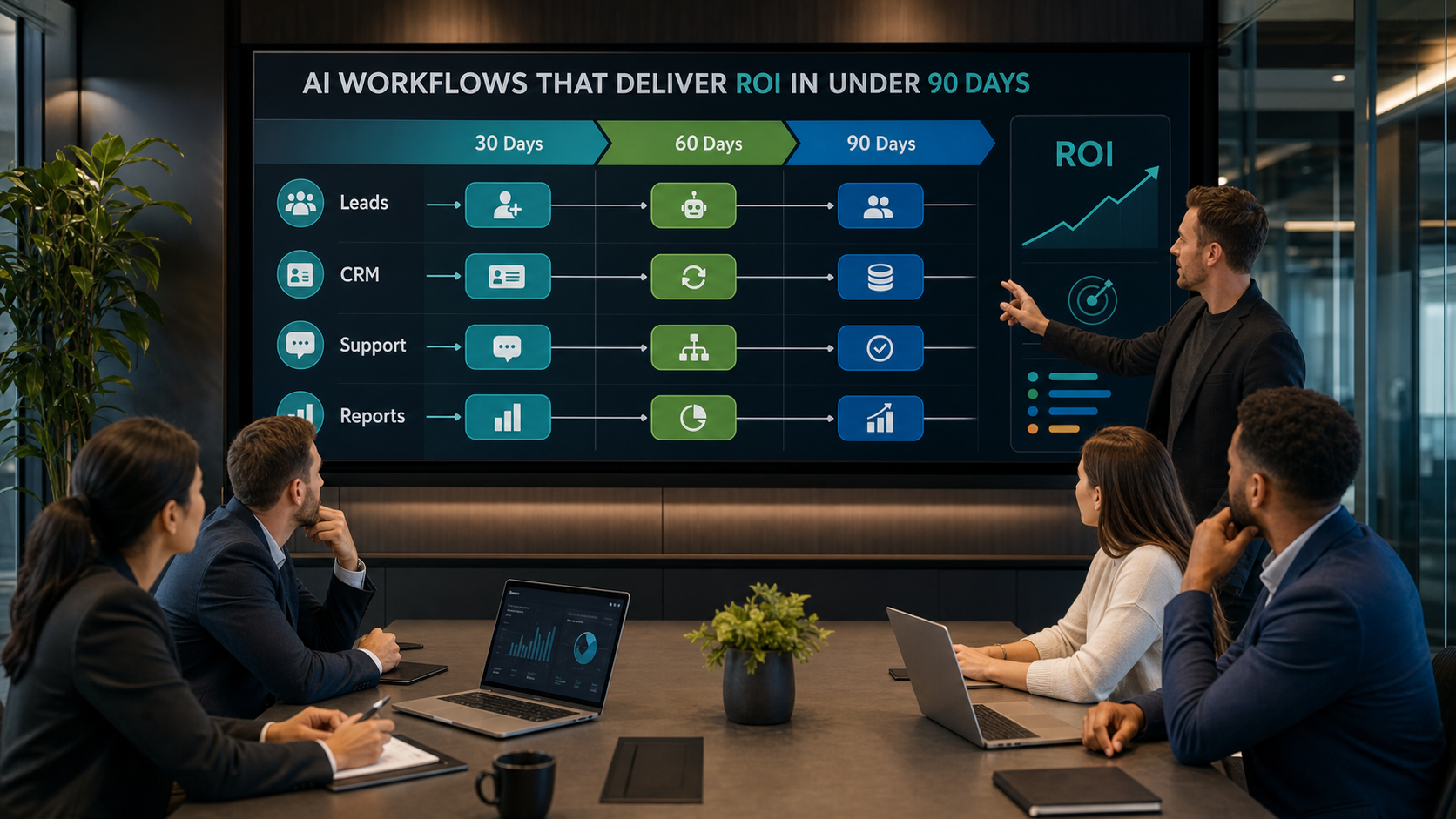
Why 90-Day AI Workflow ROI Is Possible
Many AI projects fail to show quick ROI because they start too broadly. Leaders may ask for an AI strategy, a custom agent, a new data platform, or a company-wide automation program before anyone has measured the first operational win. That approach can be useful later, but it is often too heavy for a fast return.
A workflow-first approach is different. It starts with a repeated process that already has a cost. For example, if leads wait too long for a response, the business may lose sales. If CRM records are incomplete, forecasting becomes weak. If invoice follow-ups are manual, cash flow can slow down. Because these problems already affect performance, AI can create measurable value when it reduces delay, improves consistency, or saves team time.
Current research supports this practical view. McKinsey’s State of AI research shows that value comes when companies redesign workflows and operating models around AI, not when they simply add tools. Meanwhile, Deloitte’s State of AI in the Enterprise research highlights the importance of moving AI into production with governance and business ownership. In short, ROI comes from execution.
The Best AI Workflows for Fast ROI
1. Lead Intake and Follow-Up
Lead intake is often the fastest AI workflow ROI opportunity because the business impact is easy to see. When someone fills out a form, sends a message, or asks for a quote, AI can summarize the request, classify the service need, update the CRM, assign the lead, draft a response, and create a follow-up task.
This workflow can reduce missed opportunities quickly. It also gives sales teams cleaner context before they call or email. As a result, businesses can respond faster without asking staff to monitor every channel all day.
2. CRM Cleanup and Record Updates
CRM data quality quietly affects sales, service, reporting, and forecasting. AI can help by extracting details from forms, emails, calls, and notes, then updating fields or preparing updates for human review. This creates cleaner records without forcing employees to do repetitive copy-paste work.
Because CRM improvement supports many other workflows, the ROI often extends beyond time savings. Better records can improve lead scoring, reporting, customer follow-up, and management visibility.

3. Support Triage and Ticket Routing
Support triage is another strong 90-day candidate. AI can read incoming requests, detect urgency, identify the topic, suggest a response, route the issue to the right person, and summarize the customer history. However, sensitive or emotional issues should still receive human review.
This workflow helps customers get faster help while reducing the pressure on support staff. In addition, it can reveal repeated support problems that leadership should fix at the product, service, or process level.
4. Invoice Reminders and Payment Follow-Up
For many service businesses, cash flow depends on consistent reminders. AI-assisted workflows can identify unpaid invoices, prepare polite follow-up messages, notify account owners, and update the system after payment. Because the impact connects directly to cash collection, this workflow can be easy to justify.
The key is tone and timing. Automated payment follow-up should be professional, clear, and respectful. Human review should stay in place for disputes, long-term clients, or sensitive situations.
5. Management Reporting and Daily Summaries
Reporting can drain team time when managers ask for updates across email, spreadsheets, CRM records, and project tools. AI can summarize daily activity, highlight exceptions, pull key metrics, and prepare a short management update. As a result, leaders spend less time chasing information and more time making decisions.
Microsoft’s Work Trend Index describes the move toward human-led teams supported by AI agents. Reporting is a practical place to apply that idea because AI can collect and organize information while people decide what to do next.
Slow ROI AI Projects vs Fast ROI AI Workflows
| Area | Slow ROI AI project | Fast ROI AI workflow |
|---|---|---|
| Scope | Large, vague, and company-wide | Focused on one repeated process |
| Trigger | No clear starting event | Starts from a form, email, ticket, invoice, or report need |
| Data | Requires major data cleanup before any value appears | Uses available fields and improves data as the workflow runs |
| Risk | Automates too much too early | Includes approval points for sensitive steps |
| Measurement | Tracks activity or tool usage | Tracks time saved, speed, quality, conversion, and revenue impact |
| Timeline | Waits months for a perfect system | Tests a small pilot and improves weekly |
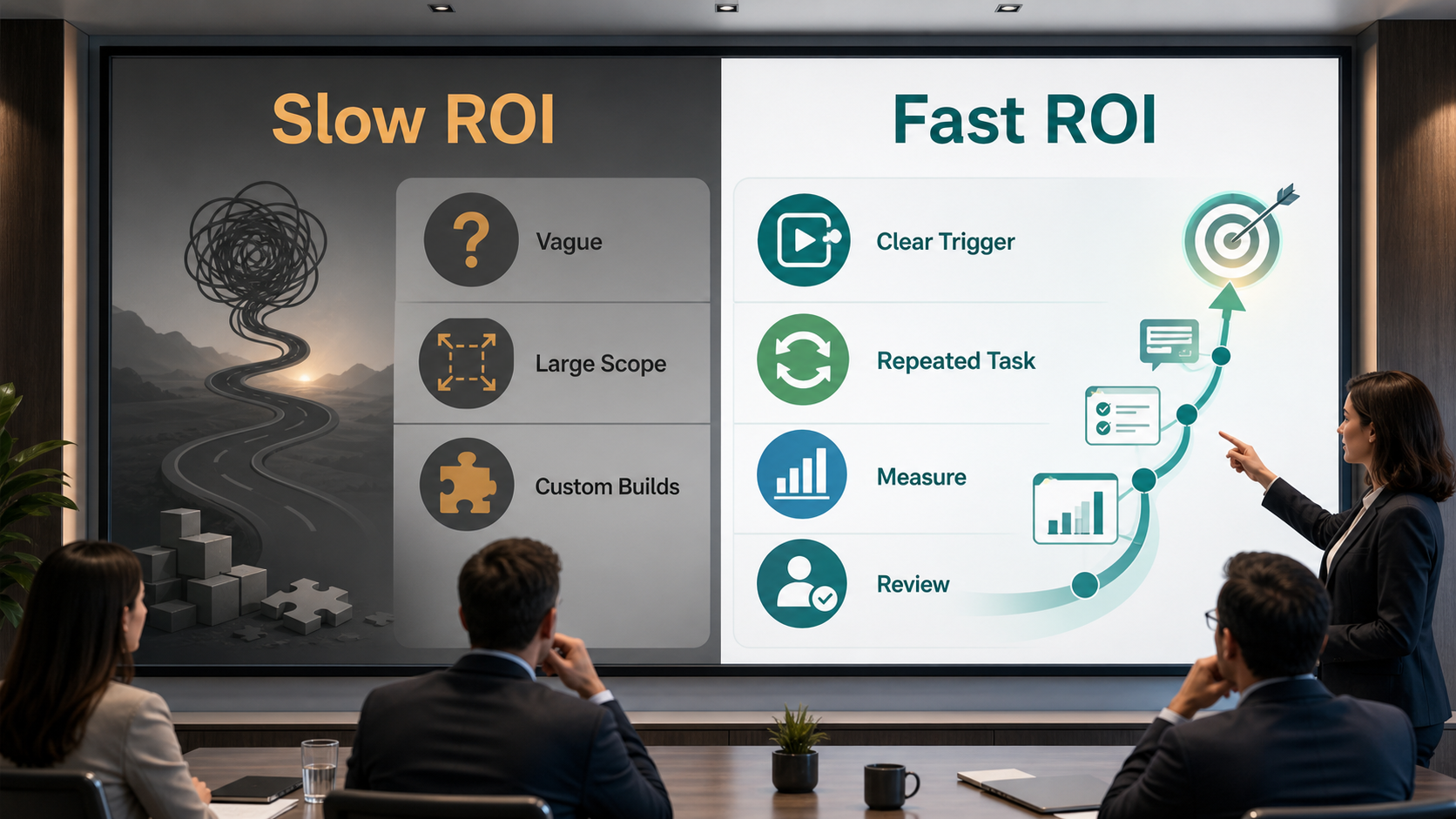
This table shows the difference between an AI project that sounds impressive and an AI workflow that produces results. Fast ROI comes from a narrow problem, a clear owner, a measurable baseline, and a workflow that can be tested with real data. By comparison, vague AI projects often get delayed because no one knows exactly what success should look like.
How to Choose the Right Workflow
Start with workflows that are frequent, painful, and measurable. A good candidate should have a clear trigger, repeated steps, available data, low compliance risk, and a visible business outcome. For example, a contact form workflow has a trigger, clear data, a sales outcome, and a measurable response time.
This is where services such as AI automation services, AI integration services, and AI CRM development become useful. They help connect the workflow to the systems that matter: your website, CRM, email, calendar, support desk, invoice platform, and reporting dashboard.
Related guides can also help teams choose practical starting points. A contact form to customer workflow can create quick revenue impact, while AI lead scoring can help sales teams prioritize the best opportunities. At the same time, businesses should avoid workflows that require major system changes before any benefit appears.
Step-by-Step 90-Day AI Workflow ROI Plan
Days 1-15: Map the Workflow and Baseline
First, map the current workflow from trigger to outcome. Record who touches the work, what tools are used, where delays happen, and what the current baseline looks like. Measure response time, completion time, missed follow-ups, manual hours, errors, and conversion impact where possible.
Days 16-30: Select the Quick Win
Next, choose one workflow with high impact and manageable effort. Keep the first version simple. For example, automate lead summaries and CRM task creation before trying to build a fully autonomous sales agent.
Days 31-45: Connect Data and Tools
After that, connect the necessary systems. This may include forms, CRM, email, calendars, support tools, spreadsheets, or reporting dashboards. Clean only the data needed for the workflow instead of waiting for a perfect data warehouse.

Days 46-60: Build the Pilot
Build a small pilot that handles the repeated steps and keeps human review in the right places. Test it with real examples. Then adjust prompts, rules, routing logic, fields, and notifications before expanding the workflow.
Days 61-75: Measure the Results
Compare the pilot to the baseline. Look at time saved, faster response, cleaner records, reduced errors, higher conversion, fewer missed tasks, and team feedback. IBM’s intelligent automation guidance also emphasizes the value of combining automation, AI, and workflow design to improve operations.
Days 76-90: Improve and Scale Carefully
Finally, improve the workflow based on evidence. If the pilot works, expand volume, add another team, or connect another step. If the results are unclear, tighten the trigger, simplify the automation, or improve the data before scaling.
Key Benefits of Fast AI Workflow ROI
- Faster response times for leads and customers
- Less manual data entry and fewer missed follow-ups
- Cleaner CRM records and better reporting
- More consistent service and operational handoffs
- Clear proof before investing in larger AI programs
- More employee time for judgment, sales, and customer relationships
These benefits matter because early wins build confidence. When a business proves one workflow, leaders can see what worked, what needs control, and where to expand next. In addition, employees usually trust AI more when they see it solving a real operational problem instead of arriving as a vague top-down initiative.
Common Mistakes to Avoid
The first mistake is choosing a workflow with no measurable baseline. If you do not know the current response time, error rate, or manual effort, ROI becomes hard to prove. Measure the starting point before the pilot begins.
The second mistake is automating too much too soon. A 90-day ROI plan should start with a narrow workflow and human review. Full autonomy can wait until the business understands the risks and results.
The third mistake is ignoring data quality. AI can improve messy workflows, but it still needs useful fields, clean ownership, and reliable triggers. Fix the minimum data needed for the workflow first.
The fourth mistake is measuring activity instead of outcomes. More AI-generated messages do not automatically mean better ROI. Track speed, quality, conversion, cash flow, customer satisfaction, and team capacity.
How IQBIRDS Helps Your Business
IQBIRDS helps businesses identify AI workflows that can show practical ROI quickly. We start by mapping your current workflow, finding repeated manual tasks, reviewing the tools already in place, and choosing a pilot that connects to a real business outcome.
We can help with AI automation, CRM automation, tool integration, lead management, customer journey automation, support routing, reporting dashboards, and human approval workflows. Instead of building automation for show, IQBIRDS focuses on workflows that reduce delays, improve records, and help your team act faster.
The goal is simple: choose the right workflow, prove the value, and scale only after the results are clear. That is how AI becomes a business system, not just another software experiment.
Frequently Asked Questions
What is AI workflow ROI?
AI workflow ROI is the measurable return a business gets from using AI to improve a specific process. It can include time saved, faster response, fewer errors, better conversion, cleaner records, or improved cash flow.
Can AI workflows really deliver ROI in under 90 days?
Yes, when the workflow is focused, repeated, low risk, and measurable. Good examples include lead follow-up, CRM updates, support triage, invoice reminders, and reporting summaries.
Which AI workflow should a business start with?
Start with a workflow that happens often, wastes time, affects revenue or service quality, and has a clear trigger. Lead intake and CRM updates are common starting points.
How do you measure AI workflow ROI?
Measure the baseline first. Then compare response time, completion time, manual hours, errors, conversion rate, customer satisfaction, and revenue or cash flow impact after the AI workflow is tested.
Do AI workflows need human review?
Yes, especially for customer-facing messages, pricing, refunds, sensitive support issues, legal topics, or any workflow where judgment matters. Human review protects quality while AI handles repetitive steps.
What causes AI workflow ROI to fail?
Common reasons include vague scope, poor data, no baseline, weak ownership, too much automation too early, and measuring tool usage instead of business outcomes.
How can IQBIRDS help my business?
IQBIRDS can map your workflows, identify quick ROI opportunities, build AI automations, connect your tools, improve CRM processes, add human review, and create dashboards that show real results.
Final Thoughts
AI workflows can deliver ROI in under 90 days when the business starts small, measures carefully, and focuses on operational pain that already costs time or revenue. The best early wins are not the flashiest. They are the workflows that happen every day and quietly slow the business down.
Start with one workflow, record the baseline, connect the right tools, keep human review in place, and measure the outcome. IQBIRDS can help you build AI workflows that prove value quickly and create a foundation for smarter automation across your business.
Need AI Automation?
Discover how IQBirds helps businesses automate workflows and build custom digital products.