
AI Automation
AI for Service Businesses: Where to Start
Service businesses usually grow through trust, speed, and consistent follow-up. A customer sends a message, asks for a quote, books an appointment, waits for confirmation, receives the service, and then decides whether to come back or recommend the company. Every step matters.
That is why AI for service businesses should not start with a random tool or a fancy chatbot. It should start with the real work that happens every day: answering inquiries, scheduling jobs, updating customer records, sending reminders, preparing estimates, collecting reviews, and keeping staff aligned.
For many owners, the question is not whether AI sounds useful. The real question is where to begin without confusing the team, wasting money, or making customers feel like they are talking to a machine instead of a helpful business.

What AI Means for Service Businesses
AI in a service business is not only about writing content or answering simple questions. Used well, it becomes a support layer around operations. It can read incoming messages, organize requests, suggest the next step, update a CRM, send reminders, summarize notes, and help teams act faster.
A home repair company can use AI to sort urgent requests from general questions. For example, a dental clinic can use it to confirm appointments and reduce no-shows. Meanwhile, a consulting firm can use it to qualify inquiries before a sales call. In addition, a cleaning company can use it to keep follow-ups, reviews, and recurring bookings from slipping through the cracks.
Most importantly, AI should support the customer experience. It should help the business respond faster, remember details, and deliver a more organized service. It should not make the company feel colder or harder to reach.
Why Service Businesses Struggle Before AI
Service businesses often run on scattered information. Leads arrive through forms, phone calls, social messages, emails, ads, referrals, and walk-ins. Staff members write notes in different places. Managers track jobs in calendars, spreadsheets, apps, and sometimes memory.
At first, this feels manageable. However, the cracks appear when the business gets busier. Sometimes, a quote request waits too long. Then a customer does not receive a reminder. After that, a technician finishes a job, but the office never asks for a review. Finally, a prospect asks one question, gets no answer, and chooses another provider.
Because service work is personal, small delays can feel bigger to the customer. People want clear answers, reliable timing, and confidence that the business understands their need. If the internal process is messy, the customer feels that mess quickly.
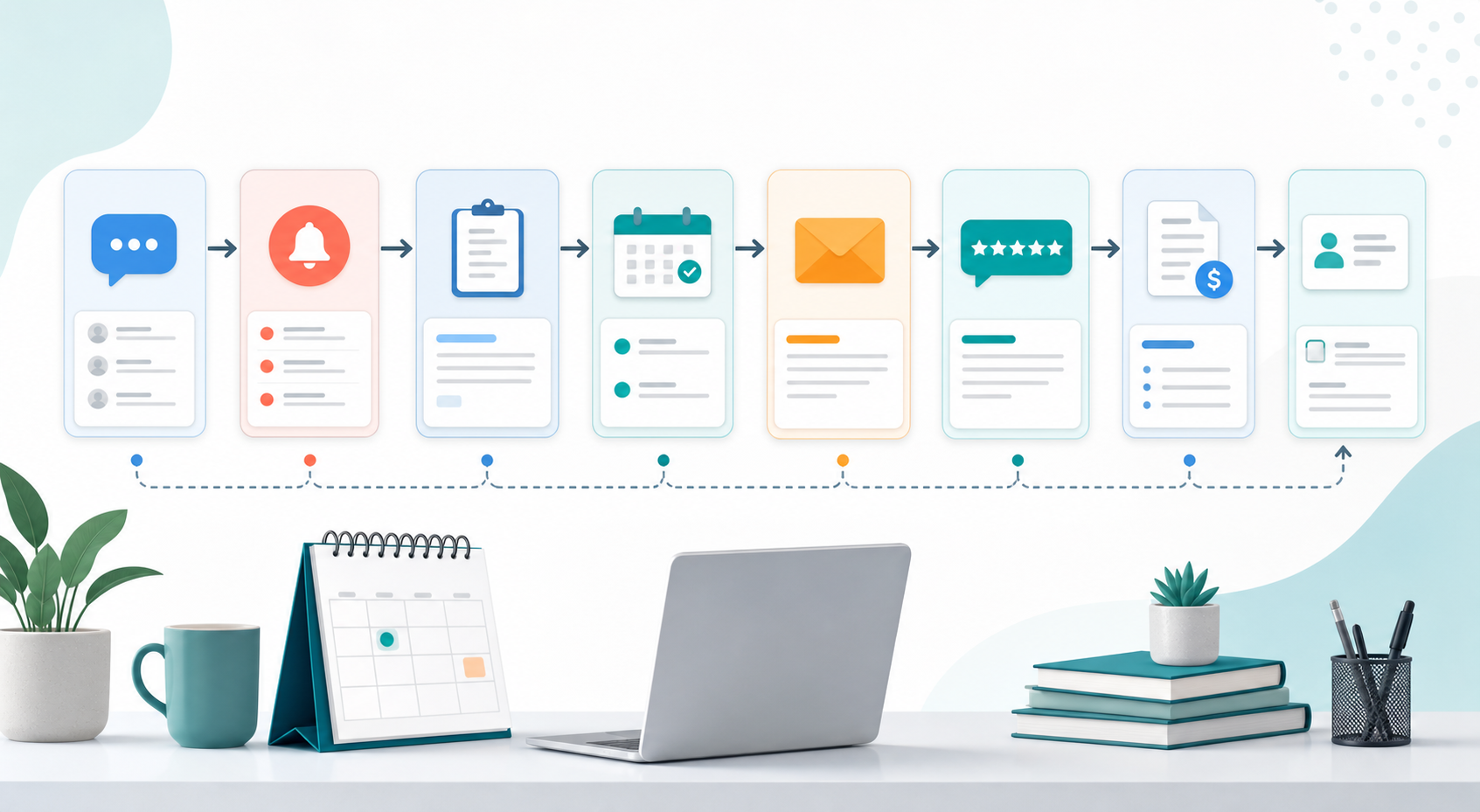
The Best Starting Point: One Repeated Workflow
For this reason, the safest way to begin is to choose one repeated workflow that already causes friction. Do not automate everything at once. Instead, look for a task that happens often, follows a clear pattern, and affects revenue or customer satisfaction.
For example, lead response is often the best first workflow. A new inquiry can be captured, categorized, assigned, and followed up automatically. At the same time, a human can still review important messages, answer complex questions, and handle sensitive situations.
Appointment reminders are another easy place to start. They reduce no-shows, keep customers informed, and free staff from repetitive calls. After that, the business can move into review requests, CRM updates, estimate follow-ups, and service completion messages.
Practical AI Use Cases for Service Businesses
Lead capture and response
AI can help collect customer details from forms, emails, chats, and messages. Then it can route the inquiry to the right person, send a quick confirmation, and create a CRM record. As a result, fewer leads disappear between channels.
Appointment scheduling and reminders
In practice, scheduling is one of the most common service-business bottlenecks. AI-assisted workflows can suggest time slots, send confirmation messages, remind customers before the appointment, and notify staff when something changes.
Customer notes and CRM cleanup
After a call, meeting, or service visit, AI can summarize notes and place them in the correct customer record. In addition, it can flag missing fields, duplicate contacts, and follow-up tasks that should not be ignored.
Estimate and quote follow-up
Many service businesses lose money after sending a quote. The customer may still be interested, but nobody follows up at the right time. AI can trigger polite reminders, alert a salesperson, and help personalize the next message based on the customer need.
Review and reputation workflows
Most importantly, reviews matter because service buyers often compare trust before price. After a completed job or appointment, AI can send a review request, alert the team to negative feedback, and help managers respond faster.
Manual Service Operations vs AI-Assisted Service Operations
| Area | Manual Process | AI-Assisted Process |
|---|---|---|
| Lead response | Staff checks messages when available | New inquiries are captured, routed, and acknowledged quickly |
| Scheduling | Calendars and reminders depend on manual updates | Appointments, confirmations, and reminders follow clear rules |
| Customer records | Notes may stay in inboxes, papers, or memory | Summaries and next steps can be added to the CRM |
| Follow-up | Quotes and service calls are easy to forget | Tasks and reminders trigger based on customer stage |
| Reviews | Requests happen inconsistently | Review workflows can start after completed service |
| Reporting | Managers pull numbers from different tools | Dashboards can combine activity, leads, bookings, and outcomes |
This table shows the real value of AI service businesses can use early. The biggest improvement is not magic. It is consistency. When the same important steps happen every time, the customer experience feels smoother and the team spends less energy chasing basic admin work.
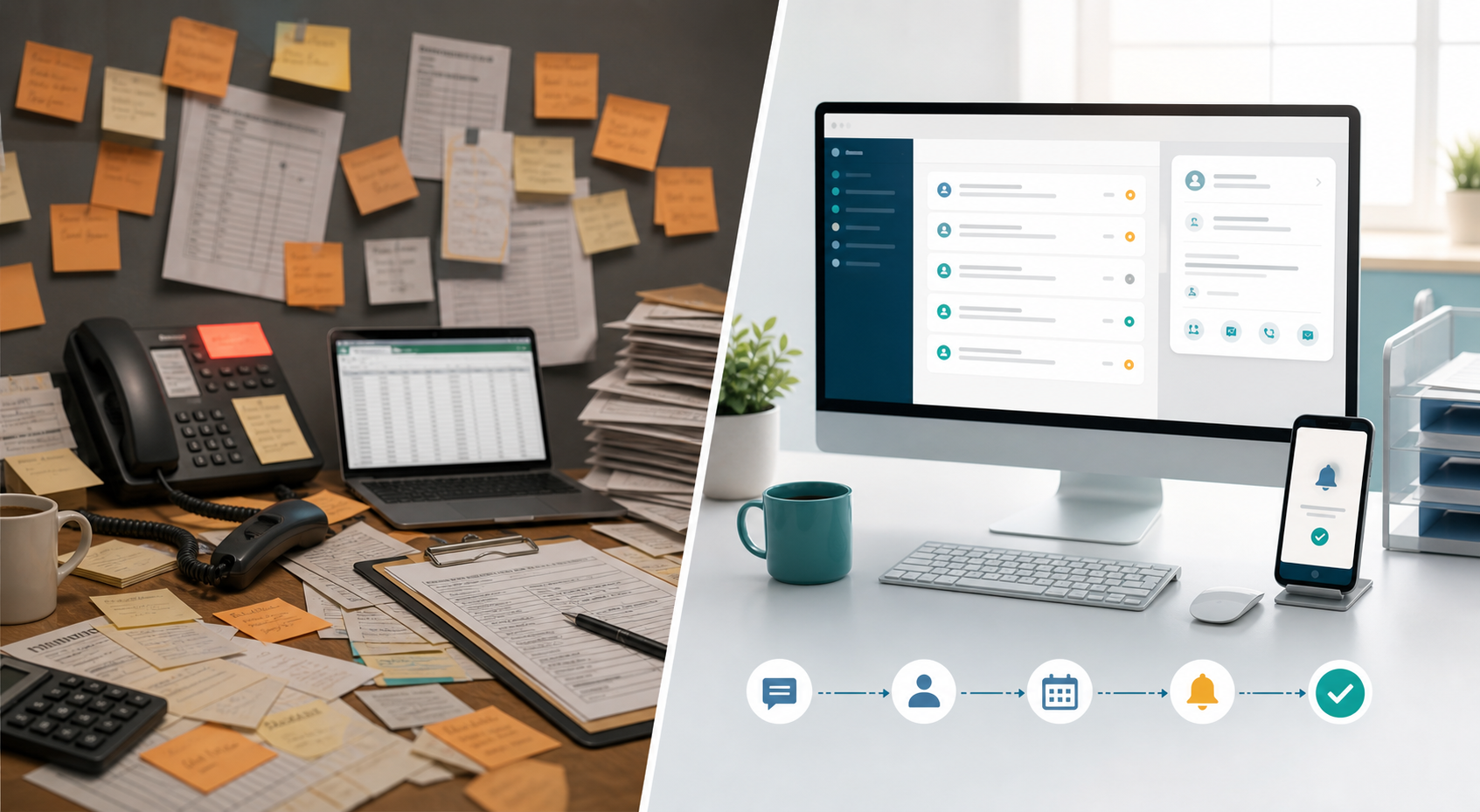
Useful Systems to Connect First
In addition, a strong AI setup usually connects tools the business already uses. For many service teams, that means CRM, website forms, email, calendar, phone logs, payment tools, review platforms, and task management software.
If your business needs help connecting those pieces, IQBIRDS offers AI Automation Services, AI CRM Development, and AI Integration Services. These services are useful when your current process depends on too many disconnected tools.
For more background, the IQBIRDS guides on AI lead response automation for local businesses and reducing manual admin work with AI explain why faster response and cleaner operations matter. External resources from IBM on intelligent automation, Microsoft Power Automate, Salesforce service automation, and HubSpot customer service automation also show how automation supports service teams when it is planned around real workflows.
Step-by-Step Guide: Where to Start With AI
1. Map the customer journey
First, write down what happens from the moment a customer finds you to the moment the service is complete. Include inquiry, qualification, booking, reminder, service delivery, payment, follow-up, and review request.
2. Identify repeated admin tasks
Next, look for tasks your team repeats every day. These may include answering the same questions, copying details into the CRM, sending reminders, checking calendars, or asking for missing information.
3. Choose one workflow with clear value
After that, pick one workflow where improvement is easy to measure. Lead response time, appointment no-shows, quote follow-up rate, review requests, and unpaid invoice reminders are good starting points.
4. Clean your customer data
AI works better when records are clear. Remove duplicates, standardize names, define service types, and decide which fields must be completed before a lead or customer moves to the next stage.
5. Connect the right tools
Then connect the workflow to the tools your team already uses. A form should talk to the CRM. The CRM should talk to email or SMS. The calendar should update reminders. Reporting should pull from the same source of truth.
6. Add human approval
Because service businesses handle real people and real needs, human review matters. Let AI draft, route, summarize, and remind. Still, keep staff in control when price, emotion, complaints, safety, or sensitive personal details are involved.
7. Test with real examples
Before going live, test the workflow with real inquiries and common edge cases. Check whether messages sound natural, tasks go to the right person, and records update correctly.
8. Measure and improve
Finally, track outcomes. Measure response time, booked appointments, completed follow-ups, no-shows, customer satisfaction, review volume, and team workload. Use the results to improve one workflow before adding another.
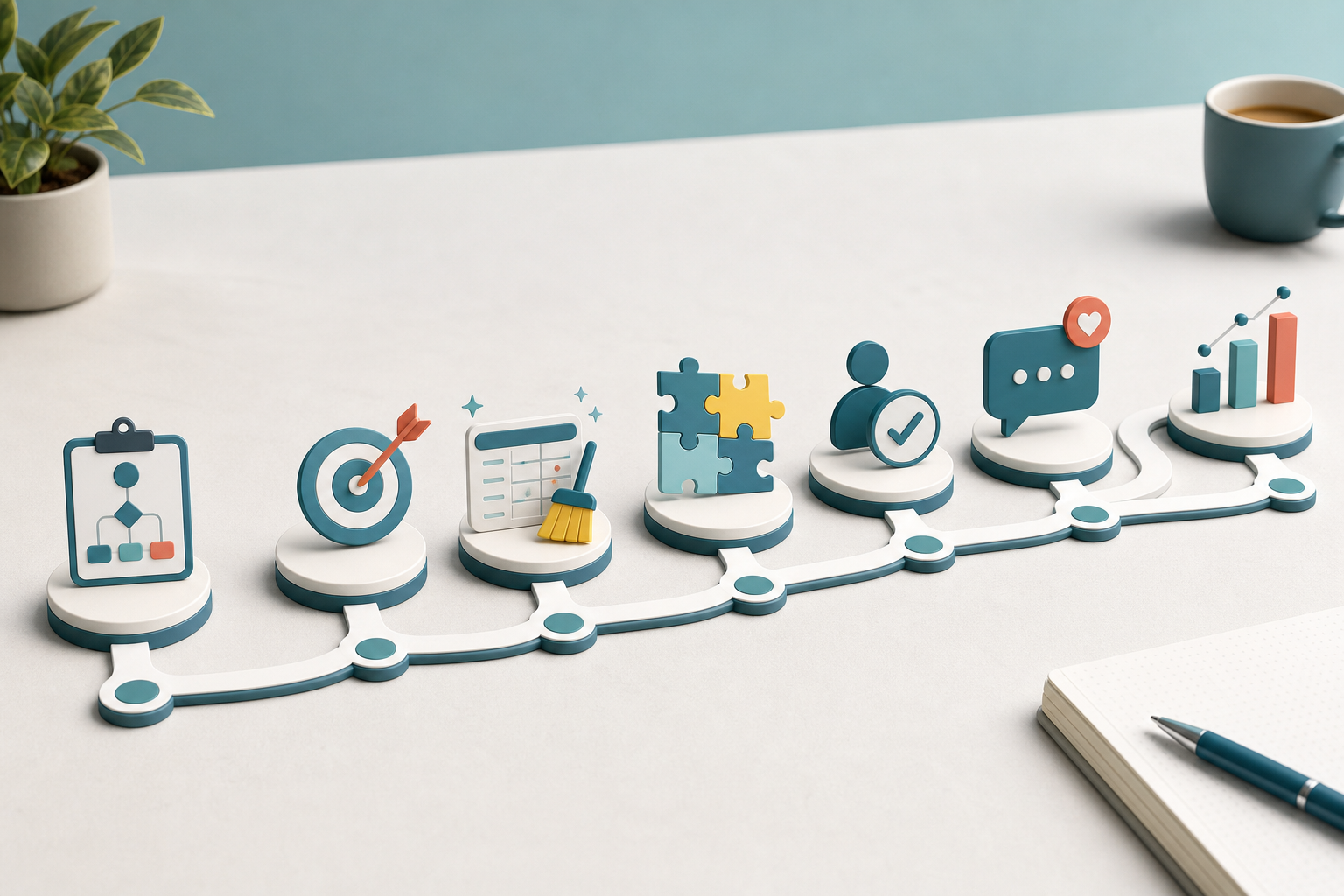
Key Benefits for Service Businesses
- Faster response to new inquiries
- Fewer missed calls, messages, and follow-ups
- Cleaner CRM records and better customer history
- More consistent appointment reminders
- Better quote and estimate follow-up
- More reliable review request workflows
- Less repetitive admin work for staff
- Clearer reporting for owners and managers
As a result, these benefits matter because service businesses depend on timing and trust. When AI handles the routine coordination, people have more room to solve problems, build relationships, and deliver better service.
Common Mistakes to Avoid
Starting with too many tools
Some businesses buy several AI tools before they understand the workflow. This usually creates more confusion. Instead, define the process first and choose tools that support it.
Automating unclear service promises
If your pricing, availability, service areas, or qualification rules are unclear, automation will repeat that confusion faster. For this reason, clean up your offer and rules before building customer-facing workflows.
Sending generic messages
Customers can feel when a message has no context. Use AI to personalize based on service type, location, appointment stage, or previous conversation. However, keep messages simple and natural.
Removing people too early
AI should not handle every situation alone. Complaints, urgent requests, complex estimates, and sensitive customer details should be escalated to a trained person quickly.
Ignoring data quality
Messy data weakens every automation. If customer records are incomplete, duplicate, or outdated, your workflows may route tasks incorrectly or send the wrong message at the wrong time.
How IQBIRDS Helps Your Business
IQBIRDS helps service businesses turn scattered processes into practical AI workflows. The work usually begins with workflow mapping, because the best automation starts with understanding how leads, customers, staff, and tools already move through the business.
From there, IQBIRDS can help with CRM automation, AI automation, tool integration, lead management, customer journey workflows, approval rules, and reporting dashboards. The goal is not to add technology for its own sake. The goal is to make the business easier to run and easier for customers to trust.
If your team is spending too much time on manual follow-up, repeated questions, missed reminders, or disconnected tools, a focused AI workflow can be a practical first step.
Frequently Asked Questions
What does AI for service businesses mean?
It means using AI to support service workflows such as lead response, appointment scheduling, CRM updates, reminders, customer follow-up, review requests, and reporting.
Where should a service business start with AI?
Start with one repeated workflow that affects revenue or customer experience. Lead response, appointment reminders, quote follow-up, and review requests are usually strong first choices.
Can small service businesses use AI without a big budget?
Yes. Small teams can start with simple automation around forms, CRM records, emails, reminders, and task alerts before investing in larger systems.
Will AI replace my service staff?
In most cases, AI supports staff instead of replacing them. It handles repetitive admin work so people can focus on service quality, sales conversations, and customer relationships.
What tasks should not be fully automated?
Complaints, complex pricing, emergency requests, sensitive customer information, and high-value decisions should include human review or approval.
How does AI improve customer follow-up?
AI can trigger reminders based on customer stage, draft personalized messages, alert staff when a response is needed, and keep CRM records updated.
How can IQBIRDS help my business?
IQBIRDS can map your workflows, connect your tools, build AI automation systems, improve CRM processes, and create dashboards that help your service business respond faster and operate with more consistency.
Conclusion
AI for service businesses works best when it starts with a real operational problem. The first step is not to automate everything. It is to find one repeated workflow, clean the process, connect the right tools, and keep humans involved where judgment matters.
Start with the customer journey. Look for missed follow-ups, slow responses, messy records, and repeated admin tasks. Then build one useful AI workflow that saves time and improves the experience for customers and staff.
If you want a practical AI starting point for your service business, contact IQBIRDS. We can help you plan, build, and improve AI workflows that support real business operations without making the process feel complicated.
Need AI Automation?
Discover how IQBirds helps businesses automate workflows and build custom digital products.