
AI Automation
AI Workflow vs Human Workflow: Where Automation Wins
AI workflow automation is not about removing people from the business.
It is about choosing which parts of the work should be handled by software and which parts still need human thinking. When that line is clear, automation becomes useful. When that line is blurry, the workflow becomes risky, confusing, or hard for the team to trust.
Many businesses ask the wrong question. They ask, “Can AI do this?” A better question is, “Should AI do this part of the workflow, or should a person stay involved?”
Some tasks are perfect for automation. They are repetitive, rule-based, time-sensitive, and easy to check. Other tasks still need people because they involve judgment, empathy, negotiation, creativity, or accountability.
The strongest business systems use both. An AI workflow handles the repeated movement of information. A human workflow handles the moments where context and trust matter.
This guide explains where AI workflow wins, where human workflow still matters, and how businesses can combine both without creating a messy process.
What Is an AI Workflow?
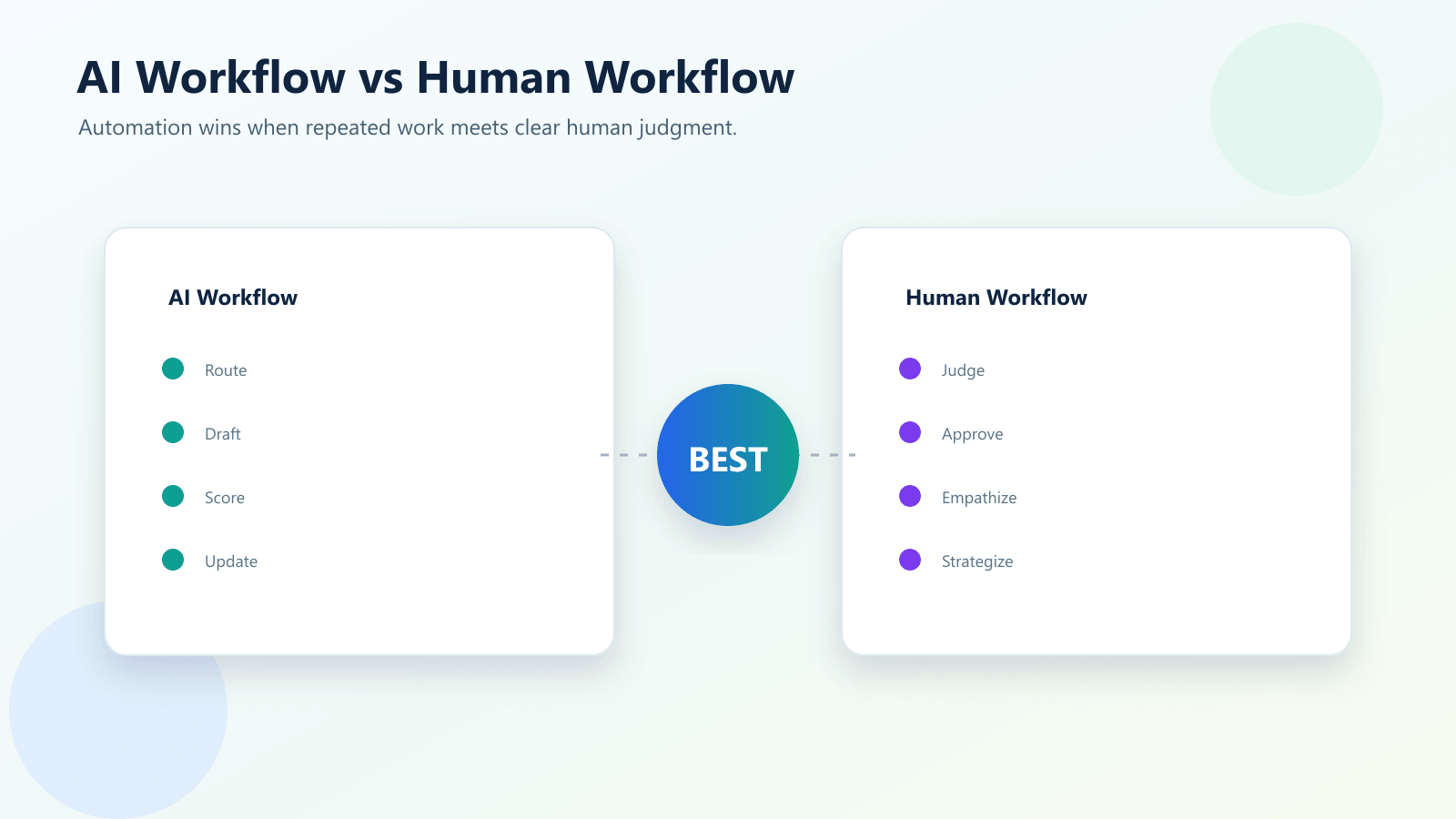
An AI workflow is a business process where AI helps complete one or more steps.
That may include reading a customer message, summarizing a call, scoring a lead, drafting an email, extracting document data, routing a task, updating a CRM, or suggesting the next action.
The important point is that AI is not just answering a question. It is helping move work forward inside a process.
For example, a new lead fills out a website form. An AI workflow can summarize the request, identify the service needed, check whether the lead looks urgent, create a CRM task, and draft a follow-up email for a salesperson to review.
That is different from a person manually reading the form, copying details, deciding who should respond, writing the email, and updating the CRM.
AI workflow automation is strongest when the process has clear inputs, clear rules, and a clear output.
What Is a Human Workflow?
A human workflow is a process where people handle the steps manually.
This can include reading information, making decisions, communicating with customers, approving actions, solving exceptions, negotiating details, or handling sensitive situations.
Human workflow is not bad. In many cases, it is necessary.
People are better at understanding emotion, reading context, building trust, making judgment calls, and handling situations that do not fit a normal pattern.
The problem is not human work itself. The problem is using human effort for tasks that do not need human judgment.
If a person is spending hours copying data, sending reminders, updating statuses, or moving information between tools, that is usually not the best use of their time.
Where AI Workflow Wins
Repetitive tasks
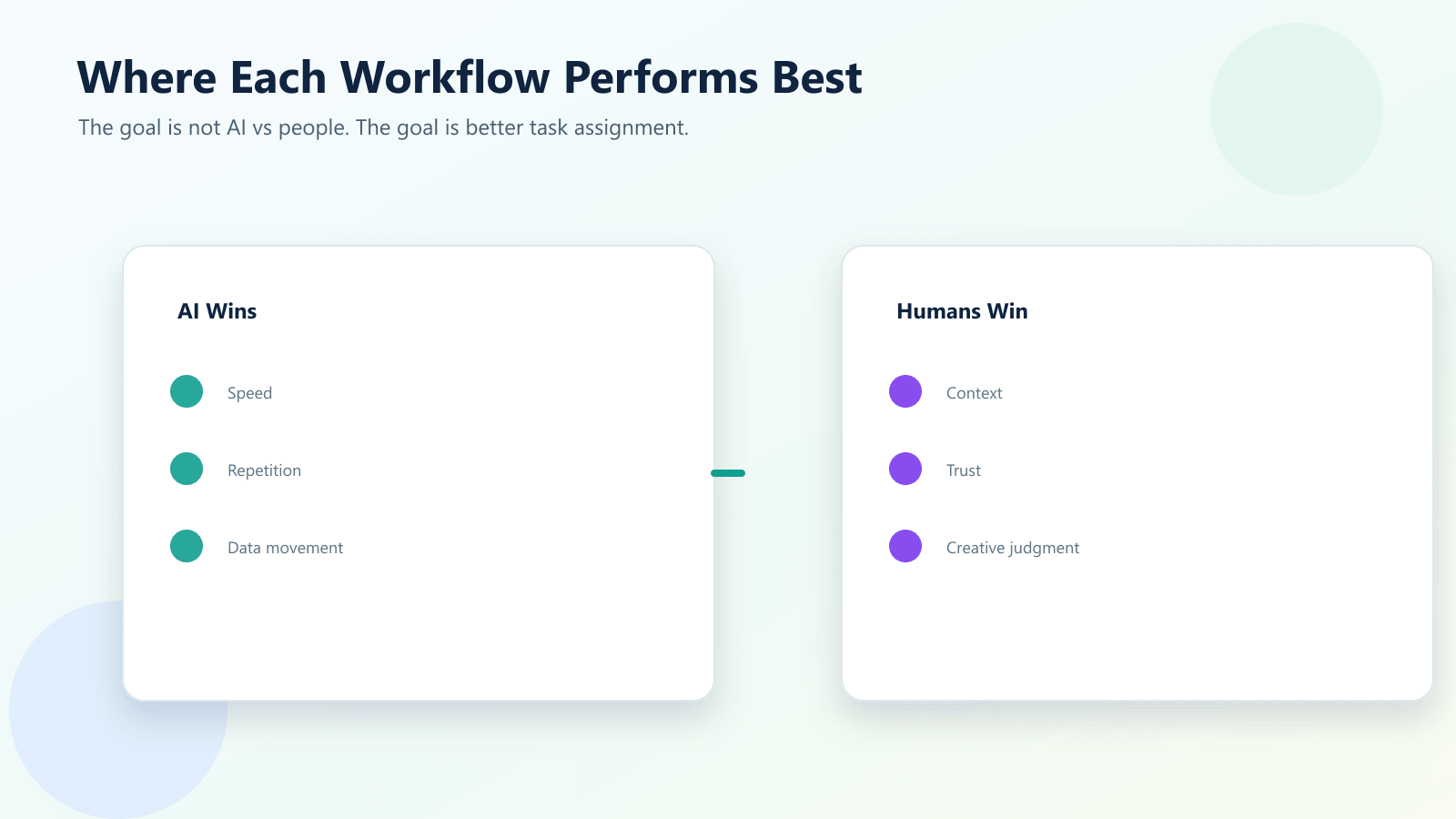
AI workflow wins when the same task happens again and again.
Examples include creating CRM records, sending reminders, tagging emails, summarizing inquiries, updating spreadsheets, routing support tickets, and preparing first-draft replies.
These tasks are important, but they are not always strategic. Automation can handle the repeated steps so the team can focus on decisions and relationships.
Fast response time
Speed matters in many workflows.
If a lead waits too long for a reply, the business may lose the opportunity. If a support ticket sits unassigned, the customer becomes frustrated. If a manager waits for a manual report, the decision is delayed.
An AI workflow can respond to a trigger immediately. It can draft the first response, alert the right person, update a record, or start the next step without waiting for someone to check manually.
Data movement between tools
Modern businesses use many tools.
Forms, email, CRM, spreadsheets, project tools, calendars, chat apps, support desks, and accounting systems all hold important information. Manual workflow often means people copy data between these tools.
AI workflow automation can move data more consistently and reduce errors from manual entry.
Summaries and classification
AI is useful when a person does not need to read everything in full before taking the next step.
It can summarize long emails, classify requests, identify sentiment, detect urgency, extract key points, and prepare a short overview for the team.
This is helpful in sales, support, operations, HR, finance, and document-heavy workflows.
Where Human Workflow Still Wins
Complex judgment
Some decisions need more than a pattern.
Pricing exceptions, legal questions, customer complaints, hiring decisions, finance approvals, contract changes, and strategic choices should not be fully automated without human review.
AI can prepare information, but a person should often make the final decision.
Empathy and trust
Customers can feel the difference between a helpful response and a careless automated message.
AI can draft, summarize, and suggest. But when a customer is upset, confused, or making an important decision, human communication still matters.
Automation should support the relationship, not make the business feel cold.
Creative strategy
AI can help generate ideas and drafts, but strategy still needs human direction.
Your team understands the brand, customer expectations, market position, and business goals. AI can speed up parts of the work, but it should not replace the thinking behind the work.
Accountability
A business needs someone responsible for important decisions.
If an AI workflow sends the wrong message, approves the wrong action, or routes a sensitive issue incorrectly, the business still owns the outcome.
This is why human approval steps are important in higher-risk workflows.
AI Workflow vs Human Workflow Comparison
| Workflow Area | AI Workflow | Human Workflow |
|---|---|---|
| Speed | Fast and always available | Depends on team availability |
| Repetition | Strong for repeated tasks | Can become tiring and inconsistent |
| Data entry | More consistent across systems | Prone to copy-paste mistakes |
| Summaries | Good for first-pass summaries | Better for nuanced interpretation |
| Customer empathy | Limited without human review | Stronger for sensitive conversations |
| Complex decisions | Needs guardrails and approval | Better for judgment and accountability |
| Scalability | Handles higher volume more easily | Requires more people as volume grows |
| Best use | Repeated, structured, time-sensitive work | Creative, sensitive, strategic, exception-based work |
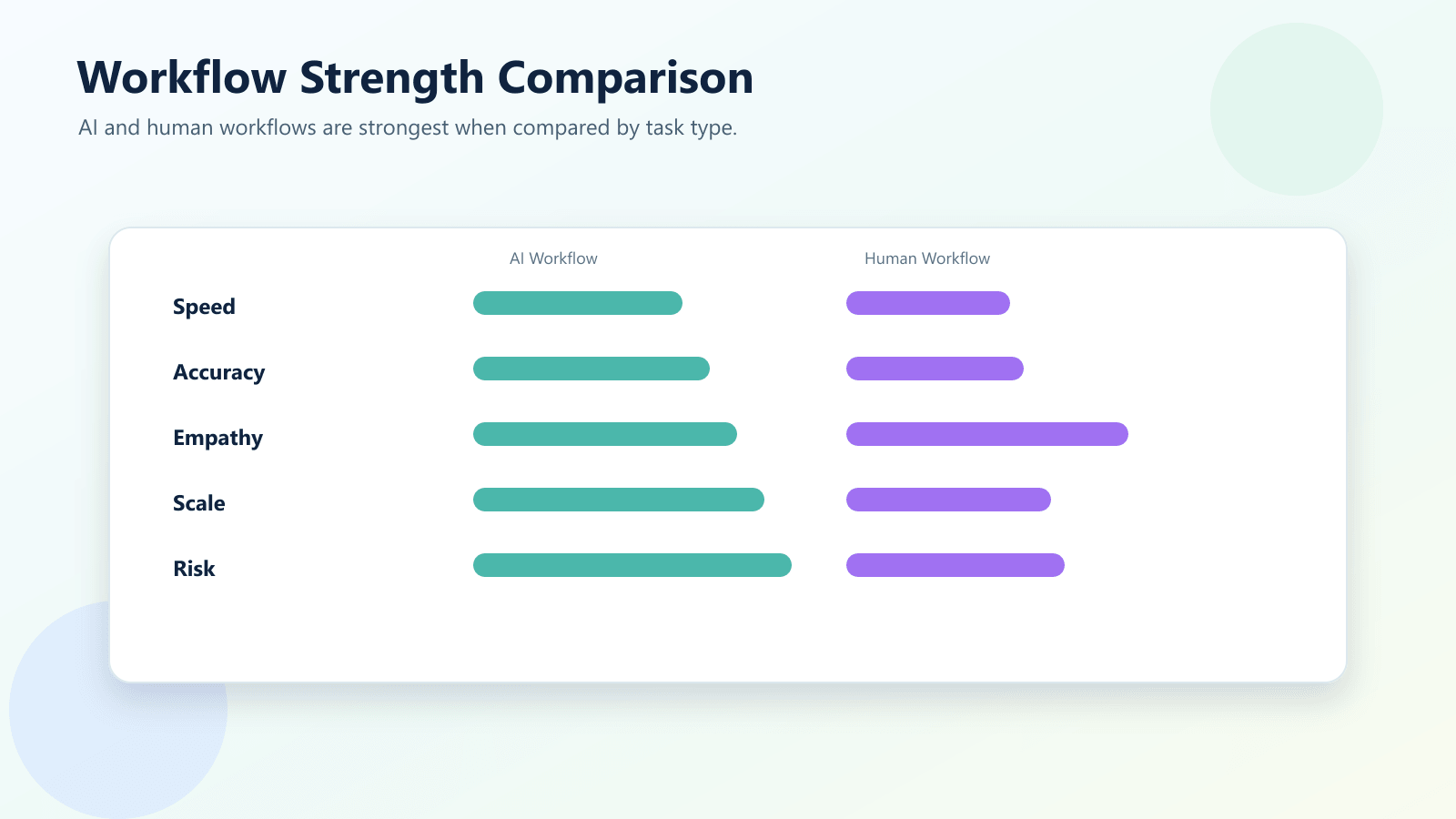
The table shows why this is not a simple competition between AI and people. AI workflow wins when work is repeated, structured, and time-sensitive. Human workflow wins when the work requires judgment, empathy, strategy, or accountability. The best process uses each side where it performs best.
Useful Research and Related Reading
Workflow automation tools such as Microsoft Power Automate focus on connecting apps, triggers, approvals, and business processes. IBM’s automation and AI governance resources also point to the same practical lesson: automation works better when it is designed with oversight, risk, and real business workflows in mind.
The NIST AI Risk Management Framework is useful for businesses because it encourages measurement, governance, and monitoring instead of treating AI as a set-and-forget tool.
For related IQBIRDS reading, see Hidden Costs of Manual Business Processes in 2026, Why Most AI Automation Projects Fail Before Launch, and AI Chatbot vs AI Workflow Automation: What Does Your Business Need?.
If your business wants help building practical automation, IQBIRDS offers AI Automation Services, AI Integration Services, and AI CRM Development.
Useful external references include Microsoft Power Automate, IBM Workflow Automation, NIST AI Risk Management Framework, and OpenAI for Business.
Step-by-Step Guide to Combine AI and Human Workflow
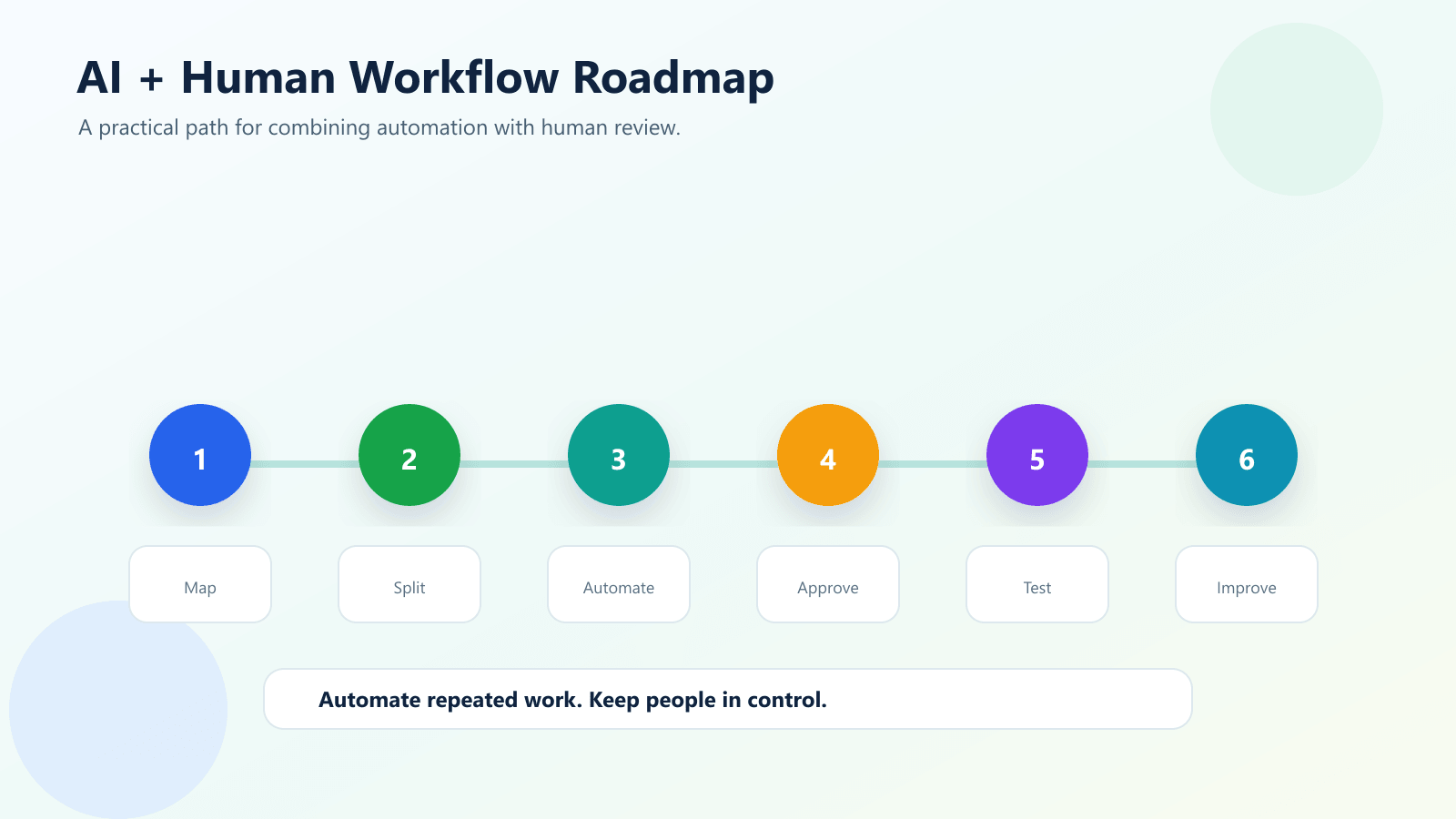
Step 1: Map the full process
Write down every step in the workflow.
Start with the trigger. Then list each action, decision, handoff, system update, notification, and approval.
This helps you see which steps are repeated and which steps need human judgment.
Step 2: Mark repeated tasks
Look for tasks that happen the same way every time.
These are usually good candidates for AI workflow automation. Examples include updating records, creating tasks, tagging inquiries, drafting messages, sending alerts, and moving data between tools.
Step 3: Mark judgment points
Now identify the moments where a person should stay involved.
These may include approvals, sensitive customer replies, pricing decisions, legal questions, finance actions, exceptions, or high-value opportunities.
Step 4: Give AI a clear role
Do not ask AI to control the entire process at once.
Give it a specific job. For example, summarize the customer request, draft the first response, classify the ticket, or extract fields from a document.
Step 5: Add human approval
Approval steps make AI workflow safer and easier to trust.
The system can prepare the work, but the person approves important actions before they reach a customer, finance system, legal process, or CRM stage.
Step 6: Test with real examples
Do not test only clean examples.
Use real emails, messy leads, incomplete forms, long customer messages, duplicate records, and unusual requests. This shows whether the workflow can handle normal business reality.
Step 7: Measure and improve
Track time saved, errors reduced, faster response, completed follow-ups, customer satisfaction, and team adoption.
Automation should improve over time. If the team does not trust it, adjust the workflow.
Key Benefits of the Right AI Workflow
- Faster response times
- Less manual data entry
- Better CRM and reporting consistency
- Fewer missed follow-ups
- More reliable task routing
- Better use of employee time
- Stronger customer experience
- Human review for sensitive actions
- Easier scaling as workload grows
- Better visibility into business processes
The real benefit is not replacing people. The real benefit is helping people spend less time on repeated admin work and more time on decisions, relationships, and growth.
Common Mistakes to Avoid
Automating the whole workflow too early
Start with one or two steps, not the entire process.
Trying to automate everything at once creates confusion and risk.
Removing human review from sensitive work
AI can help prepare work, but some steps still need approval.
Keep people involved where money, trust, legal risk, customer emotion, or brand reputation matters.
Ignoring data quality
AI workflow needs usable data.
If your forms, CRM fields, labels, or records are messy, the automation will struggle.
Choosing tools before mapping the workflow
Do not begin with the platform.
Begin with the business process. Then choose the tool that fits the workflow.
Measuring the wrong thing
Do not only count how many automations ran.
Measure whether the workflow improved response time, reduced errors, saved admin hours, or improved customer experience.
How IQBIRDS Helps Your Business
IQBIRDS helps businesses design AI workflow automation that supports the team instead of confusing it.
The process starts by mapping the real workflow. Which tasks repeat? Which tools hold the data? Which steps are slow? Which actions need human approval? Which parts can AI safely handle?
From there, IQBIRDS can help build practical workflows that connect CRM systems, forms, email, Google Sheets, documents, task tools, and reporting dashboards.
This can include lead routing, email drafts, CRM updates, document extraction, support ticket summaries, task automation, and human approval workflows.
The goal is simple: automate the repeated work, keep people involved where they add value, and make the whole process easier to manage.
FAQs
What is an AI workflow?
An AI workflow is a business process where AI helps complete tasks such as routing, summarizing, drafting, extracting data, scoring, classifying, or triggering the next step.
What is a human workflow?
A human workflow is a process where people make decisions, review information, communicate with customers, approve work, or handle exceptions manually.
Where does AI workflow automation work best?
AI workflow automation works best for repetitive, rule-based, high-volume tasks such as data entry, lead routing, email drafts, document extraction, reminders, and reporting updates.
Where should humans stay involved?
Humans should stay involved in sensitive decisions, complex judgment, customer empathy, legal or finance approval, strategy, and cases where context matters.
Can AI workflow replace human workflow completely?
Usually no. The best approach is to combine AI workflow automation with human review so the business gets speed without losing judgment and accountability.
How can IQBIRDS help my business?
IQBIRDS can help your business map workflows, identify what should be automated, add human approval steps, connect tools, and build AI workflow automation that supports your team.
Conclusion
AI workflow and human workflow should not compete with each other.
AI is better at speed, repetition, summaries, routing, and data movement. People are better at judgment, empathy, strategy, trust, and accountability.
The strongest business workflow uses both. Automate the repeated steps. Keep human review where the decision matters. Test with real examples. Improve the process over time.
That is where automation wins.
Ready to Build a Smarter AI Workflow?
If your business wants to reduce manual work without losing human judgment, IQBIRDS can help. Contact IQBIRDS for a free consultation and build an AI workflow that supports your team, improves response speed, and keeps the right people in control.
Need AI Automation?
Discover how IQBirds helps businesses automate workflows and build custom digital products.