
AI Automation
Building an AI-First Customer Journey
A customer journey is not one single interaction.
It is everything that happens from the first moment someone discovers your business to the moment they become a lead, speak with sales, buy from you, receive support, and decide whether to come back again.
For many businesses, that journey is broken into disconnected pieces.
Marketing owns the first touch. Sales owns the lead. Operations owns delivery. Support owns the customer issue. The CRM holds some of the data. Email holds another part. Google Sheets, forms, chat tools, calendars, and inboxes hold the rest.
The customer does not see those internal divisions. They only feel whether the experience is fast, helpful, personal, and consistent.
That is where an AI customer journey becomes valuable.
An AI-first customer journey uses artificial intelligence, automation, CRM data, and connected workflows to move customers through each stage with better timing, better context, and fewer manual gaps.
This guide explains how to build an AI-first customer journey, where automation helps most, where human teams still matter, and how businesses can create a smoother experience from first click to long-term relationship.
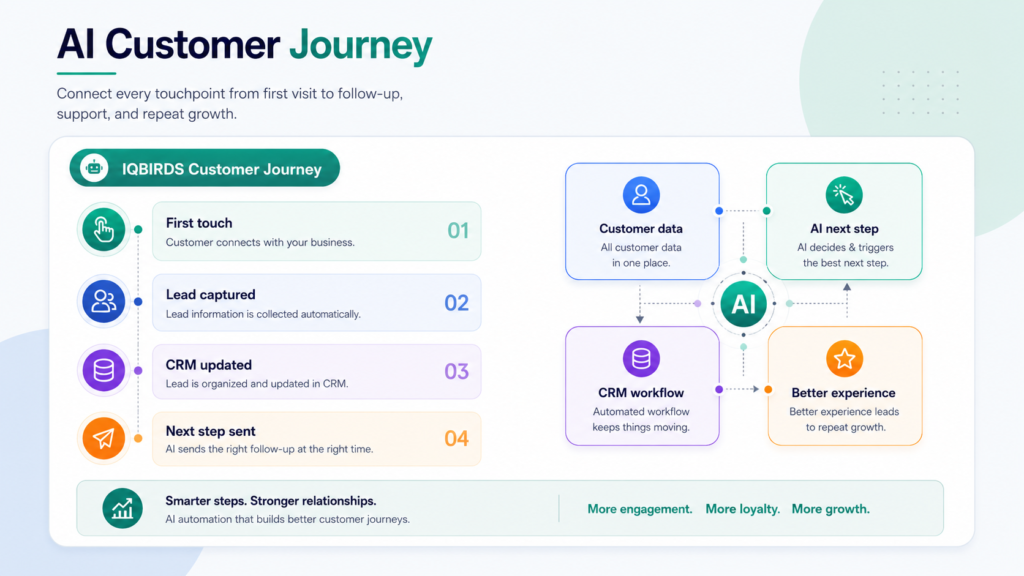
What an AI Customer Journey Really Means
An AI customer journey is a customer experience designed around connected data, automation, and intelligent next steps.
It does not mean every message is written by AI. It does not mean customers only talk to chatbots. It does not mean removing people from sales or support.
It means AI helps the business understand what stage the customer is in, what information is available, what action should happen next, and which team member should be involved.
For example, a website visitor downloads a guide. The system adds the lead to the CRM, identifies the topic they care about, sends a relevant follow-up, scores the lead, alerts sales if intent is high, and starts a nurture workflow if the lead is not ready yet.
That is different from a manual journey where the lead sits in a form tool until someone exports it later.
AI-first does not mean AI-only
AI-first means the journey is designed with automation and intelligence from the beginning.
People still matter. A human should handle important sales conversations, sensitive support issues, pricing decisions, relationship building, and strategic account management.
The best journey gives AI the repeated work and gives people the moments where trust matters.
Why Traditional Customer Journeys Break
Traditional customer journeys often break because each stage is managed in a separate tool.
A prospect clicks an ad, visits a landing page, fills out a form, receives an email, speaks with sales, gets added to a CRM, joins an onboarding process, and later contacts support.
If those steps are disconnected, the customer may repeat information, wait too long, receive irrelevant messages, or fall through a handoff.
The business may also lose visibility. Marketing may not know which leads became customers. Sales may not know what content the lead viewed. Support may not know the customer’s history. Managers may not know where the journey slows down.
The cost of disconnected handoffs
Disconnected handoffs create delays and frustration.
A lead waits for a reply. A salesperson asks questions the customer already answered. A customer receives a generic email after having a specific conversation. A support agent cannot see the full history. A manager cannot tell which touchpoints are working.
AI customer journey automation helps reduce these gaps by moving data and context between stages.
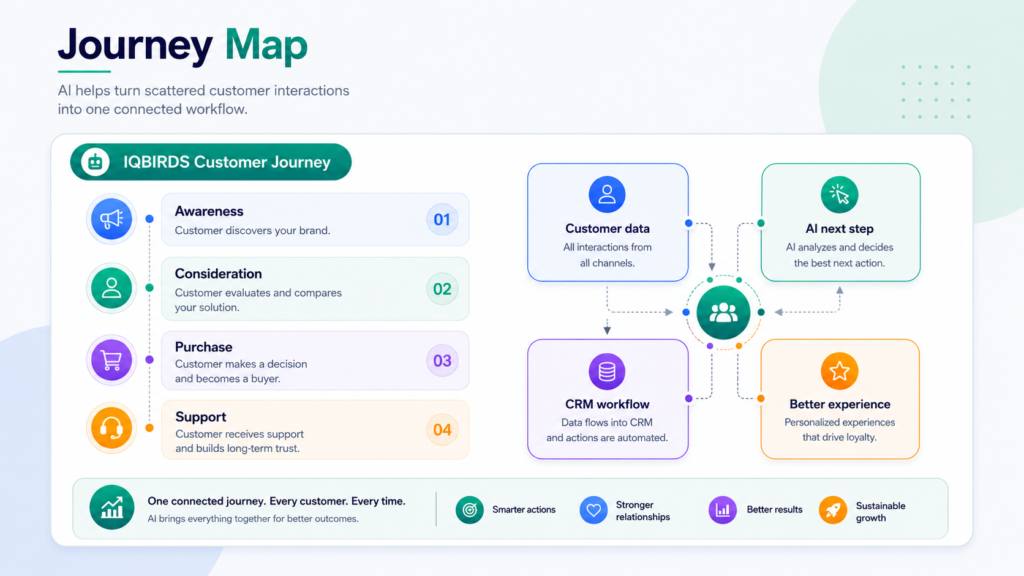
Where AI Improves the Customer Journey
Awareness and first touch
The journey often begins before someone becomes a lead.
AI can help businesses understand which content, pages, ads, and search terms attract the right audience. It can also help personalize content recommendations and organize website interactions into useful signals.
The goal is to understand what the visitor cares about before asking sales to follow up.
Lead capture and qualification
When a lead fills out a form or starts a chat, AI can summarize the request, identify urgency, detect service interest, add source details, and score the lead.
This helps the team respond faster and route the lead correctly.
Sales follow-up
AI can draft follow-up emails, create call tasks, prepare meeting summaries, and suggest next steps based on CRM data and customer behavior.
Salespeople still manage the relationship, but they spend less time on admin work.
Customer onboarding
After a sale, the journey should not become silent.
AI workflow automation can trigger welcome emails, collect documents, create onboarding tasks, assign internal owners, send reminders, and summarize progress.
Support and retention
AI can summarize support tickets, classify urgency, route issues, suggest answers, detect repeated problems, and alert the team when a customer may need attention.
This helps support teams respond faster while keeping human review for sensitive cases.
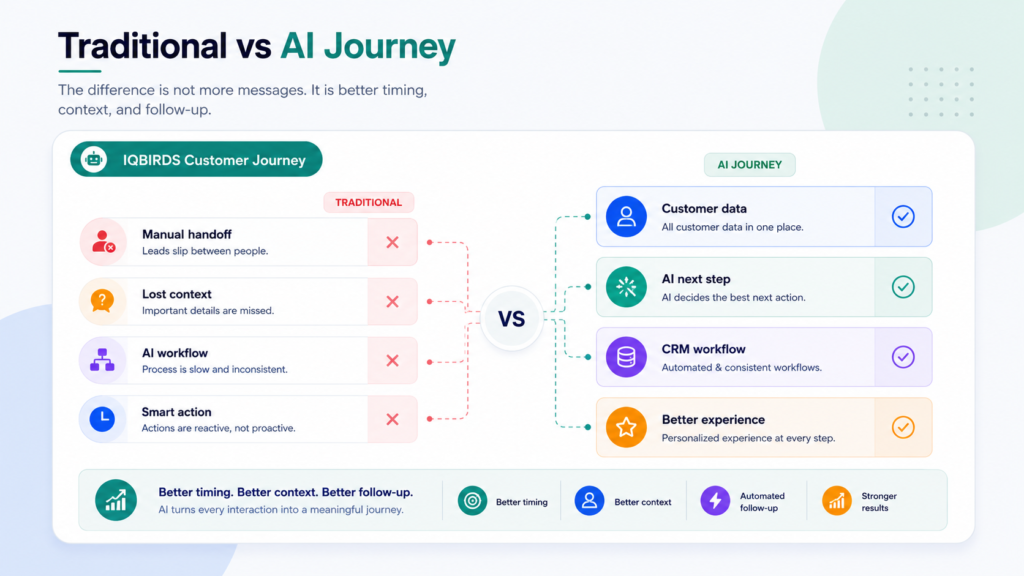
Traditional Journey vs AI-First Customer Journey
| Journey Area | Traditional Customer Journey | AI-First Customer Journey |
|---|---|---|
| Lead capture | Forms and inquiries may wait for manual review | Leads are captured, summarized, and routed quickly |
| Customer data | Information is scattered across tools | Data flows into CRM and connected workflows |
| Follow-up | Depends on memory and manual tasks | Tasks, reminders, and drafts trigger automatically |
| Personalization | Messages are often generic | Messages can reflect stage, source, and behavior |
| Sales handoff | Context may be lost between marketing and sales | AI summaries give sales better context |
| Support | Customers may repeat their issue | AI summaries and routing improve response quality |
| Optimization | Problems are found late | Journey data helps identify bottlenecks faster |
The table shows that an AI-first customer journey is not about sending more automated messages. It is about using data and automation to make the next step faster, more relevant, and easier for both the customer and the team.
Useful Research and Related IQBIRDS Reading
Customer experience platforms are moving toward connected data, automation, and AI-assisted workflows. Salesforce focuses on AI agents and customer operations through Agentforce, HubSpot supports CRM and customer journey automation across marketing and sales tools, Microsoft Dynamics 365 Customer Insights helps businesses unify customer data, and Google Analytics helps measure customer events across digital touchpoints.
For related IQBIRDS reading, see How AI Creates a 24/7 Sales Pipeline, Why Fast Lead Response Beats Bigger Marketing Budgets, and AI CRM vs Traditional CRM: What’s Actually Different?.
If your business wants help building an AI-first customer journey, explore AI Automation Services, AI CRM Development, and AI Integration Services.
Useful external references include Salesforce Agentforce, HubSpot Marketing Hub, Microsoft Dynamics 365 Customer Insights, and Google Analytics Events.
Step-by-Step Guide to Build an AI-First Customer Journey
Step 1: Map the full customer journey
Start with the customer, not the tool.
List every stage: awareness, first visit, lead capture, qualification, sales conversation, proposal, purchase, onboarding, support, retention, and repeat business.
Then identify the touchpoints, tools, messages, owners, and handoffs at each stage.
Step 2: Find the friction points
Look for places where customers wait, repeat information, receive irrelevant messages, or disappear from the process.
Common friction points include slow lead response, manual CRM updates, weak follow-up, disconnected support history, and unclear ownership between teams.
Step 3: Connect the important data
An AI customer journey depends on usable data.
Connect website forms, CRM, email, chat, support desk, calendar, analytics, and reporting tools where it matters most. Do not connect everything just for the sake of it. Connect the data needed to improve the customer’s next step.
Step 4: Automate repeated actions
Automate tasks that happen the same way again and again.
This may include lead creation, CRM updates, internal alerts, follow-up reminders, onboarding tasks, support routing, ticket summaries, and reporting updates.
Step 5: Use AI for context and recommendations
AI is useful when it helps the team understand the customer faster.
Use it for summaries, lead scoring, intent detection, message drafts, customer health signals, and next-step recommendations.
Step 6: Keep human review where trust matters
Some moments should not be fully automated.
Use human review for high-value leads, sensitive support cases, pricing decisions, legal questions, refunds, complaints, and complex customer conversations.
Step 7: Measure and improve
Track response time, lead-to-call conversion, follow-up completion, onboarding progress, support resolution time, customer satisfaction, retention, and repeat purchase behavior.
An AI-first customer journey should improve over time as the business learns where customers need better support.
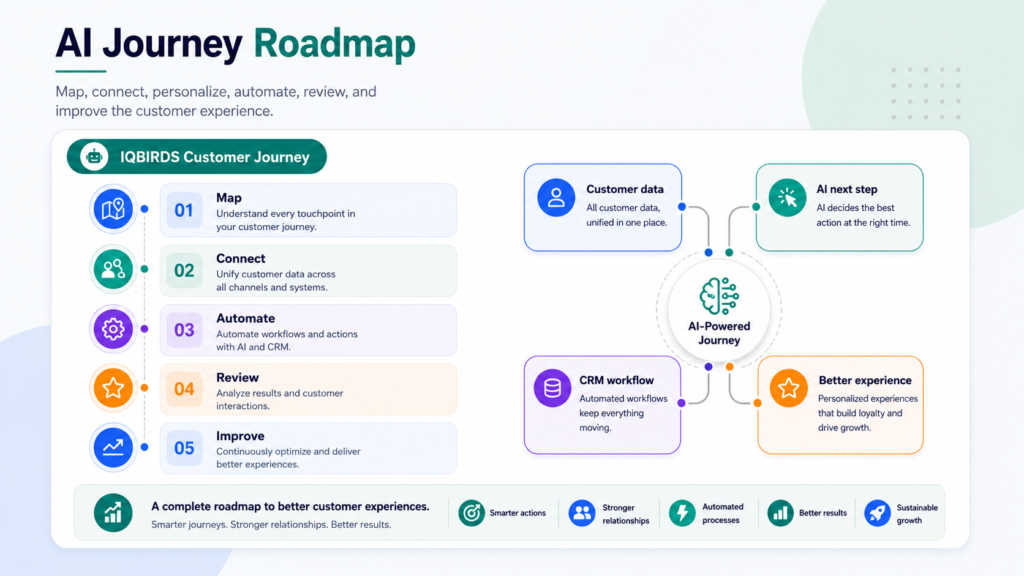
Key Benefits of an AI Customer Journey
- Faster response to leads and customer requests
- More consistent follow-up across sales and support
- Cleaner CRM data and better customer history
- More personalized messages based on stage and behavior
- Fewer disconnected handoffs between teams
- Better visibility into journey bottlenecks
- Less manual admin work for employees
- Stronger onboarding and customer support workflows
- Better customer experience from first touch to retention
- More confidence when scaling marketing, sales, and support
The biggest benefit is continuity. An AI customer journey helps the business keep context as the customer moves from one stage to the next.
Common Mistakes to Avoid
Automating before mapping the journey
If you do not understand the customer journey, automation can make the experience feel worse.
Map the journey first. Then automate the repeated steps that create delays or friction.
Sending too many automated messages
An AI-first journey is not a flood of emails.
Use automation to send timely, useful, relevant messages. More messages do not always mean a better experience.
Ignoring CRM data quality
AI needs usable customer data.
Clean the important fields, reduce duplicates, and make sure ownership and stages are clear.
Removing humans from sensitive moments
Customers still need people when trust matters.
Keep human review for complex sales, complaints, high-value customers, refunds, and sensitive support issues.
Measuring only traffic and leads
The customer journey does not stop at lead generation.
Measure response speed, booked calls, onboarding completion, support quality, retention, and repeat business.
How IQBIRDS Helps Your Business
IQBIRDS helps businesses design AI-first customer journeys that connect marketing, sales, CRM, operations, and support.
The process starts by mapping your current customer experience. Where do customers enter? Where do they wait? Which tools are disconnected? Which steps repeat? Which handoffs lose context? Which moments need human review?
From there, IQBIRDS can help build AI workflows across your CRM, website forms, email, Google Sheets, calendars, chat tools, support desk, documents, and reporting dashboards.
This can include lead response automation, CRM updates, AI summaries, follow-up workflows, onboarding tasks, support ticket routing, customer health signals, reporting dashboards, and human approval steps.
The goal is simple: help every customer move through the journey with more speed, context, and care.
FAQs
What is an AI customer journey?
An AI customer journey uses artificial intelligence, automation, CRM data, and connected workflows to guide customers through marketing, sales, onboarding, support, and follow-up with more relevant and timely actions.
How is an AI-first customer journey different from a normal customer journey?
A normal journey often depends on manual handoffs and disconnected tools. An AI-first customer journey uses data, automation, and AI recommendations to keep the next step moving across channels.
Which customer journey stages can AI improve?
AI can improve awareness, lead capture, qualification, follow-up, sales conversations, onboarding, customer support, retention, upsell, and reporting.
Does an AI customer journey replace human teams?
No. AI should handle repeated work, summaries, routing, and timely follow-up. People should stay involved in trust-building, complex decisions, sensitive conversations, and customer relationships.
What tools are needed for an AI customer journey?
Common tools include a CRM, website forms, email platform, analytics, automation platform, chat tools, support desk, calendar, data sources, and reporting dashboards.
What is the biggest mistake when building an AI customer journey?
The biggest mistake is automating messages before mapping the real customer experience. Businesses should first understand customer stages, pain points, data gaps, and handoffs.
How can IQBIRDS help my business?
IQBIRDS can help your business map the customer journey, connect CRM and marketing tools, build AI workflows, automate follow-up, add human review, and improve customer experience.
Conclusion
An AI-first customer journey helps businesses create a smoother experience across marketing, sales, onboarding, support, and retention.
It connects data, reduces manual handoffs, improves follow-up, and gives teams better context for every customer interaction.
The goal is not to remove the human side of the customer experience. The goal is to remove the friction that slows customers down and makes teams work harder than they should.
When AI handles repeated tasks and people handle trust, the customer journey becomes faster, clearer, and more useful for everyone.
Ready to Build an AI-First Customer Journey?
If your business wants to connect marketing, sales, CRM, and support into one smarter journey, IQBIRDS can help. Contact IQBIRDS for a free consultation and build an AI customer journey that improves response speed, follow-up, and customer experience.
Need AI Automation?
Discover how IQBirds helps businesses automate workflows and build custom digital products.