
AI Automation
Claude vs ChatGPT for Business Workflows
Claude vs ChatGPT is now a practical business question, not just a technology debate. Teams want to know which assistant can help them write faster, analyze documents, support customers, update CRM records, prepare reports, and reduce repetitive work without creating new risks. The honest answer is that both tools can be useful, but they are not always useful in the same way.
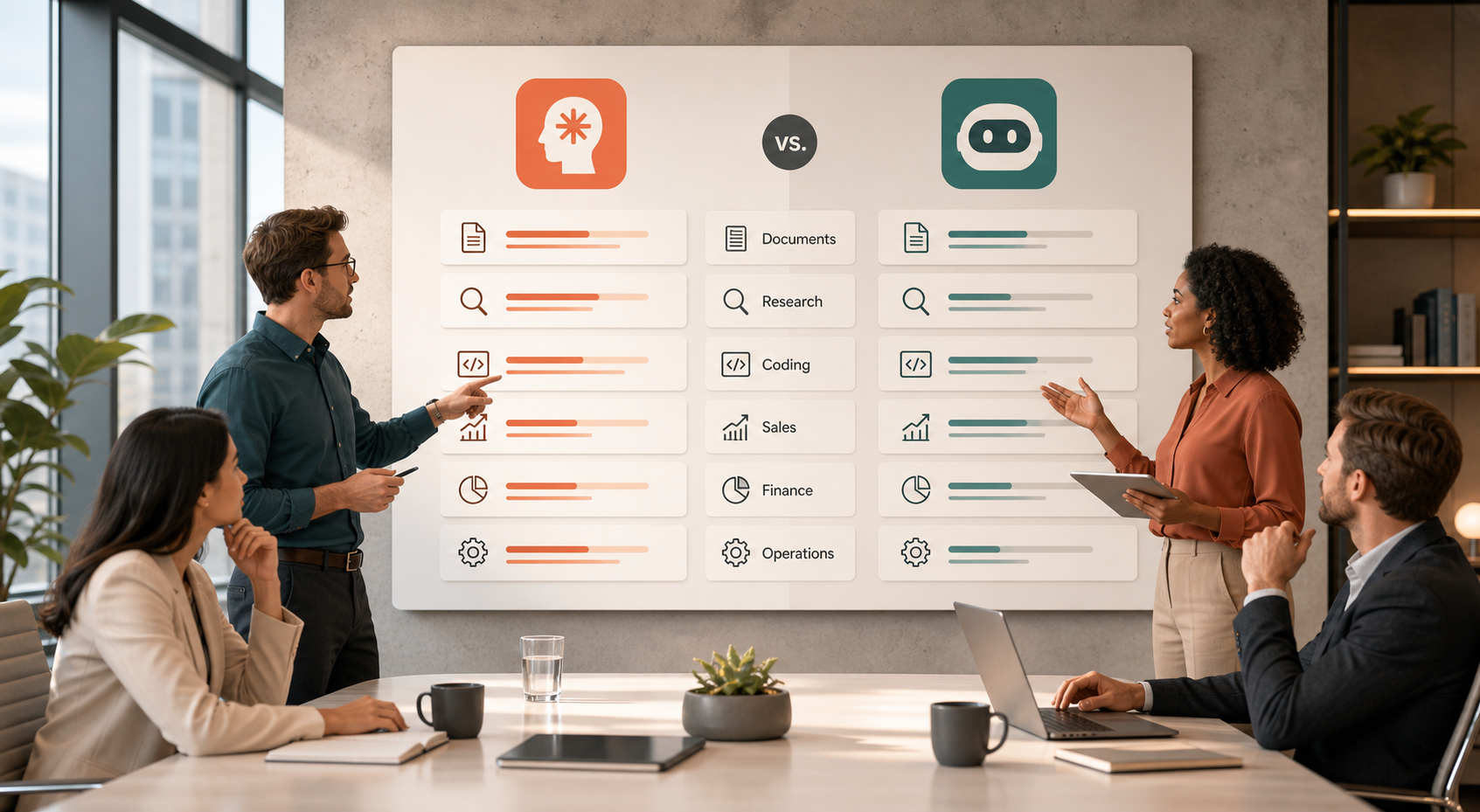
For a growing company, the better choice depends on workflow fit. In practice, a legal team reviewing long documents may care about context and careful reasoning. Meanwhile, a sales or operations team may care more about connected apps, repeatable automations, spreadsheet help, customer communication, and quick internal adoption. Therefore, the best way to compare these tools is to look at the work your team repeats every week.
What Claude vs ChatGPT Means for Business Workflows
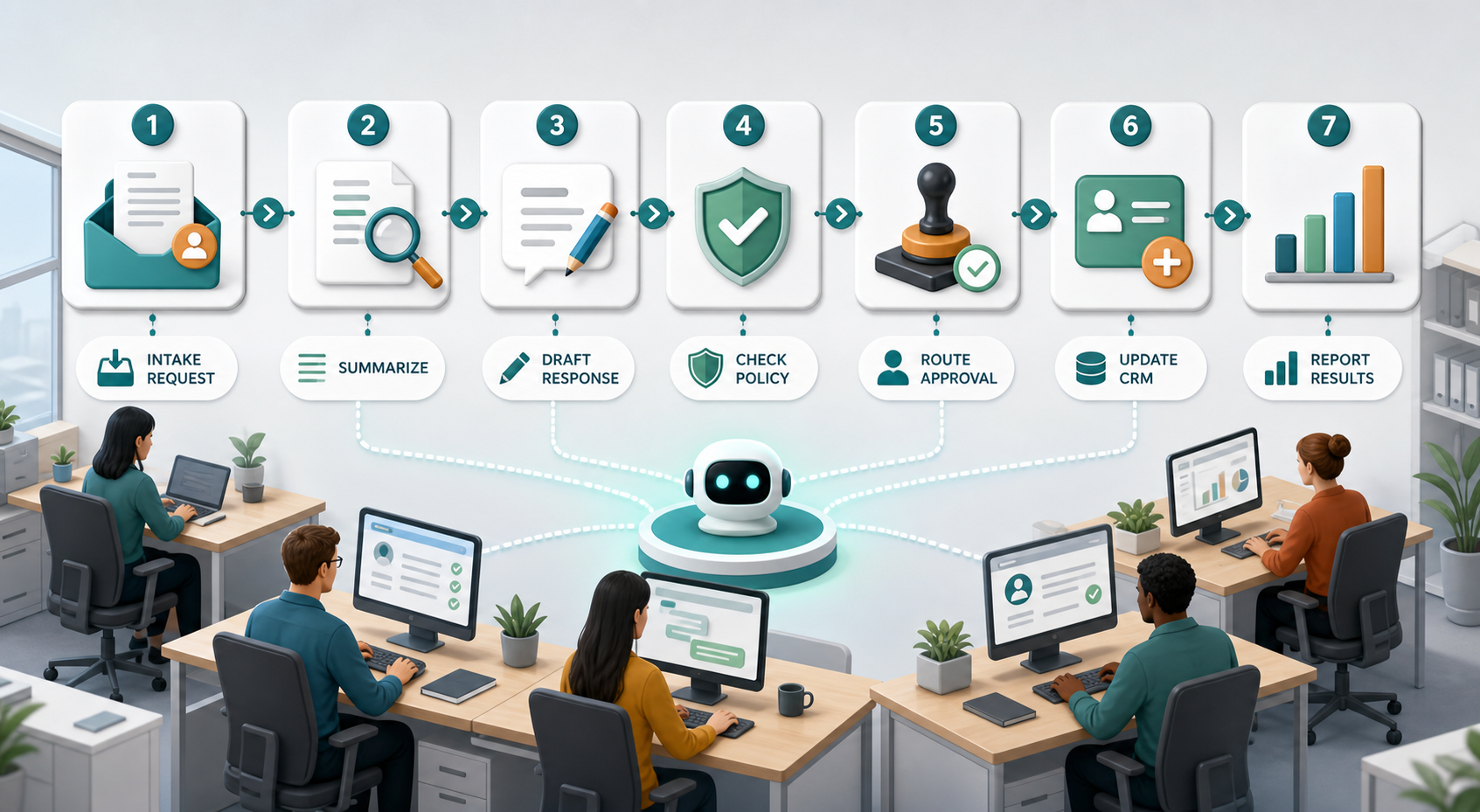
Business workflows are the repeated steps your team follows to complete work. For example, a lead comes in, someone checks the request, the CRM is updated, a reply is drafted, a manager approves pricing, and a report is created later. AI can help with many of these steps, but it should not be dropped into the process randomly.
Claude is often considered strong for long-form analysis, structured writing, careful document review, and thoughtful reasoning over complex material. ChatGPT is often considered strong for broad business use, everyday drafting, app-connected workflows, data work, coding help, and flexible team productivity. However, those descriptions are only starting points. Your actual documents, tools, approval rules, and team habits matter more than general opinions.
Also, both platforms keep improving. OpenAI positions ChatGPT for business as a work assistant that can help teams create, analyze, code, and connect company knowledge. Anthropic positions Claude for organizations with enterprise controls, coding support, connected work, and trusted AI collaboration. Because features change, businesses should compare today’s official capabilities and then test each tool against real tasks.
Why Businesses Compare AI Assistants Before Automating
Many teams start with a simple question: which AI assistant writes better? That question is too small. A business workflow needs more than a polished answer. It needs dependable inputs, consistent outputs, permission controls, privacy settings, staff training, and a clear plan for human review.
For this reason, companies should compare Claude and ChatGPT by workflow category. First, look at content work such as proposals, emails, SOPs, and meeting summaries. Next, review analytical work such as research, document comparison, financial explanations, and policy review. After that, test operational work such as CRM updates, support responses, onboarding checklists, and reporting. Finally, compare how each platform fits your existing tools.
Common Business Use Cases for Claude and ChatGPT
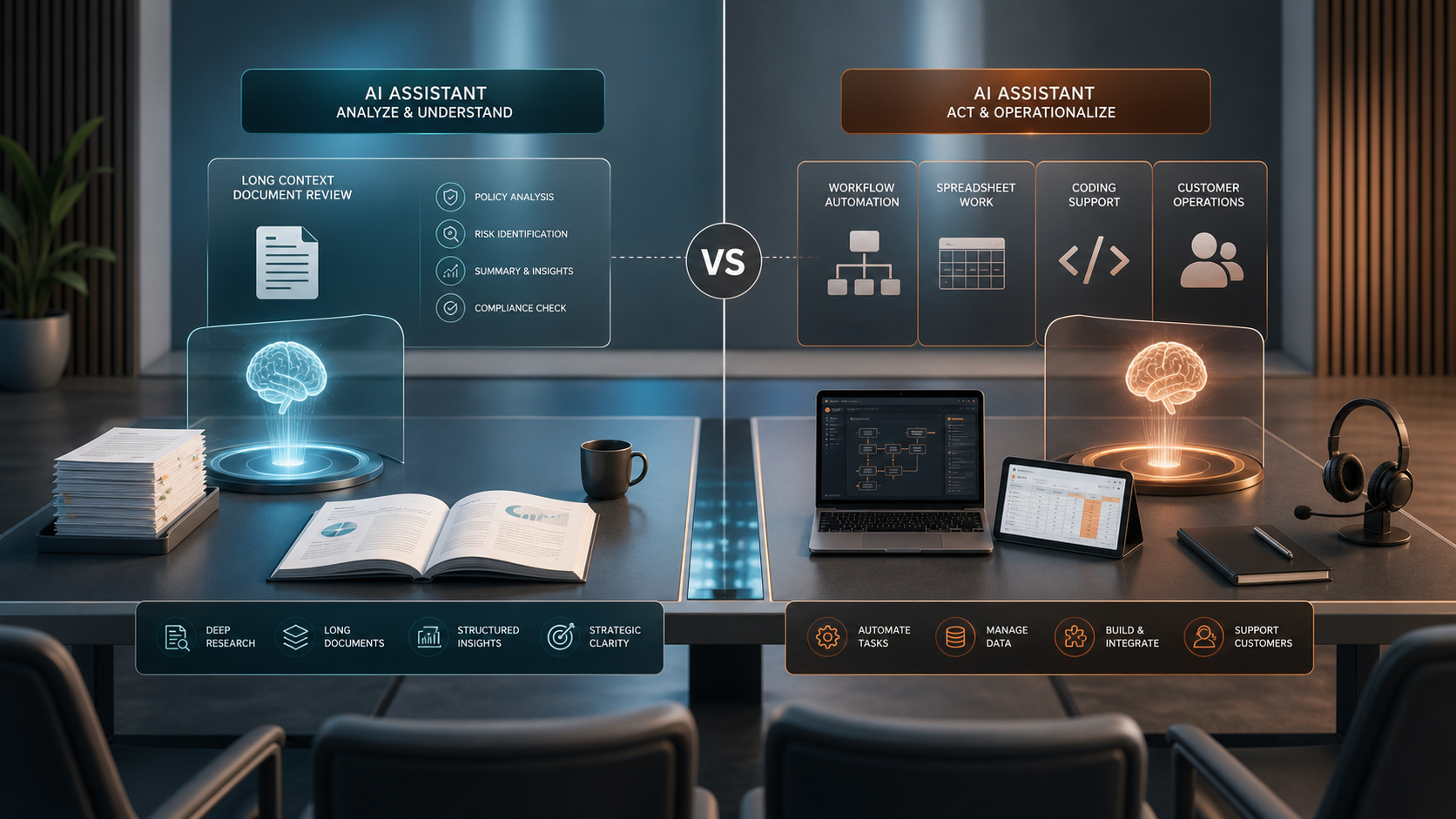
Claude can be a strong fit when a team needs careful reading, long document summarization, thoughtful drafting, policy explanations, and structured analysis. For example, a consulting firm may upload interview notes and ask Claude to identify themes, risks, and next steps. A professional services team may use it to turn long client documents into clear internal briefs. In addition, managers may use it to rewrite complex material in a simpler tone for clients.
ChatGPT can be a strong fit when a team wants a flexible assistant across many daily tasks. For example, a sales team may use it to draft follow-up emails, prepare call notes, create scripts, analyze spreadsheets, and brainstorm campaign ideas. A technical team may use it for coding support, data analysis, documentation, and internal process automation. Also, operations teams may value connected workflows that move information between tools.
However, the right decision is rarely one tool for every department forever. Some companies use Claude for deep document-heavy work and ChatGPT for broad day-to-day productivity. Others standardize on one platform because training, security, and admin simplicity matter more than small feature differences. In short, the business goal should guide the tool choice.
Claude vs ChatGPT Comparison Table
| Business Need | Claude | ChatGPT |
|---|---|---|
| Long document review | Often strong for careful analysis, summarization, and structured reasoning over lengthy material. | Useful for summaries, extraction, comparison, and document-based work, especially when connected to broader tasks. |
| Everyday team productivity | Helpful for writing, research, brainstorming, and internal explanations. | Strong for broad daily use across writing, analysis, coding, data, and business communication. |
| Workflow automation | Useful when connected to supported tools and clear team processes. | Useful for repeatable work across documents, spreadsheets, CRM-related tasks, support drafts, and app-connected workflows. |
| Enterprise controls | Offers business and enterprise controls such as roles, permissions, and administrative settings. | Offers business and enterprise controls, privacy commitments, admin features, and security-focused settings. |
| Coding and technical work | Claude Code and related developer features can support software and technical teams. | ChatGPT and Codex-related capabilities can support coding, debugging, documentation, and technical workflows. |
| Best-fit decision | Often attractive for document-heavy teams that want careful reasoning and structured outputs. | Often attractive for teams that want a broad AI work assistant across many departments and tools. |
This table does not mean one assistant is always better than the other. Instead, it shows that the winning choice depends on the job. If your workflow is mostly long contracts, policies, reports, and research notes, Claude deserves a close test. However, if your workflow spans sales, marketing, spreadsheets, coding, customer operations, and everyday team productivity, ChatGPT may feel easier to scale across departments.
How to Compare Them With Real Business Work
A fair Claude vs ChatGPT test should use the same tasks, the same source material, and the same review criteria. For example, ask both tools to summarize a client call, draft a follow-up email, create a project plan, review a policy, analyze a spreadsheet summary, and turn messy notes into a customer-ready response. Then score the outputs for accuracy, tone, usefulness, speed, and how much human editing was needed.
Around this stage, it also helps to think beyond the chatbot screen. IQBIRDS helps businesses connect AI into real workflows through AI automation services, AI integration services, and AI CRM development. For sales and operations teams, related workflow ideas from AI workflows every sales team should automate can also help teams identify where AI support creates the fastest return.
For external context, review the official business pages from OpenAI and Anthropic. In addition, businesses should review official security and admin guidance, such as ChatGPT Enterprise security and privacy information and Claude roles and permissions guidance. These references matter because workflow value and governance must be evaluated together.
Step-by-Step Guide to Choosing the Right AI Assistant
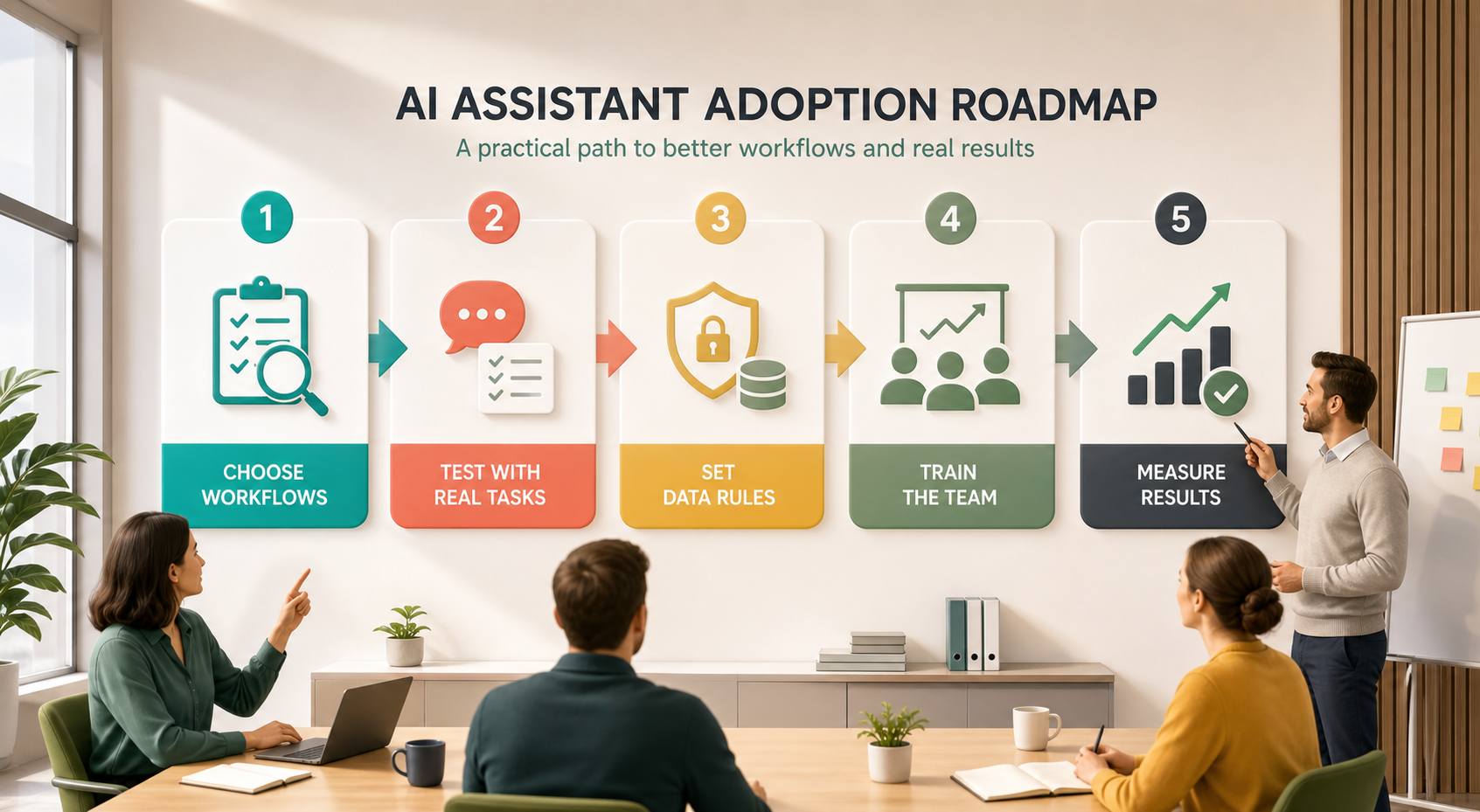
First, list the workflows your team repeats every week. Do not start with features. Start with real work, such as proposals, reports, customer responses, meeting notes, research summaries, support tickets, CRM updates, or internal documentation.
Next, choose five to ten sample tasks from those workflows. Use real examples after removing sensitive details where needed. Then test Claude and ChatGPT with the same prompts and the same source material. This makes the comparison more objective.
After that, score each result. Look at accuracy, clarity, tone, formatting, missing details, and how much editing the team had to do. Also, ask whether the result helps the next step in the workflow. A beautiful summary is not enough if the next person still has to rebuild the task manually.
Then, review security, access, data retention, admin controls, and integration needs. For example, some teams need SSO, SCIM, role-based permissions, audit-friendly settings, or clear rules for sensitive customer data. Therefore, IT and leadership should be part of the decision before a full rollout.
Finally, pilot the winning workflow with a small group. Train users on approved prompts, review rules, and escalation paths. Most importantly, measure outcomes such as faster turnaround, fewer manual updates, cleaner documents, better customer responses, or reduced admin work.
Key Benefits of Choosing the Right Tool
- Faster document review and clearer summaries for busy teams.
- Better first drafts for emails, proposals, SOPs, reports, and customer replies.
- Less manual data entry when AI is connected to the right workflow.
- Cleaner handoffs between sales, support, operations, and management.
- More consistent responses because teams use approved prompts and review rules.
- Better use of staff time because employees spend less energy on repetitive admin work.
- Improved reporting when AI-supported processes feed cleaner data into the right systems.
In addition, a good AI assistant can help reduce the invisible friction inside a business. Small delays, unclear notes, forgotten follow-ups, and scattered documents often slow teams down more than leaders realize. Because AI can organize and draft routine work, employees can focus more attention on judgment, relationships, and decisions.
Common Mistakes to Avoid
Choosing Based on One Demo
A single impressive answer can be misleading. Instead, test repeated tasks from different departments. Also, include difficult examples, not only clean ones.
Ignoring Workflow Fit
Some teams choose an AI tool before mapping the process. As a result, they get scattered usage instead of business improvement. Map the workflow first, then decide where AI belongs.
Skipping Data and Permission Rules
AI adoption needs clear rules about what users can upload, what data can be used, and who can approve sensitive outputs. Otherwise, the rollout may create confusion or risk.
Removing Human Review Too Early
AI can draft, summarize, classify, and suggest. However, people should still review important customer messages, legal language, pricing decisions, and strategic recommendations.
Measuring Activity Instead of Outcomes
Do not measure success only by how many employees use the tool. Instead, measure business outcomes such as time saved, response speed, fewer errors, cleaner CRM records, and better customer experience.
How IQBIRDS Helps Your Business
IQBIRDS helps businesses turn AI tools into practical workflows. The goal is not to argue over Claude vs ChatGPT in theory. The goal is to find where AI can reduce manual work, improve response quality, and support the systems your team already uses.
First, IQBIRDS can map your current process and identify repeated tasks that are good candidates for AI support. Next, we can help design prompts, approval rules, CRM updates, integrations, and reporting dashboards. In addition, we can help teams test Claude, ChatGPT, or a combined approach using real business examples. Because every company has different tools and risk levels, the final recommendation should be practical, secure, and easy for staff to use.
For growing teams, this approach keeps AI adoption focused on measurable value. Instead of adding another tool that employees forget to use, IQBIRDS helps build AI into daily work such as lead management, customer communication, operations checklists, service delivery, and reporting.
Frequently Asked Questions
Is Claude better than ChatGPT for business workflows?
Claude may be better for some document-heavy and analysis-heavy workflows, while ChatGPT may be better for broad daily productivity and connected business tasks. The best choice depends on your actual workflow, tools, data rules, and team needs.
Is ChatGPT better than Claude for automation?
ChatGPT can be a strong choice for automation-focused business work, especially when teams need drafting, analysis, coding help, data work, and connected processes. However, Claude can also support structured workflows when it fits the task and governance requirements.
Can a company use both Claude and ChatGPT?
Yes. Some companies use both tools for different teams or workflows. For example, one department may prefer Claude for long document review, while another may prefer ChatGPT for sales, support, coding, or operations tasks.
Which tool is safer for business data?
Safety depends on the plan, settings, permissions, policies, and how employees use the tool. Therefore, businesses should review official security documentation, choose the right account type, set clear data rules, and train staff before rollout.
What workflows should we test first?
Start with repeated tasks that are time-consuming but easy to review. Good examples include meeting summaries, customer email drafts, proposal outlines, CRM notes, support response drafts, internal SOPs, and weekly reports.
How long does an AI workflow pilot take?
A small pilot can often run for two to four weeks. During that time, the team should test real tasks, measure editing time, track quality, document risks, and decide whether to expand the workflow.
How can IQBIRDS help my business?
IQBIRDS can help your business compare Claude vs ChatGPT using real workflows, then design AI automations, CRM processes, integrations, approval rules, and reporting systems that fit your team. This makes AI adoption practical instead of confusing.
Final Thoughts
Claude vs ChatGPT is not a one-size-fits-all decision. Claude may shine in careful document analysis and structured reasoning, while ChatGPT may shine as a flexible work assistant across writing, data, coding, and operational tasks. Still, the best answer comes from testing both against your real workflows.
If your business wants to choose the right AI assistant and turn it into useful automation, IQBIRDS can help you map the workflow, compare the tools, connect the systems, and build a rollout plan your team can actually use.
Need AI Automation?
Discover how IQBirds helps businesses automate workflows and build custom digital products.