
AI Automation
AI Automation Strategies for Multi-Location Businesses
Running one business location is already a lot of work. Running two, five, ten, or more locations makes every small process harder to control. Each branch may have its own staff habits, customer follow-up style, review response speed, inventory issues, and reporting gaps. As a result, growth can create confusion if the business does not have a clear system.
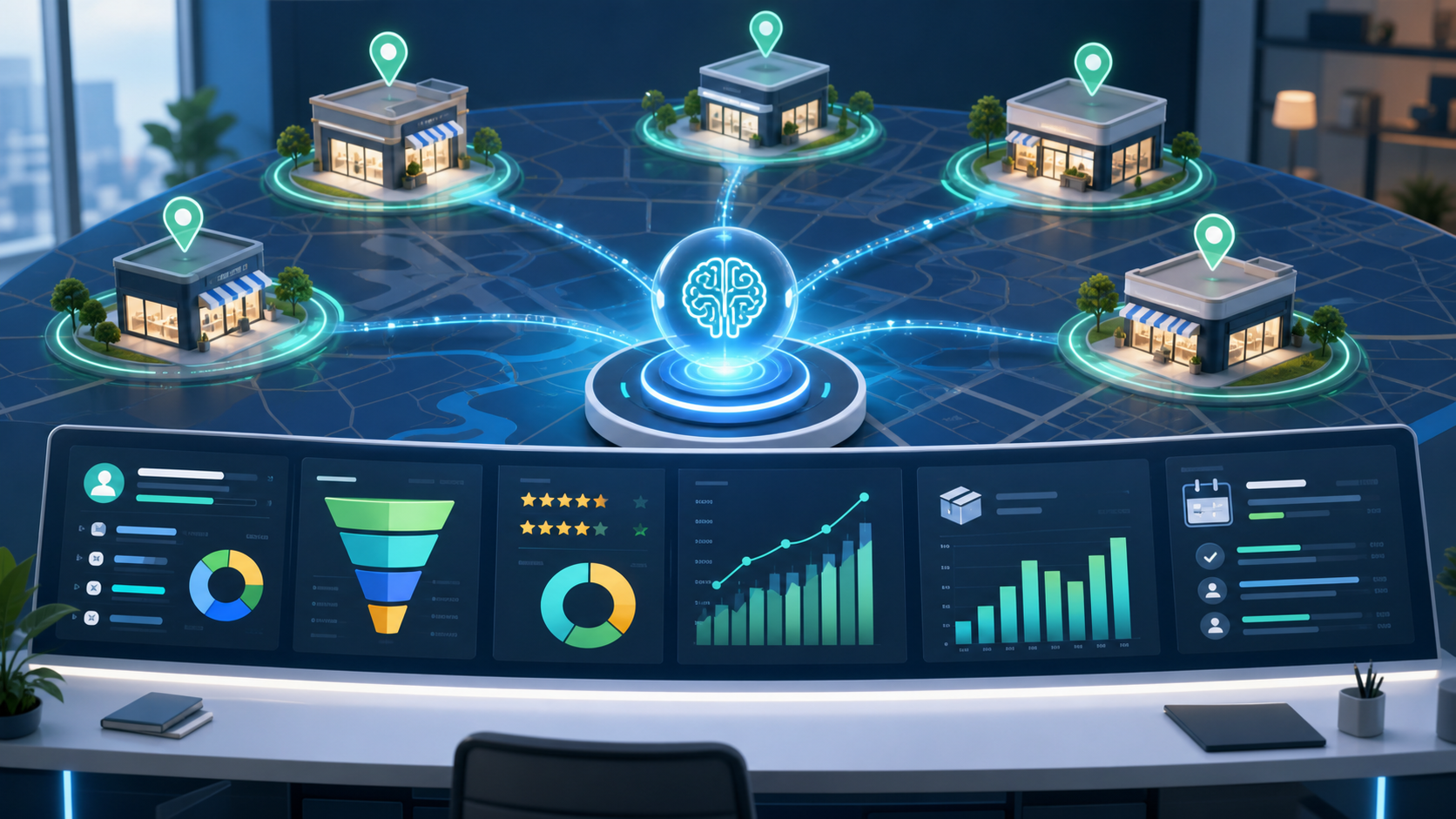
AI automation helps multi-location businesses keep that system organized. It can connect customer inquiries, CRM records, staff tasks, reviews, inventory alerts, local marketing, and performance reports. More importantly, it helps every location follow the same core process while still serving local customers in a personal way.
The goal is not to remove local managers or make every location feel identical. Instead, AI automation gives managers better visibility, gives staff fewer repeated tasks, and gives customers a more consistent experience. For growing businesses, that balance matters.
Why Multi-Location Businesses Need AI Automation
A single location can often rely on direct communication. The owner may know every team member, every process, and every customer issue. However, that changes when the business expands. Managers need a way to see what is happening across locations without asking for updates all day.
AI automation helps by turning repeated work into connected workflows. For example, a new lead can be routed to the correct location, added to the CRM, assigned to a staff member, and followed up with a reminder. A negative review can trigger an alert for a manager. A low-stock item can create a task before the location runs out.
Without these systems, each location may solve the same problem in a different way. That can lead to uneven service, missed leads, messy records, and slow decisions. Therefore, automation becomes less about saving a few minutes and more about protecting the quality of the whole business.
What AI Automation Should Standardize
The first strategy is to decide which workflows should be standard across all locations. Some parts of the business should not depend on local habit. Lead capture, customer follow-up, review response, appointment reminders, complaint handling, data entry, and reporting all need clear rules.
At the same time, standardization should not erase local context. A restaurant, clinic, retail store, or service branch may need different timing, staff roles, or approval steps. AI automation works best when the core process is shared, but the location details can still be adjusted.
For example, every location may use the same lead follow-up workflow. However, one location may route urgent calls to a local manager, while another may route them to a central sales team. The workflow stays consistent, but the handoff reflects how the business actually operates.
Practical AI Automation Strategies
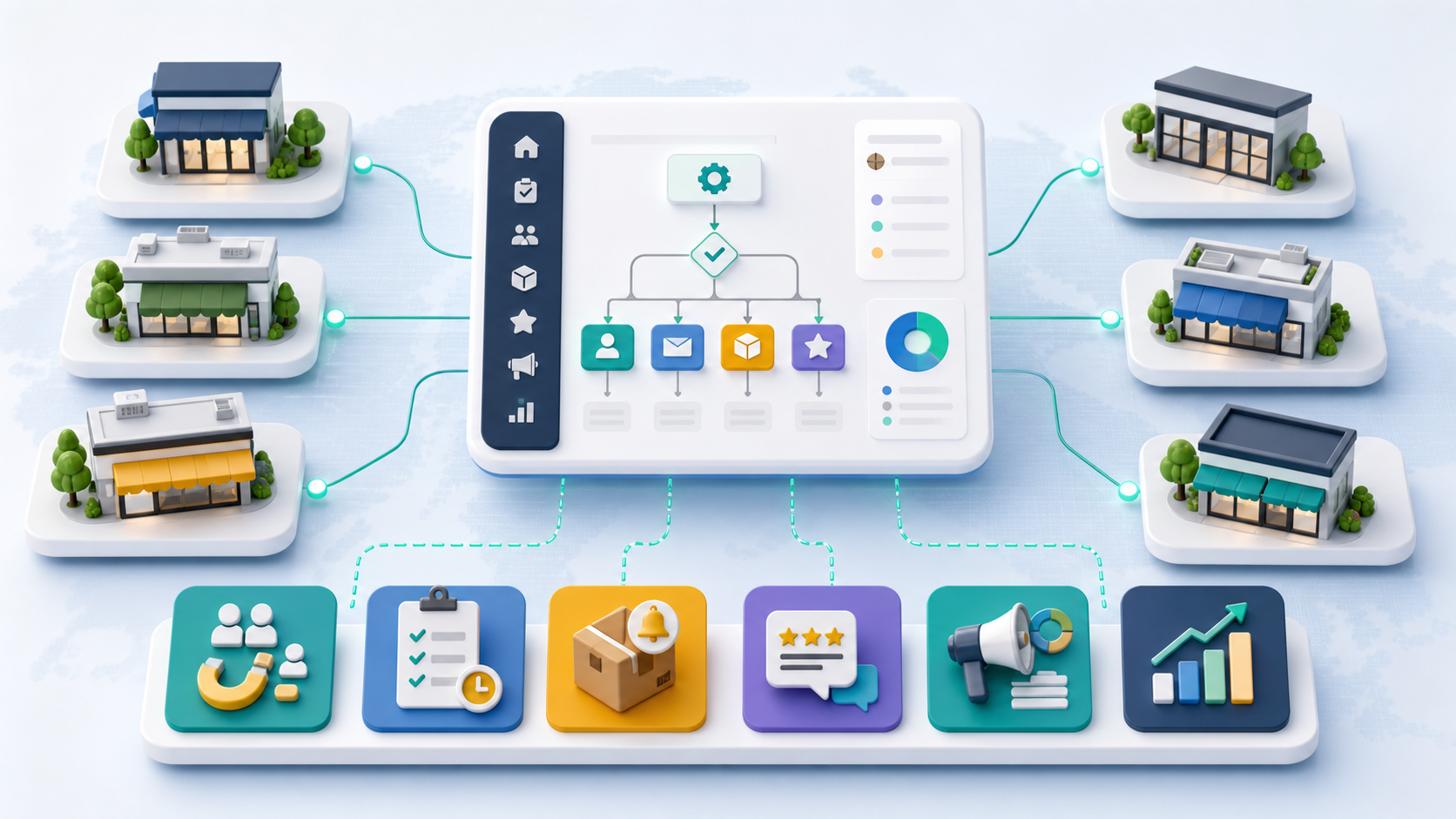
Centralize lead routing
First, every lead should go to the right location or team quickly. AI can read the inquiry source, customer location, service need, urgency, and available staff. Then, it can route the lead to the best branch and create a task for follow-up.
Automate review monitoring
Next, reviews should not sit unnoticed. AI can monitor reviews across locations, draft response suggestions, and alert managers when feedback needs attention. However, sensitive replies should still get human approval before they go live.
Connect inventory and supply alerts
For retail, healthcare, restaurants, and service teams, inventory gaps can hurt customer experience. AI automation can flag low-stock items, unusual usage, delayed supply orders, or location-level demand changes. As a result, teams can act before a small issue becomes a customer problem.
Create staff task workflows
AI can also turn repeated tasks into clear assignments. For example, it can create tasks for follow-up calls, quote reminders, customer check-ins, quality checks, and end-of-day reports. This helps local teams stay aligned without relying on memory.
Build location-level reporting
Finally, leaders need reports that compare locations fairly. AI can summarize lead volume, response time, review trends, appointment outcomes, sales activity, and operational issues. Because of that, managers can see which locations need support and which workflows are working well.
Manual Multi-Location Management vs AI Automation
| Feature | Manual Multi-Location Management | AI Automation |
|---|---|---|
| Lead routing | Staff decide manually or leads sit in shared inboxes | Leads route by location, need, urgency, and availability |
| Review response | Reviews are checked when someone remembers | Alerts, drafts, and approval steps keep responses consistent |
| CRM records | Data quality changes from location to location | Required fields and workflows create cleaner records |
| Inventory alerts | Problems are often found after stock runs low | Low-stock and usage patterns can trigger tasks early |
| Reporting | Reports arrive late and use mixed formats | Dashboards summarize location performance faster |
| Scalability | More locations create more manual coordination | Shared workflows scale with less operational noise |
The table shows why manual systems become harder as a business grows. Manual work can feel flexible at first. However, it often creates uneven results when many locations are involved. AI automation gives the business a shared operating rhythm, so each location can move faster without losing control.

How to Keep Local Control While Automating
Multi-location automation should not make local managers feel powerless. Instead, it should give them better tools. The central team can define the main workflow, while local teams can manage exceptions, approve sensitive messages, and adjust timing where needed.
For example, a central team may create one review response process for all locations. Yet a local manager should still review complaints, unusual service issues, or legal concerns. This keeps the brand consistent while protecting local judgment.
Also, staff training matters. If employees do not understand the workflow, they may ignore it or work around it. Therefore, every AI automation strategy should include simple training, clear ownership, and a feedback loop from each location.
Why Data Consistency Matters Across Locations
AI automation works best when each location uses the same basic data rules. If one branch records lead source, another records service type, and another skips follow-up status, leaders cannot compare performance fairly. Because of that, data consistency should come before complex automation.
Start with simple required fields. Every location should capture the customer need, lead source, assigned team member, follow-up date, status, and outcome. This makes CRM records cleaner and helps reports show what is really happening.
Also, consistent data helps AI make better suggestions. For example, it can notice which locations respond fastest, which services create the most repeat customers, and which lead sources produce better results. As a result, automation becomes more useful over time.
Where AI Automation Fits in Your Business Systems
AI automation works best when it connects the tools your business already uses. This may include your website, CRM, phone system, booking platform, review tools, inventory system, email, SMS, analytics, and reporting dashboards.
IQBIRDS can help with this foundation through AI Automation Services, AI CRM Development, AI Integration Services, and AI Marketing Automation. These services help connect your locations, tools, and workflows into a practical system.
You can also build on related IQBIRDS guides, including how AI eliminates repetitive business bottlenecks, AI workflows every sales team should automate, and signs your business is ready for AI automation.
For outside context, IBM explains intelligent automation as the use of automation and AI to improve business processes. Microsoft Power Automate shows how workflow automation can connect apps and services. Google Business Profile documentation explains how businesses can manage information across locations. Salesforce also provides useful background on customer data and automation for sales and service teams.
Helpful references include IBM intelligent automation, Microsoft Power Automate, Google Business Profile location groups, and Salesforce sales automation.
Step-by-Step AI Automation Roadmap
1. Map location workflows
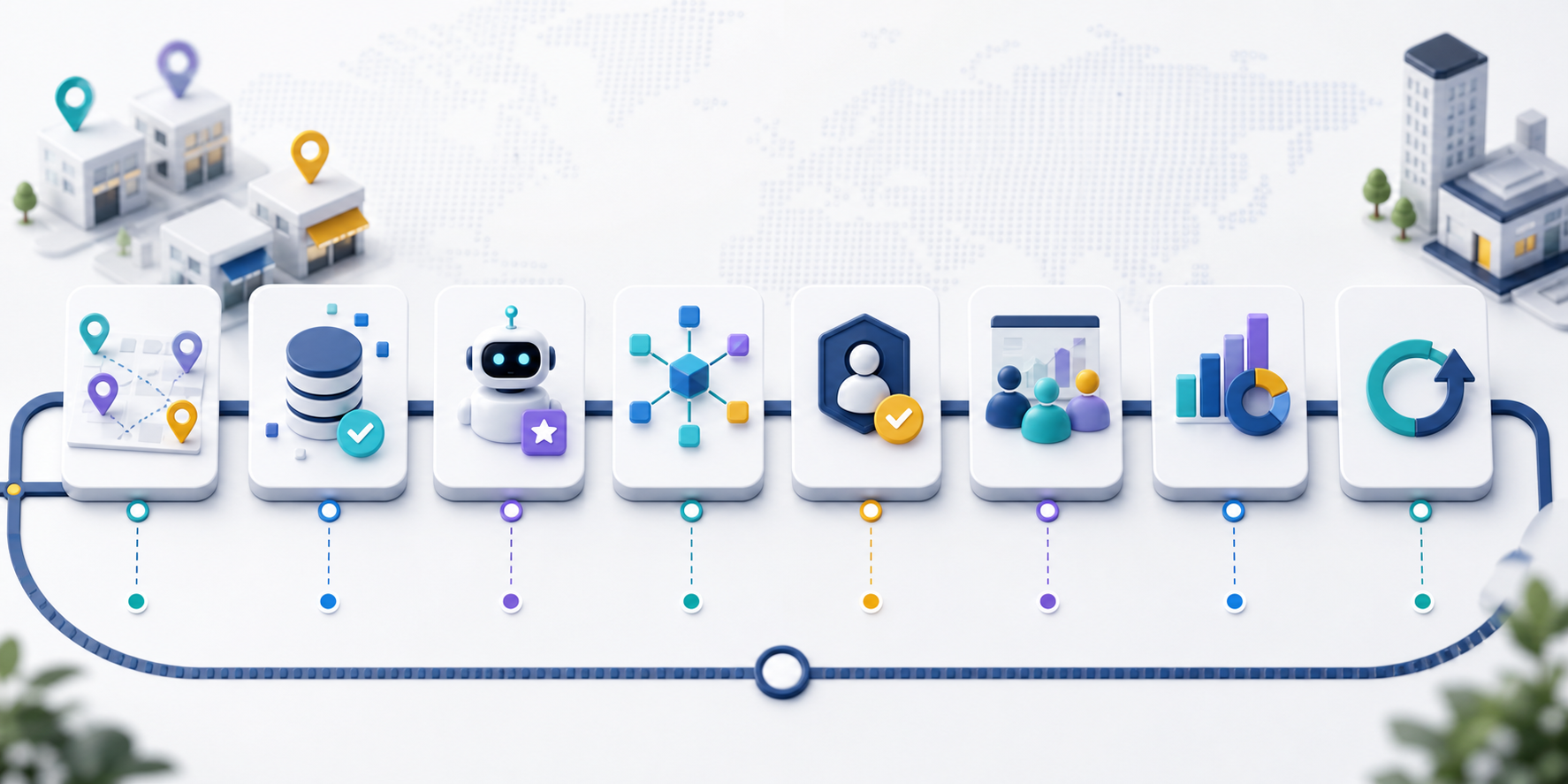
Start by mapping how each location handles leads, bookings, reviews, inventory, staff tasks, and reports. This reveals where the process is consistent and where it breaks down.
2. Standardize the core data
Next, decide which fields every location must capture. This may include location, service type, lead source, customer status, follow-up date, and outcome.
3. Choose one high-value workflow
Do not automate everything at once. Instead, start with a workflow that has clear value, such as lead routing, review alerts, appointment reminders, or inventory tasks.
4. Connect the right tools
After that, connect the tools needed for the workflow. A lead routing workflow may need your website forms, CRM, phone system, email, SMS, and manager dashboard.
5. Add local approval rules
Some decisions should stay local. Add approval steps for complaints, high-value leads, unusual customer requests, hiring issues, and sensitive public replies.
6. Train managers and staff
Then, show each team what the workflow does, what they own, and when they should step in. Simple training helps automation become part of the daily routine.
7. Measure and improve
Finally, track response time, lead conversion, review response speed, inventory issues, task completion, and location performance. Use those results to improve the workflow.
Key Benefits of AI Automation
- Faster lead routing across locations
- More consistent customer follow-up
- Cleaner CRM records and fewer duplicate tasks
- Better review monitoring and response workflows
- Earlier inventory and supply alerts
- Clearer reporting by location
- Less manual admin work for managers
- More scalable operations as new locations open
Common Mistakes to Avoid
Automating before mapping the workflow
If the process is unclear, automation will move the confusion faster. First, map the workflow. Then, decide what AI should support.
Forcing every location to work the same way
Consistency matters, but local context matters too. Keep core rules standard while allowing smart local exceptions.
Ignoring data quality
AI automation depends on clean data. Duplicate records, missing fields, and inconsistent naming can weaken every report and workflow.
Removing human review too early
Human review is still important for complaints, sensitive replies, major deals, and unusual customer situations. AI should support judgment, not erase it.
Skipping staff training
If people do not understand the system, they will not trust it. Therefore, training and feedback should be part of every rollout.
How IQBIRDS Helps Your Business
IQBIRDS helps multi-location businesses design AI automation that fits real operations. First, we map workflows across locations. Then, we identify repeated tasks, data gaps, handoff issues, and reporting problems.
Next, IQBIRDS can connect your CRM, website, forms, phone system, review workflows, inventory alerts, email, SMS, and reporting dashboards. We can also add human approval steps so the system stays practical for local managers.
The result is a cleaner operating system for growth. Your business can follow up faster, compare locations more clearly, reduce repeated admin work, and open new branches with less chaos.
Frequently Asked Questions
What is AI automation for multi-location businesses?
AI automation for multi-location businesses uses artificial intelligence and connected workflows to manage leads, tasks, reviews, inventory, CRM records, and reports across several locations.
Why do multi-location businesses need AI automation?
They need it because more locations create more handoffs, data gaps, and repeated admin work. AI automation helps keep processes consistent and easier to manage.
What should be automated first?
Good first workflows include lead routing, appointment reminders, review alerts, CRM updates, staff tasks, and inventory notifications. Choose the area with the clearest business value.
Can AI automation work with local managers?
Yes. The best systems support local managers with alerts, summaries, tasks, and approvals. They do not remove local judgment from important decisions.
Does AI automation replace employees?
No. It reduces repeated admin work so employees can focus on service, sales, quality, and customer relationships.
How can AI improve reporting by location?
AI can summarize response times, lead outcomes, review trends, task completion, inventory issues, and customer activity by location. This helps leaders compare performance faster.
How can IQBIRDS help my business?
IQBIRDS can map your workflows, connect your tools, build AI automation, add human approval steps, improve CRM data, and create dashboards for multi-location reporting.
Conclusion
AI automation gives multi-location businesses a practical way to grow without losing control. It helps standardize important workflows, connect scattered tools, improve follow-up, and make reporting easier across locations.
However, the best strategy is not to automate everything at once. Start with one high-value workflow, connect the right tools, add human review, train the team, and improve the system with real results.
If your business is expanding across locations, IQBIRDS can help you build an AI automation strategy that supports consistency, local control, and smarter growth.
Need AI Automation?
Discover how IQBirds helps businesses automate workflows and build custom digital products.