
AI Customer Experience
How AI Is Changing Customer Expectations
AI customer experience is changing what people expect from every business they contact. Customers no longer compare your support, response time, and follow-up only with companies in your own industry. They compare you with the fastest, most helpful, and most personalized experiences they receive anywhere online.
That shift matters for local businesses, service companies, agencies, ecommerce brands, and professional firms. When a customer asks a question, they expect a quick answer. After they already filled out a form, they expect you to remember the context. On a return visit, they expect the next step to feel connected. Because AI can help businesses understand intent, automate follow-up, and personalize service at scale, customer expectations are rising quickly.

Why AI Customer Experience Matters Now
Customer experience used to be mostly about friendly service and reliable delivery. Those things still matter. However, customers now judge businesses by how easy the entire journey feels. They notice how fast a company replies, whether the team understands their question, whether information is repeated, and whether the next step is clear.
AI changes this because it gives businesses a practical way to respond faster and use customer data more intelligently. For example, AI can summarize a conversation, route a request, identify urgency, recommend the next best action, and update a CRM record without waiting for someone to do every step manually. As a result, customers begin to expect fewer delays and fewer disconnected handoffs.
This does not mean customers want every interaction to feel robotic. In fact, the opposite is true. Customers want speed, but they also want relevance, empathy, and trust. Therefore, the best AI customer experience is not about replacing human care. It is about giving teams better context, better timing, and better support so the customer feels understood.
The Customer Expectations AI Is Changing
1. Customers Expect Faster Responses
Speed is one of the clearest changes. A customer who submits a contact form, sends a chat message, or asks for support does not want to wait until someone checks an inbox hours later. They expect the business to notice the request and respond quickly, especially when the question is simple.
AI helps by reading incoming messages, classifying the request, sending instant confirmations, preparing draft replies, and notifying the right person. Because of that, teams can respond faster without forcing staff to monitor every channel manually. For growing businesses, this can reduce missed leads and make support feel more dependable.
2. Customers Expect Personalization
Personalization used to mean adding a first name to an email. Now it means understanding the customer’s situation. Returning buyers expect you to know what they purchased. New leads expect follow-up based on the service they requested. Support customers expect the team to understand previous conversations.
AI can connect customer data from forms, CRM records, support tickets, chat history, and email conversations. Then it can help teams tailor replies, recommend relevant services, and avoid repeating questions the customer already answered. In practice, personalization feels like respect for the customer’s time.

3. Customers Expect Connected Conversations
Customers move between channels constantly. They may discover your business through search, ask a question through chat, submit a form, reply by email, and later call your office. If each channel feels separate, the customer has to restart the conversation every time. That quickly becomes frustrating.
AI customer experience improves this by bringing context together. For example, a customer service agent can see a summary of the website form, the previous chat, and the latest CRM note before replying. Meanwhile, automation can keep the record updated as the journey moves forward. As a result, the business feels more organized from the customer’s point of view.
4. Customers Expect Proactive Help
AI is also making customers more comfortable with proactive service. Instead of waiting for the customer to ask, businesses can use signals to anticipate what the customer may need next. For example, a company can remind a client about an appointment, send onboarding instructions, recommend a relevant service, or alert a support team when a customer looks stuck.
However, proactive service needs care. Helpful reminders are welcome. Pushy messages are not. Therefore, businesses should use AI to improve timing and relevance, not to overwhelm customers with generic automation.
What Research Shows About AI and Customer Expectations
Current research supports this shift. Salesforce’s AI connected customer research shows that customers increasingly expect companies to use AI responsibly while still protecting trust. In addition, Salesforce’s service AI agent research highlights growing interest in AI agents for faster service, although customers still want clear escalation to humans when issues are complex.
Meanwhile, HubSpot’s State of Service research continues to point toward speed, self-service, and personalization as major service priorities. IBM’s customer experience guidance also emphasizes that AI works best when it improves the complete customer journey rather than one isolated interaction. In short, AI is not just changing tools. It is changing what customers believe good service should feel like.
For businesses, this creates a practical challenge. Customers want AI-powered convenience, but they do not want careless automation. They want faster answers, but they do not want fake empathy. They want personalization, but they also want privacy. Because of that, the winning approach combines automation, CRM quality, human review, and clear customer communication.
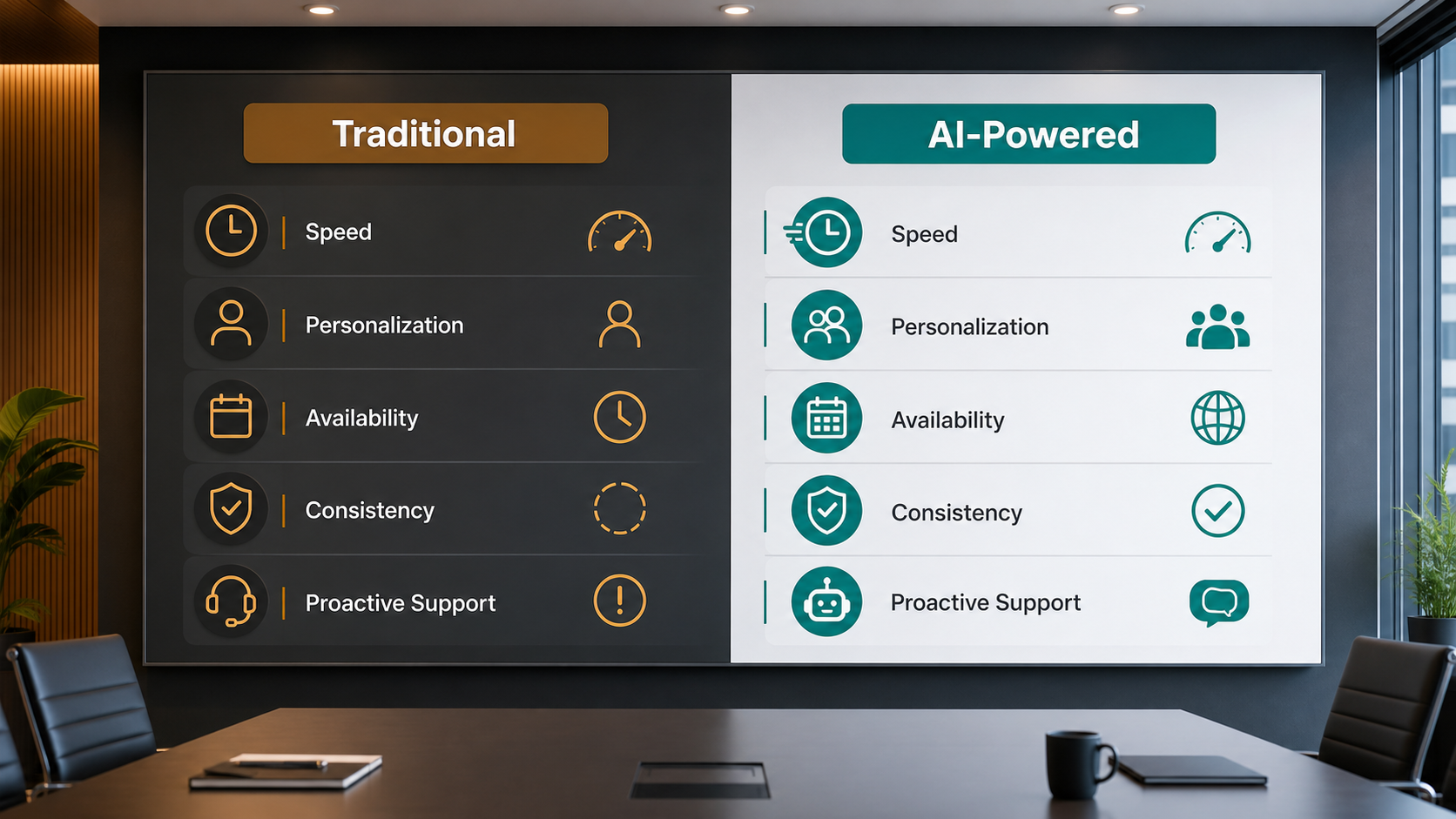
Traditional Customer Experience vs AI Customer Experience
| Customer expectation | Traditional experience | AI customer experience |
|---|---|---|
| Response speed | Depends on staff availability and inbox checks | Instant routing, confirmations, summaries, and draft replies |
| Personalization | Often based on memory or manual notes | Uses CRM, form, chat, and purchase context |
| Channel consistency | Customers repeat information across channels | Context follows the customer across touchpoints |
| Support quality | Varies by team member and workload | More consistent answers with human review where needed |
| Proactive service | Usually reactive after the customer asks | Triggers reminders, next steps, and helpful follow-ups |
| Scalability | Requires more staff as volume grows | Handles more routine work while humans focus on complex needs |
This table shows the real difference. Traditional service depends heavily on manual attention, while AI customer experience helps the business keep context, move faster, and support customers before small issues become bigger problems. Still, the best results happen when AI supports people instead of removing judgment from the customer journey.
Where Businesses Should Focus First
The best starting point is usually the customer journey step where delays are most visible. For many businesses, that means the first response after a form submission. For others, it means quote follow-up, support triage, appointment reminders, onboarding messages, or CRM updates after a call.
This is where practical implementation matters. Services like AI automation services, AI CRM development, and AI integration services can help connect the systems behind the experience. For example, a business can use AI to qualify a lead, update the CRM, notify the right team member, and send a helpful follow-up without creating extra manual work.
Businesses can also learn from related AI workflow ideas. A strong contact form to customer workflow can reduce response gaps, while better AI lead scoring can help teams prioritize the most urgent opportunities. At the same time, customer-facing automation should always be tested with real examples before it reaches every customer.
Step-by-Step Guide to Improve Customer Experience With AI
Step 1: Map the Customer Journey
Start by mapping the journey from first contact to repeat business. Include website visits, forms, chat, calls, emails, proposals, payment, onboarding, support, and follow-up. This reveals where customers wait, repeat themselves, or lose confidence.
Step 2: Identify the Highest-Friction Moments
Next, look for the moments that create the most customer frustration. These may include slow replies, unclear pricing, missed follow-ups, poor handoffs, incomplete CRM records, or inconsistent support answers. Then choose one or two problems to solve first.
Step 3: Connect Customer Data
AI needs useful context. Therefore, connect the systems that hold customer information, such as your website forms, CRM, email platform, support desk, calendar, and payment tools. Clean data helps AI personalize service without guessing.

Step 4: Automate Simple Responses and Routing
After the data is organized, automate low-risk steps first. These can include confirmation messages, lead routing, support categorization, appointment reminders, CRM notes, and internal task creation. This creates faster service without handing sensitive decisions fully to AI.
Step 5: Add Human Review for Important Moments
Keep people involved when the issue is emotional, expensive, complex, or sensitive. For example, pricing exceptions, complaints, legal questions, refunds, and important sales conversations should still have human review. AI can prepare the context, but people should guide the relationship.
Step 6: Measure the Experience
Finally, track response time, resolution time, conversion rate, repeat questions, customer satisfaction, missed follow-ups, and team workload. Over time, these metrics show whether AI is improving the customer experience or simply adding another tool to manage.
Key Benefits of AI Customer Experience
- Faster responses to leads and support questions
- More personal communication based on real customer context
- Fewer missed follow-ups and forgotten tasks
- Cleaner CRM records and better visibility for managers
- More consistent service across teams and locations
- Better support routing for urgent or complex cases
- More time for staff to handle high-value customer conversations
These benefits are practical, not theoretical. When AI reduces small delays across the journey, customers feel the difference. They may not know which workflow changed behind the scenes, but they notice that the company responds faster, remembers context, and guides them more clearly.
Common Mistakes to Avoid
The first mistake is automating before understanding the customer journey. If the process is confusing, AI may only make confusion happen faster. Instead, map the journey and fix the biggest friction points first.
The second mistake is using generic automated messages. Customers can usually tell when a reply is fast but unhelpful. Therefore, automation should use real context and clear next steps.
The third mistake is ignoring privacy and trust. Customers may appreciate AI-powered convenience, but they still want responsible data use. Be clear about what data is used, protect sensitive information, and avoid collecting more than the business needs.
The fourth mistake is removing human review too early. AI can handle many routine steps, but difficult customer moments still need judgment. A smart workflow gives customers a clear path to a person when needed.
The fifth mistake is measuring only activity. More messages, more automations, and more AI-generated replies do not always mean a better experience. Instead, measure speed, clarity, conversion, satisfaction, and resolution quality.
How IQBIRDS Helps Your Business
IQBIRDS helps businesses build AI customer experience systems that are practical, connected, and easy for teams to use. We start by understanding your customer journey, your current tools, and the places where customers wait or repeat themselves. Then we design automation around real workflows instead of forcing your team into a complicated new system.
IQBIRDS can help with AI automation, CRM setup, customer journey automation, lead management, support routing, email follow-up, reporting dashboards, and human approval workflows. We can also connect your website forms, CRM, email tools, calendars, support platforms, and business apps so customer data moves smoothly between systems.
The goal is simple: help your business respond faster, personalize better, and keep the human side of customer relationships strong. With the right AI customer experience strategy, your team can serve more people without making the experience feel cold or disconnected.
Frequently Asked Questions
What is AI customer experience?
AI customer experience means using artificial intelligence to improve how customers interact with a business. It can include faster responses, personalized messages, better routing, CRM updates, support summaries, and proactive follow-up.
How is AI changing customer expectations?
AI is making customers expect faster replies, more relevant communication, connected conversations across channels, and proactive help. Customers now notice when a business is slow, repetitive, or disconnected.
Do customers want AI instead of human support?
Not always. Many customers appreciate AI for quick answers and simple tasks, but they still want human support for complex, emotional, or sensitive issues. The best experience combines AI speed with human judgment.
Can small businesses use AI for customer experience?
Yes. Small businesses can start with simple automations such as form follow-up, appointment reminders, lead routing, support categorization, and CRM updates. These small improvements can make the business feel more responsive and organized.
What is the biggest risk of AI customer experience?
The biggest risk is using automation in a way that feels generic, careless, or intrusive. Businesses should protect customer data, add human review, and make sure AI improves the experience rather than creating frustration.
Which customer experience tasks should be automated first?
Start with repetitive, low-risk tasks such as confirmations, reminders, routing, CRM updates, support summaries, and basic follow-up. These tasks usually create value quickly without removing human care from important moments.
How can IQBIRDS help my business?
IQBIRDS can help your business map the customer journey, connect your tools, build AI workflows, automate follow-up, improve CRM data, and create customer experience systems that support growth without adding unnecessary complexity.
Final Thoughts
AI is changing customer expectations because it makes faster, smarter, and more connected service possible. Customers now expect businesses to respond quickly, remember context, personalize communication, and guide them through the next step with less effort.
For businesses, the opportunity is clear. Start with the customer journey, fix the friction points, connect the right tools, and use AI where it makes the experience easier. IQBIRDS can help you build an AI customer experience system that feels efficient for your team and genuinely helpful for your customers.
Need AI Automation?
Discover how IQBirds helps businesses automate workflows and build custom digital products.