
AI Automation
Is Your CRM Costing You More Than It Saves?
A CRM is supposed to make your business easier to manage.
It should help your team track leads, manage customers, follow up on time, understand the sales pipeline, and make better decisions. But for many businesses, the CRM quietly becomes another source of work.
Salespeople spend time updating fields instead of talking to prospects. Managers do not trust the reports. Leads are added late. Follow-ups are missed. Customer notes are incomplete. The CRM subscription keeps getting paid every month, but the business is not getting the value it expected.
That is when the question becomes important: is your CRM costing you more than it saves?
The problem is usually not the CRM platform alone. The bigger problem is how the CRM is used. Without CRM automation, clean workflows, reliable data, and team adoption, even a powerful CRM can become expensive digital storage.
This guide explains the hidden costs of a poorly automated CRM, how CRM automation improves return on investment, and what business owners should fix before buying more software.
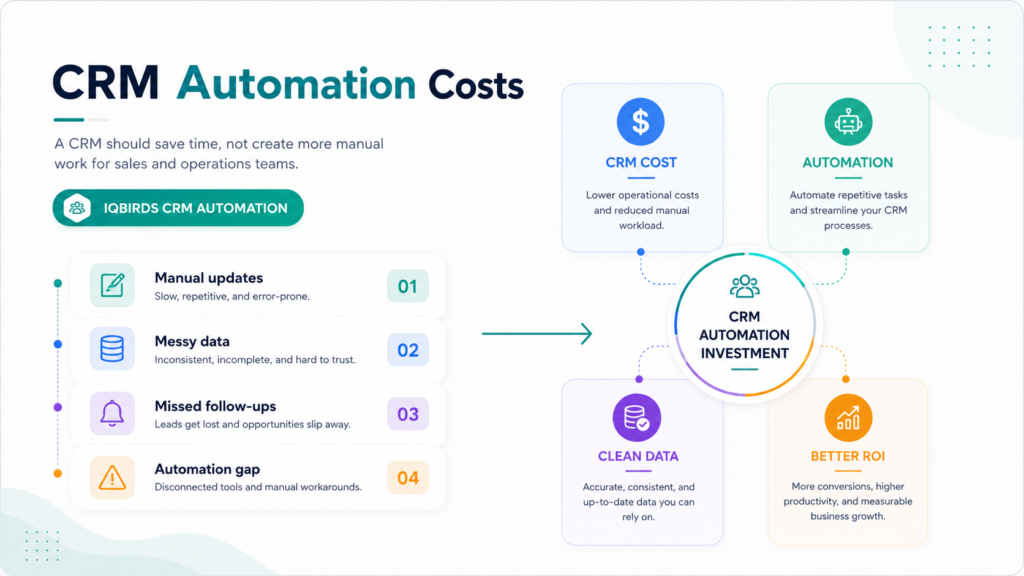
Why CRM Cost Is Bigger Than the Monthly Subscription
Most businesses think about CRM cost in terms of licenses.
That is only one part of the real cost.
A CRM also costs time, training, setup, customization, reporting work, data cleanup, integrations, support, and the daily effort required to keep records accurate.
If the CRM saves more time and helps the business close more revenue, those costs can be worth it. But when the CRM creates extra manual work, the return becomes harder to justify.
The hidden cost is usually not obvious on an invoice. It shows up in slow sales follow-up, poor data quality, team frustration, missed opportunities, and reports nobody trusts.
The CRM should support the workflow
A CRM should not be a place where work goes to be manually documented after the fact.
It should support the workflow as it happens. Leads should be captured automatically. Follow-up tasks should be created on time. Records should be updated consistently. Sales managers should be able to see the pipeline without chasing the team for updates.
CRM automation helps turn the CRM from a passive database into an active business system.
Sign 1: Your Team Spends Too Much Time Updating Records
The first sign is manual data entry.
If your sales or operations team spends hours every week copying details from emails, forms, spreadsheets, call notes, and chat messages into the CRM, the system is costing more than it should.
Manual updates are slow. They are also inconsistent. One person writes detailed notes. Another adds only the company name. A third forgets to update the stage. Over time, the CRM becomes harder to trust.
CRM automation can reduce this work by capturing form submissions, creating records, updating fields, checking duplicates, adding lead sources, and creating follow-up tasks automatically.
Practical example
A new lead fills out a website form. Without automation, someone checks the email notification, copies the lead details, creates a contact, creates a deal, adds a note, and assigns a salesperson.
With CRM automation, the system can create or update the contact, add the source, summarize the request, route the lead, and create the next task instantly.
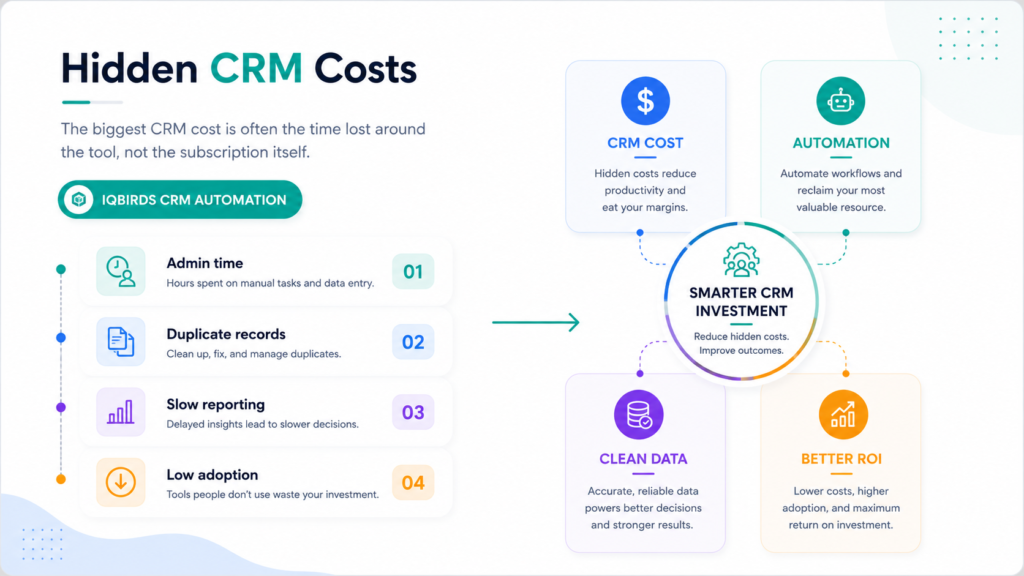
Sign 2: Your CRM Reports Are Not Trusted
A CRM report is only as good as the data inside it.
If records are incomplete, stages are outdated, sources are missing, or follow-ups are not logged, the reports will not help leaders make good decisions.
This creates a serious cost. Managers may spend hours asking for updates that should already be visible. Marketing may not know which campaigns create qualified leads. Sales leaders may not understand why deals are stuck.
CRM automation improves reporting by making key data capture more consistent.
It can update stages based on workflow actions, log activity, track lead sources, create reminders, and flag missing information before the record becomes useless.
Best practice
Decide which fields are truly important.
Do not overload the CRM with unnecessary fields. Focus on the data that helps with follow-up, qualification, reporting, and customer experience.
Sign 3: Leads Are Still Being Missed
A CRM should help businesses protect leads.
If leads are still sitting in inboxes, spreadsheets, website forms, social messages, or personal notes, the CRM is not doing enough.
This often happens when lead capture is disconnected from the CRM. The team may use the CRM after a lead becomes serious, but not during the early response stage. That delay can cost real opportunities.
CRM automation can connect lead sources directly to the sales pipeline. It can create records, assign owners, notify the right person, draft follow-up emails, and trigger reminders.
The goal is simple: every lead should have an owner, a next step, and a visible status.
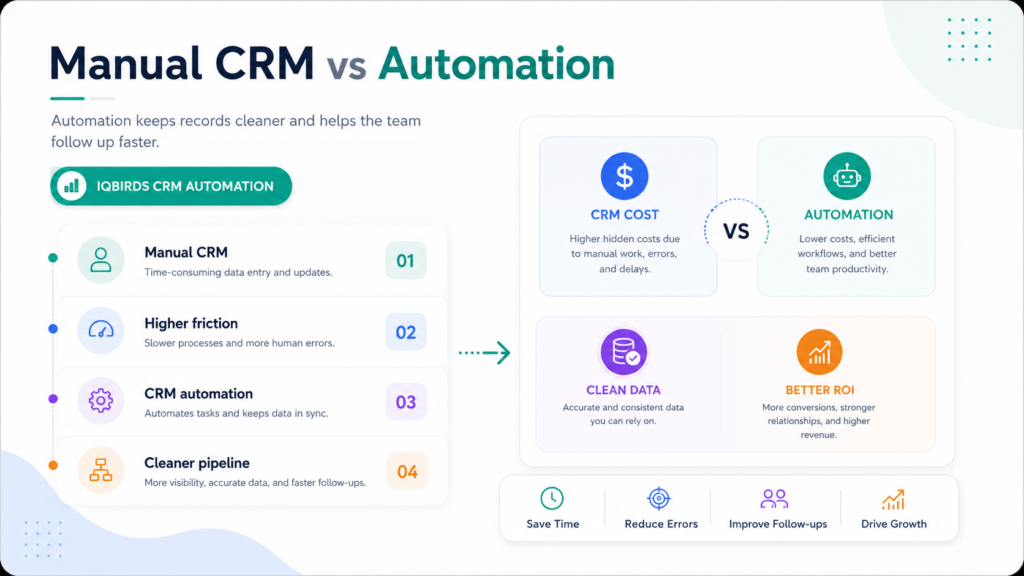
Manual CRM vs CRM Automation
| CRM Area | Manual CRM Process | CRM Automation |
|---|---|---|
| Lead capture | Leads are copied from forms or inboxes | Leads are created or updated automatically |
| Follow-up | Depends on memory or manual tasks | Tasks and reminders trigger based on rules |
| Data quality | Fields are inconsistent or missing | Key fields are captured and standardized |
| Reporting | Managers chase updates manually | Reports improve because data is updated faster |
| Sales activity | Notes are added late or forgotten | Activities and summaries can be logged more consistently |
| Lead routing | Leads may go to the wrong person | Routing uses source, location, service type, or urgency |
| Cost | License cost plus hidden admin time | Higher value when manual work is reduced |
The table shows why the CRM platform itself is not enough. A manual CRM can become expensive because people spend too much time feeding the system. CRM automation makes the system more useful by reducing manual updates, improving follow-up, and helping the team trust the data.
Useful Research and Related IQBIRDS Reading
CRM and automation platforms are increasingly focused on connected workflows, AI support, and better customer data. Salesforce, HubSpot, and Microsoft Dynamics 365 all show how CRM value depends on sales process automation, customer data, and workflow design. IBM’s workflow automation resources also support the same practical point: automation works best when repeated processes are clearly defined.
For related IQBIRDS reading, see How Businesses Waste Leads Without AI Automation, How AI Eliminates Repetitive Business Bottlenecks, and AI Automation Myths Business Owners Still Believe.
If your business wants help improving CRM ROI, explore AI CRM Development, AI Automation Services, and AI Integration Services.
Useful external references include Salesforce Sales Automation, HubSpot CRM, Microsoft Dynamics 365 Sales, and IBM Workflow Automation.
Sign 4: Your Sales Team Avoids Using the CRM
Low adoption is one of the clearest signs that the CRM is costing too much.
Sales teams avoid CRMs when the system feels slow, complicated, repetitive, or disconnected from real selling. If they believe the CRM only helps management but makes their own work harder, adoption will suffer.
CRM automation can help by reducing the manual burden.
Instead of asking salespeople to update everything by hand, automation can create tasks, log activity, draft follow-up notes, summarize calls, and keep records moving through the pipeline.
The easier the CRM is to use, the more likely the team is to trust it.
Sign 5: You Keep Paying for Features Nobody Uses
Many businesses buy CRM features before they understand their actual workflow needs.
They pay for advanced reporting, marketing automation, forecasting, sequences, integrations, AI tools, or custom objects, but the team only uses basic contact storage.
This creates a gap between subscription cost and business value.
Before adding more features, audit what is already available. You may not need a new tool. You may need better setup, cleaner workflows, or CRM automation that connects the features you already pay for.
Practical question
Ask this before upgrading: what manual task will this feature remove, and how will we measure the value?
If there is no clear answer, the upgrade may add cost without solving the real problem.
Sign 6: Your CRM Is Not Connected to the Rest of the Business
A CRM should not sit alone.
It should connect with your website forms, email platform, calendar, phone system, Google Sheets, support desk, marketing tools, proposal software, project management platform, and reporting dashboards.
When these tools are disconnected, people become the integration.
They copy details from one system to another. They manually update statuses. They check multiple places to understand one customer. That is expensive and frustrating.
CRM automation connects the workflow so information moves without constant manual effort.
Step-by-Step Guide to Reduce CRM Waste
Step 1: Audit the real CRM cost
Start with more than licenses.
Estimate the time spent on manual updates, reporting, data cleanup, missed follow-ups, duplicate records, and manager follow-up. This gives a clearer picture of CRM cost.
Step 2: Map the lead and customer workflow
Write down how a lead enters the business, how it is assigned, how follow-up happens, how the CRM is updated, and how the customer moves through the pipeline.
This shows where the CRM is helping and where it is creating friction.
Step 3: Clean the most important data fields
Focus on fields that affect sales, follow-up, reporting, and customer experience.
These may include lead source, service interest, owner, stage, next step, last contact date, location, deal value, and priority.
Step 4: Automate repeated tasks
Start with the tasks that happen every day.
Good examples include lead creation, duplicate checks, task reminders, follow-up drafts, stage updates, activity summaries, and routing rules.
Step 5: Add human review where needed
Automation should not remove human judgment from sensitive sales moments.
Use review steps for high-value leads, unusual requests, discounts, contract changes, and customer-facing messages that need careful tone.
Step 6: Train the team around the new workflow
CRM automation only works when the team understands it.
Show people what the automation does, what they still own, and how to correct errors.
Step 7: Measure CRM ROI
Track response time, follow-up completion, time saved, record quality, pipeline accuracy, booked calls, conversion rate, and team adoption.
The CRM should become easier to use and more valuable over time.
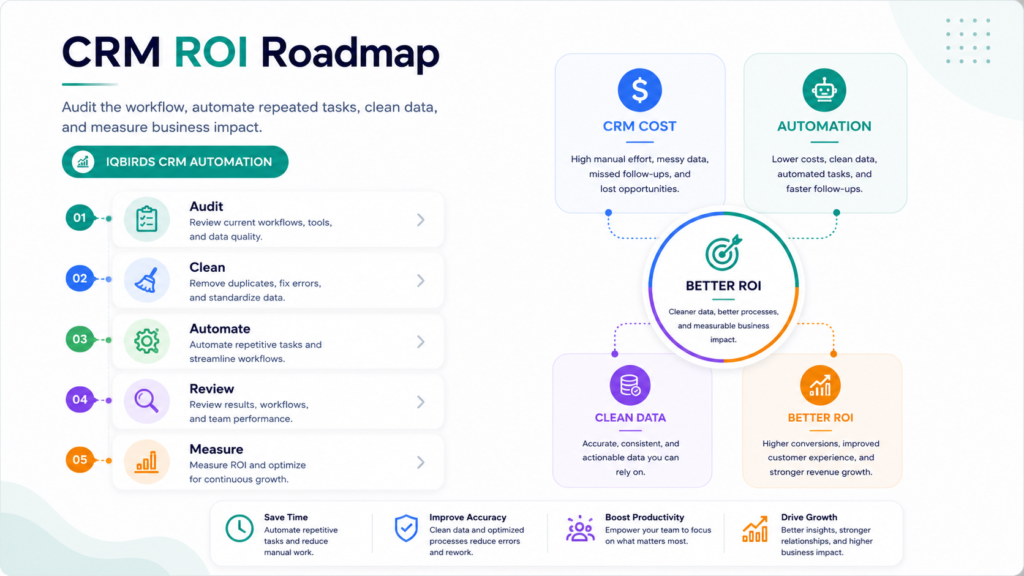
Key Benefits of CRM Automation
- Less manual data entry for sales and operations teams
- Faster lead response and cleaner lead routing
- More reliable follow-up reminders
- Cleaner CRM records and fewer duplicate contacts
- Better pipeline visibility for managers
- More accurate reporting for marketing and sales
- Higher team adoption because the CRM feels easier to use
- Less time spent chasing updates
- Better customer experience through faster communication
- Stronger return on the CRM investment
The biggest benefit is not simply saving time. It is making the CRM useful enough that the team actually wants to rely on it.
Common Mistakes to Avoid
Buying a bigger CRM before fixing the workflow
A more expensive CRM will not fix unclear processes.
Map the workflow first. Then decide whether you need better automation, better setup, or a different platform.
Tracking too many fields
More fields do not always mean better data.
If fields are not useful, the team will ignore them. Track what helps the business take action.
Leaving follow-up to memory
A CRM should not depend on someone remembering every next step.
Use automation to create reminders, tasks, alerts, and follow-up workflows.
Ignoring adoption problems
If the team avoids the CRM, find out why.
The answer may be too much manual entry, confusing stages, poor training, or disconnected tools.
Measuring CRM value only by subscription cost
The cheaper CRM is not always the better CRM.
Measure the total value: time saved, cleaner data, better follow-up, improved visibility, and more revenue opportunities protected.
How IQBIRDS Helps Your Business
IQBIRDS helps businesses turn CRMs into practical, automated systems instead of manual databases.
The process starts by reviewing how your CRM is used today. Where is data entered manually? Where do leads get delayed? Which reports are unreliable? Which tools are disconnected? Which tasks should be automated?
From there, IQBIRDS can help build CRM automation across forms, email, calendars, Google Sheets, sales pipelines, task tools, support systems, and reporting dashboards.
This can include automated lead capture, AI lead summaries, CRM field updates, follow-up reminders, sales task automation, duplicate checks, email drafts, pipeline reporting, and human approval workflows.
The goal is simple: reduce CRM waste, improve adoption, and help your CRM save more than it costs.
FAQs
What is CRM automation?
CRM automation uses workflows, rules, integrations, and AI to reduce manual CRM work such as data entry, lead routing, follow-up reminders, email drafts, pipeline updates, and reporting.
How can a CRM cost more than it saves?
A CRM can cost more than it saves when teams spend too much time updating records manually, data is messy, adoption is low, follow-ups are missed, reporting is unreliable, and workflows are not automated.
What CRM tasks should be automated first?
Start with repetitive tasks such as lead capture, CRM field updates, lead routing, follow-up reminders, email drafts, pipeline stage updates, duplicate checks, and sales activity reporting.
Does CRM automation replace salespeople?
CRM automation does not replace salespeople. It removes repetitive admin work so sales teams can focus more on customer conversations, relationship building, and closing deals.
Is CRM automation useful for small businesses?
Yes. Small businesses can use CRM automation to reduce admin work, respond faster to leads, keep data cleaner, and manage the sales pipeline without hiring more operations staff.
How do you measure CRM automation ROI?
Measure CRM automation ROI by tracking time saved, faster response times, fewer missed follow-ups, cleaner records, better pipeline visibility, more completed tasks, and improved conversion rates.
How can IQBIRDS help my business?
IQBIRDS can help your business audit CRM workflows, clean up manual bottlenecks, connect tools, build CRM automation, add AI workflows, and improve CRM ROI with practical systems.
Conclusion
Your CRM should save time, protect leads, improve visibility, and help your team manage customer relationships more effectively.
If it creates manual work, messy data, poor adoption, and unreliable reports, it may be costing more than it saves.
The fix is not always buying another platform. Often, the better answer is CRM automation, cleaner workflows, better integrations, and clearer ownership.
When the CRM captures data automatically, triggers follow-up, supports the sales team, and gives managers reliable reports, it becomes an asset instead of a burden.
Ready to Make Your CRM Save More Than It Costs?
If your CRM feels expensive, messy, or underused, IQBIRDS can help. Contact IQBIRDS for a free consultation and build CRM automation that reduces manual work, improves follow-up, and gives your team a cleaner sales system.
Need AI Automation?
Discover how IQBirds helps businesses automate workflows and build custom digital products.